
Stormbringer
Members
-
Joined
-
Last visited
Everything posted by Stormbringer
-
^ +1!
-
Myself. Krusty.
-
Thylane Blondeau Danielle Knudson Hailey Outland Niamh Adkins
-
And yet more acoustic Grunge! Again a collaboration for an Alice in Chains song, this is NO EXCUSES
-
Alexina Graham Sarah Stephens Lane Lindell
-
Lorena's legs...!
-
Kate Li Hailey Outland Effy Harvard Reneé Murden Sasha Luss McKenna Berkley Niamh Adkins Thylane Blondeau
-
Excellent point
-
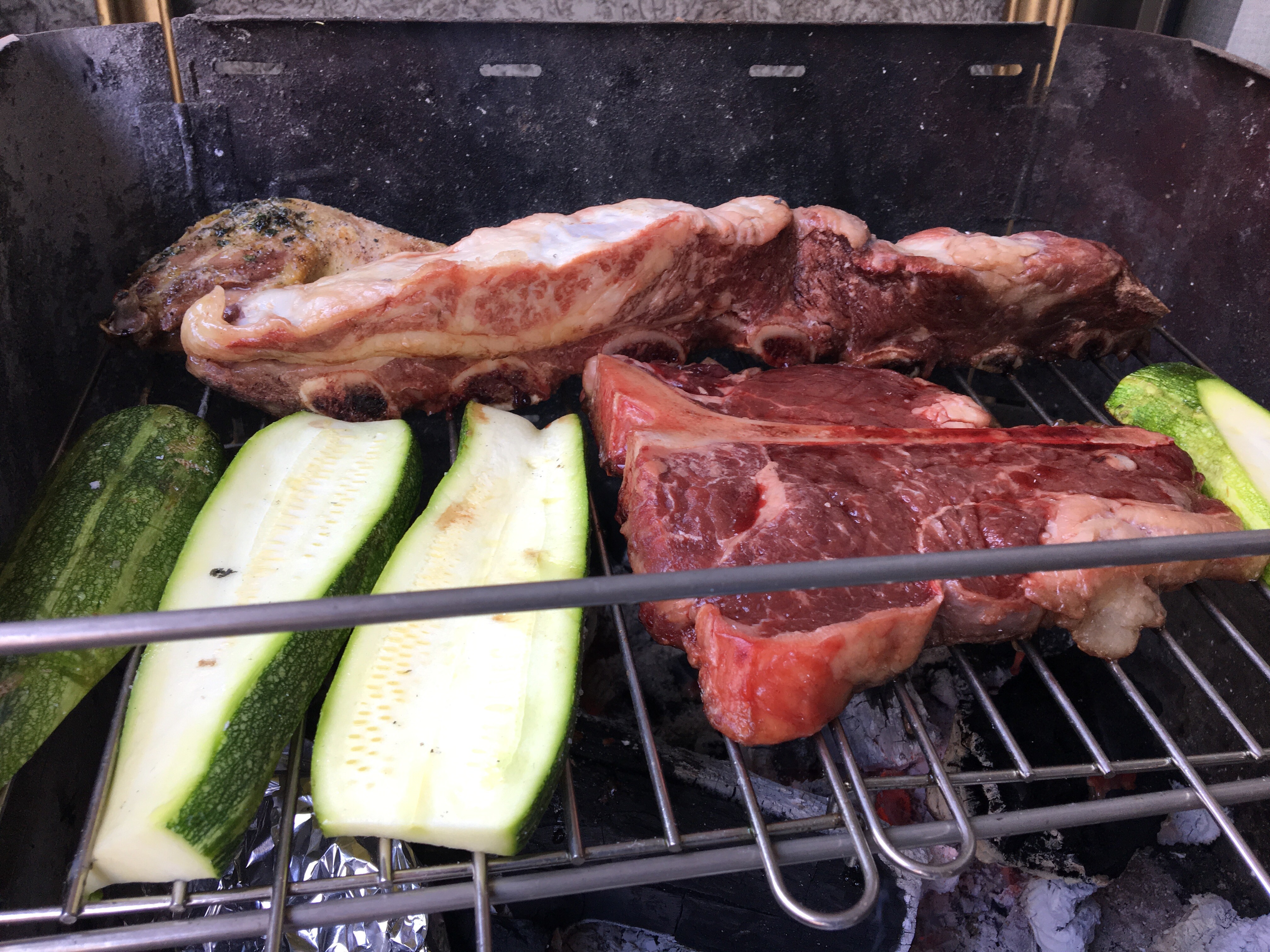
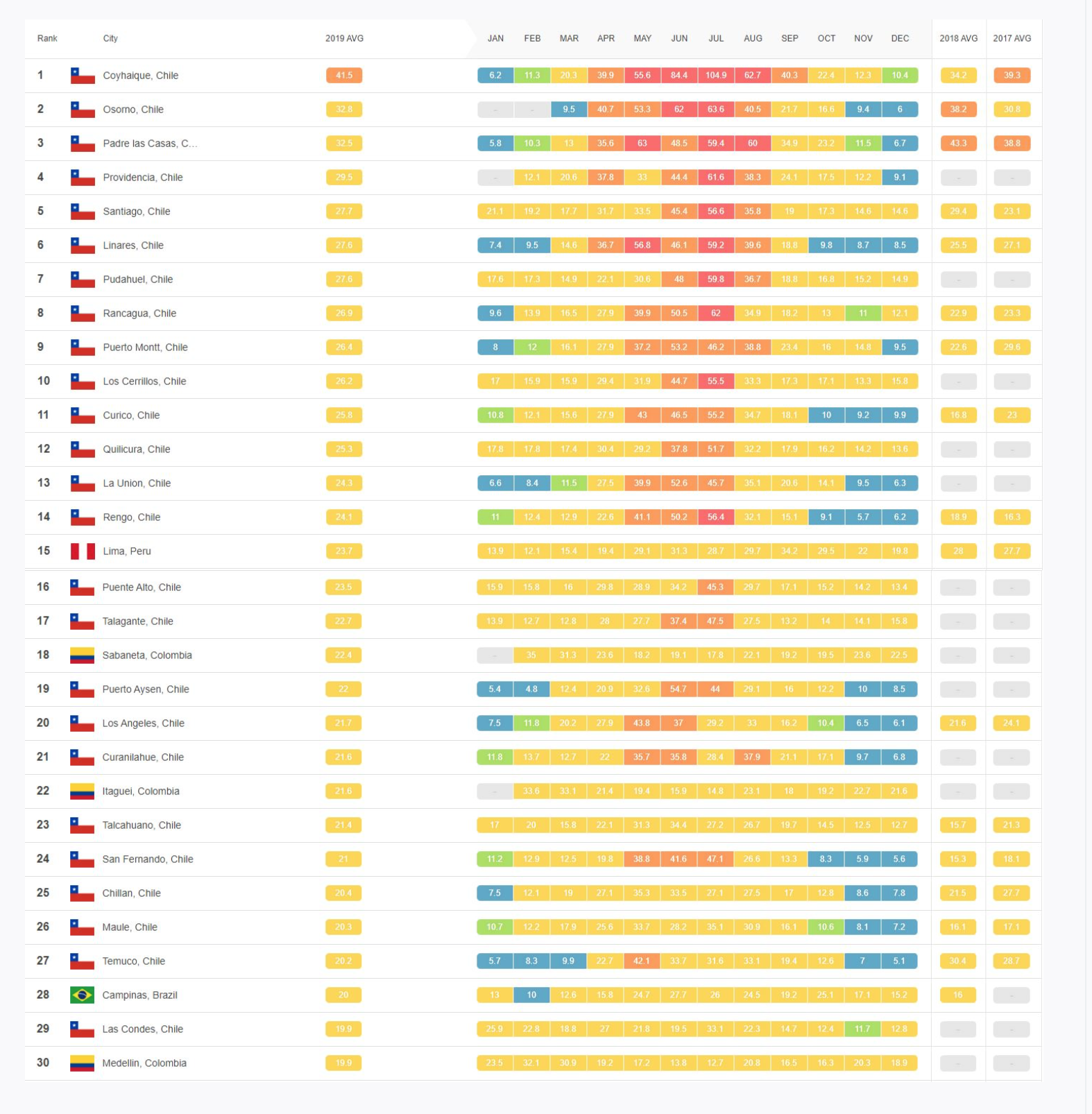
^ oh my...So the Beach Boys copied not one but TWO Chuck Berry songs for this one: Mainly from here And the guitar intro fromNita Strauss Anaïs Delva Kylie Minogue Alyson Michalka^ Thanks for the adds @wildestvibe!Camille Rowe Sui He Candice Boucher Sarah StephensWell, she's not vegan actually the T-bone there was hers Oh, andMy sister is to blame on that. Not meI seeAnother???Yes, that's the case for most if not all of these cities.Okay, now I won't edit it anymoreOut of the 30 most polluted cities in Latin America, 25 are in Chile. Though Santiago's comunes are listed here as separate cities, so it would really be 19 cities. And I'm not proud at all of my hometown's placement


Account
Navigation
Search
Configure browser push notifications
Chrome (Android)
- Tap the lock icon next to the address bar.
- Tap Permissions → Notifications.
- Adjust your preference.
Chrome (Desktop)
- Click the padlock icon in the address bar.
- Select Site settings.
- Find Notifications and adjust your preference.
Safari (iOS 16.4+)
- Ensure the site is installed via Add to Home Screen.
- Open Settings App → Notifications.
- Find your app name and adjust your preference.
Safari (macOS)
- Go to Safari → Preferences.
- Click the Websites tab.
- Select Notifications in the sidebar.
- Find this website and adjust your preference.
Edge (Android)
- Tap the lock icon next to the address bar.
- Tap Permissions.
- Find Notifications and adjust your preference.
Edge (Desktop)
- Click the padlock icon in the address bar.
- Click Permissions for this site.
- Find Notifications and adjust your preference.
Firefox (Android)
- Go to Settings → Site permissions.
- Tap Notifications.
- Find this site in the list and adjust your preference.
Firefox (Desktop)
- Open Firefox Settings.
- Search for Notifications.
- Find this site in the list and adjust your preference.