
Jade Bahr
Members
-
Joined
-
Last visited
Everything posted by Jade Bahr
-

-
-
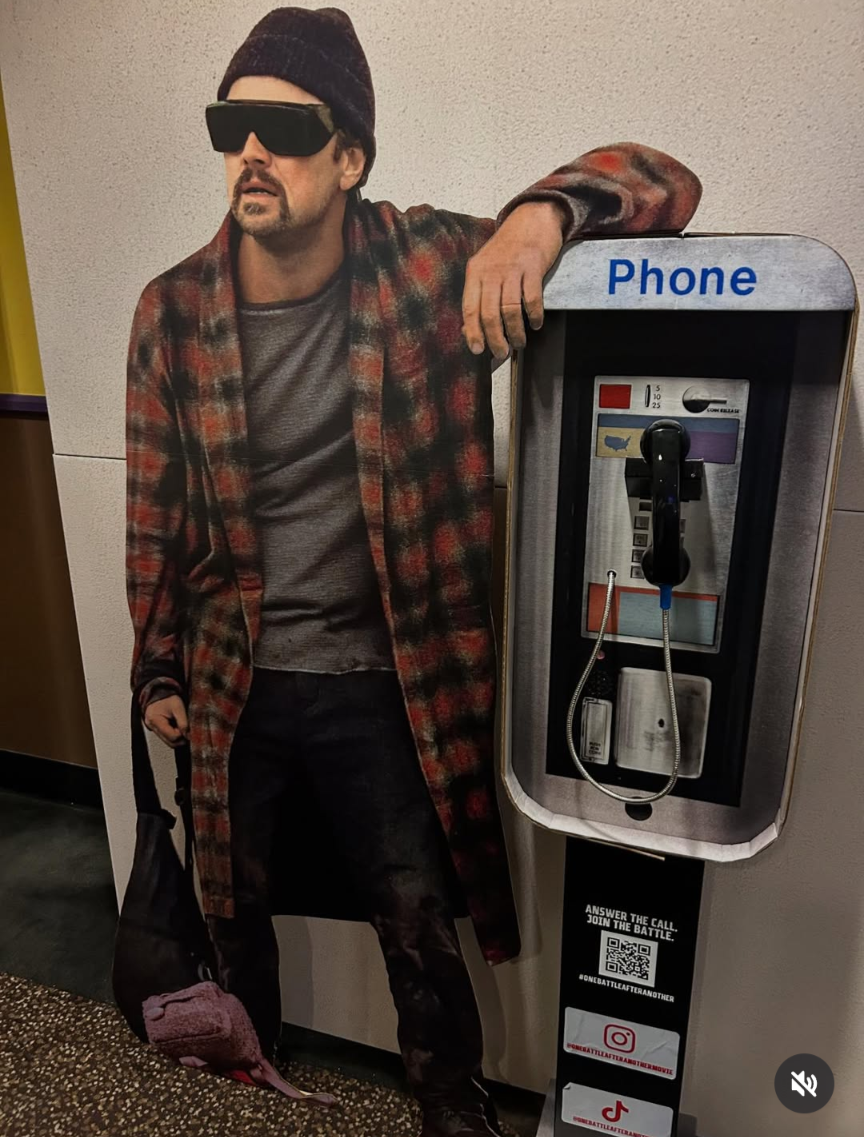
Love this look 😍
https://x.com/FilmUpdates/status/1962847021741576565
‘One Battle After Another’ Screens Next Friday for NYC Press — Social Media Embargo Lifts September 8 Some eyebrows were raised when Paul Thomas Anderson’s “One Battle After Another” skipped Venice, Telluride, and TIFF. It’s still a tad puzzling, but hey— Anderson has been upfront about his dislike of festivals, and that might have been the dealbreaker here. That said, I can confirm the film will screen for NYC critics next Friday, Sept. 5, with the social media embargo lifting the following Monday at 10 p.m. PST / 1 a.m. EST. The catch? Many of the city’s top critics will be in Toronto for TIFF, likely missing this much-anticipated showing. I take this as a show of confidence: Warner Bros. is rolling out this $150M+ gamble more than 20 days ahead of release. But why not also hold a press screening at TIFF, where a large contingent of New York critics will already be? It would make perfect sense.
^repost but too handsome for not to 😋



 https://www.instagram.com/p/DN8XOwvEz-K/
 I like her attitude (mostly interested in her lyrics) but I'm not really a fan of her music. But I like some of her new songs like When you get hot, We Almost Broke Up Again Last Night and Sugar Talking.
Cool Promo move 🤩
I like her attitude (mostly interested in her lyrics) but I'm not really a fan of her music. But I like some of her new songs like When you get hot, We Almost Broke Up Again Last Night and Sugar Talking.
Cool Promo move 🤩

 Don't care what anyone says I loved this series
Account
Navigation
Search
Configure browser push notifications
Chrome (Android)
- Tap the lock icon next to the address bar.
- Tap Permissions → Notifications.
- Adjust your preference.
Chrome (Desktop)
- Click the padlock icon in the address bar.
- Select Site settings.
- Find Notifications and adjust your preference.
Safari (iOS 16.4+)
- Ensure the site is installed via Add to Home Screen.
- Open Settings App → Notifications.
- Find your app name and adjust your preference.
Safari (macOS)
- Go to Safari → Preferences.
- Click the Websites tab.
- Select Notifications in the sidebar.
- Find this website and adjust your preference.
Edge (Android)
- Tap the lock icon next to the address bar.
- Tap Permissions.
- Find Notifications and adjust your preference.
Edge (Desktop)
- Click the padlock icon in the address bar.
- Click Permissions for this site.
- Find Notifications and adjust your preference.
Firefox (Android)
- Go to Settings → Site permissions.
- Tap Notifications.
- Find this site in the list and adjust your preference.
Firefox (Desktop)
- Open Firefox Settings.
- Search for Notifications.
- Find this site in the list and adjust your preference.