

Stromboli1
Members
-
Joined
Everything posted by Stromboli1
-
 Read the whole Twitter thread. The Great Reset is upon us.
 -
Yep that's her. Can add her if you guys want, just trying to help out with SA models. ----- ADDED
-
Twas a model first.
Who was the Brazilian model that was in SI in the last few MJ woke years that has fake boobs and dark hair?
Lais Navarro & Marianne Fonseca ----- ADDED Does Anya Taylor Joy count for SA?
More SA models: Emanuela De Paula & Veronica Zappolo. ----- ADDED
Here's another SA for ya............... Luiza Freyesleben ----- ADDED
NA Hailey Clauson Jessica Clements Priscilla Huggins Ortiz Barrett Taylor Sharpe Dana Taylor Alejandra Guilmant SA Sofia Reynal Rayanne Bitancourt Jessica Balsaneli Adriana Mora Katherine Henderson Milagros Pineiro ----- ADDED
I wish!........
I say do this and @Matt! adds the 10th cause he has first choice cause he did the last Halling, but he can refuse and if so someone else can add a 10th.
Caroline Lowe Polina Malinovskaya Natasja Madsen Marina Laswick Jessica Nazarenus
Ford Digitals

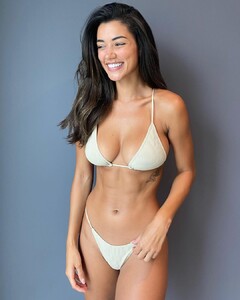
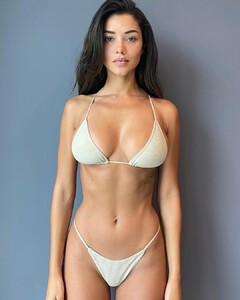

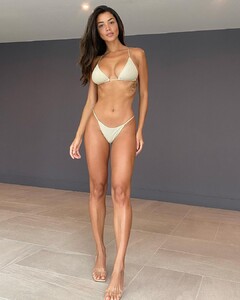 Alf likes cats.
Romee Strijd Gizele Oliveira Natasja Madsen Caroline Lowe
Jessica Nazarenus Cindy Mello Polina Malinovskaya Valeria Rudenko
102042987_403901097399782_8111339439440197725_n.mp4
Alf likes cats.
Romee Strijd Gizele Oliveira Natasja Madsen Caroline Lowe
Jessica Nazarenus Cindy Mello Polina Malinovskaya Valeria Rudenko
102042987_403901097399782_8111339439440197725_n.mp4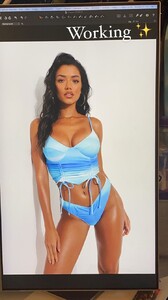 @lostdiadem thanks for the awesome competition. Till the next one.
Renée Murden Effy Harvard Xian Mikol Vika Bronova Nicola Cavanis Scarlett Leithold Lea Mohr Hannah Ferguson Taylor Hill Gintare Sudziute
@lostdiadem thanks for the awesome competition. Till the next one.
Renée Murden Effy Harvard Xian Mikol Vika Bronova Nicola Cavanis Scarlett Leithold Lea Mohr Hannah Ferguson Taylor Hill Gintare Sudziute


Account
Navigation
Search
Configure browser push notifications
Chrome (Android)
- Tap the lock icon next to the address bar.
- Tap Permissions → Notifications.
- Adjust your preference.
Chrome (Desktop)
- Click the padlock icon in the address bar.
- Select Site settings.
- Find Notifications and adjust your preference.
Safari (iOS 16.4+)
- Ensure the site is installed via Add to Home Screen.
- Open Settings App → Notifications.
- Find your app name and adjust your preference.
Safari (macOS)
- Go to Safari → Preferences.
- Click the Websites tab.
- Select Notifications in the sidebar.
- Find this website and adjust your preference.
Edge (Android)
- Tap the lock icon next to the address bar.
- Tap Permissions.
- Find Notifications and adjust your preference.
Edge (Desktop)
- Click the padlock icon in the address bar.
- Click Permissions for this site.
- Find Notifications and adjust your preference.
Firefox (Android)
- Go to Settings → Site permissions.
- Tap Notifications.
- Find this site in the list and adjust your preference.
Firefox (Desktop)
- Open Firefox Settings.
- Search for Notifications.
- Find this site in the list and adjust your preference.