
Jade Bahr
Members
-
Joined
-
Last visited
-
Currently
Viewing Topic: Leonardo DiCaprio - (Please Read First Post Prior to Posting)
Everything posted by Jade Bahr
-
 ^Leo & Teyana gettin close (whatever is going on they seem very comfortable and touchy with each other) https://www.instagram.com/p/C6nyXVEM8XO/
 -
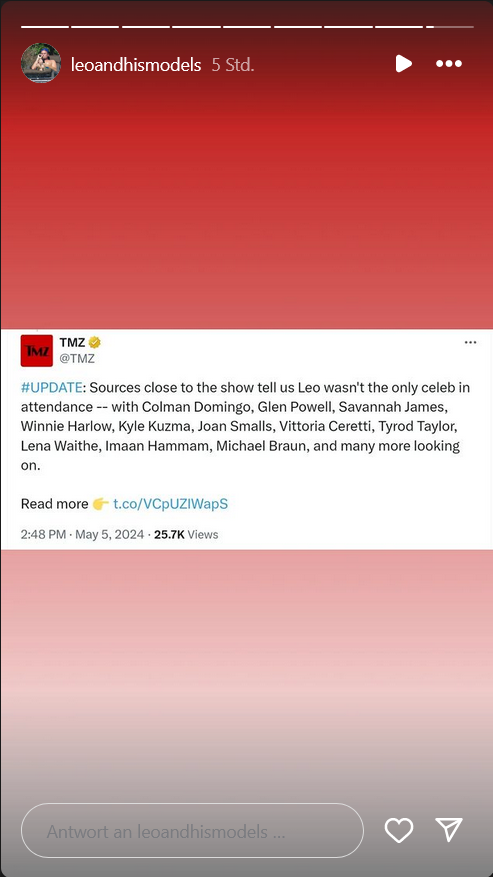
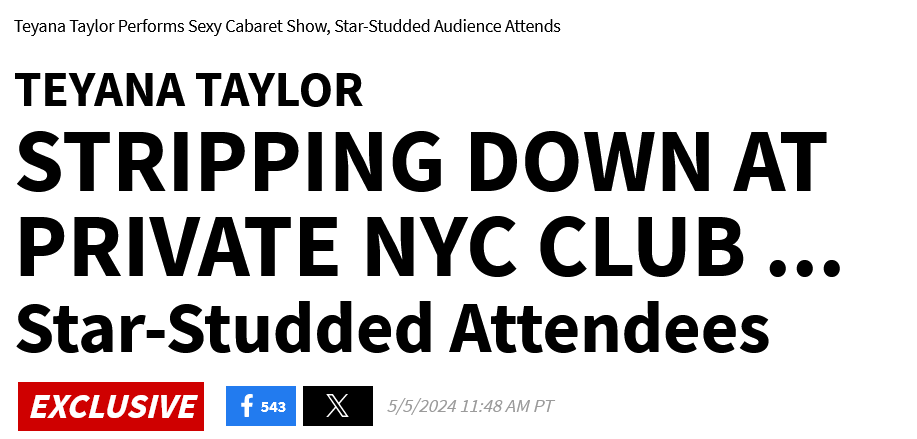
TMZ is still trying to make Leo and Teyana happen 😄 First headline Leos pr team yelling at them for portraying him as the only horndog attending TMZ changing the headline into something more.... moderate just to changed it a 3rd time with a fully remove of Leos name in the headline LOL https://www.tmz.com/2024/05/05/teyana-taylor-perform-sexy-sultry-cabaret-show-private-event-met-gala/ They also don't know who Vittoria is 🤣 Leonardo DiCaprio Gets Close with Woman During Teyana Taylor Cabaret Party

-
Teyanas dress 😄 https://www.instagram.com/p/C6lsZd_LV2c/


-
^same party

-
Leo cuddling with Vitto. https://www.instagram.com/p/C6ly8oiOyNN/
-
Guess who's the biggest star in town? @Lilja K
-
Andrew is lovely too 😻
Probably one of the best scores for a modern romcom in ages. Amazon must be thrilled.
This 👇 is gorgeously made @Lilja K Can't believe he's such a fetus as an actor. We're literally watching him taking baby steps in the business 😋 TOM BLYTH FILMOGRAPHY 2018-Present
Mad over him maybe lol
The gorgeous Tom Blyth... let me moan in peace over his beauty 😻
Account
Navigation
Search
Configure browser push notifications
Chrome (Android)
- Tap the lock icon next to the address bar.
- Tap Permissions → Notifications.
- Adjust your preference.
Chrome (Desktop)
- Click the padlock icon in the address bar.
- Select Site settings.
- Find Notifications and adjust your preference.
Safari (iOS 16.4+)
- Ensure the site is installed via Add to Home Screen.
- Open Settings App → Notifications.
- Find your app name and adjust your preference.
Safari (macOS)
- Go to Safari → Preferences.
- Click the Websites tab.
- Select Notifications in the sidebar.
- Find this website and adjust your preference.
Edge (Android)
- Tap the lock icon next to the address bar.
- Tap Permissions.
- Find Notifications and adjust your preference.
Edge (Desktop)
- Click the padlock icon in the address bar.
- Click Permissions for this site.
- Find Notifications and adjust your preference.
Firefox (Android)
- Go to Settings → Site permissions.
- Tap Notifications.
- Find this site in the list and adjust your preference.
Firefox (Desktop)
- Open Firefox Settings.
- Search for Notifications.
- Find this site in the list and adjust your preference.