Skip to content

Candice Swanepoel

Featured Replies

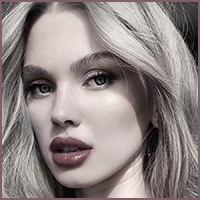
I don't know why but people keep putting heavy makeup on her and I don't think it's working.

3 hours ago, Schemer said:

I don't know why but people keep putting heavy makeup on her and I don't think it's working.

I agree. I  think she looks awful with heavy makeup. She looks much better with natural/light makeup. Dark/heavy makeup makes her look really harsh. 


I do like her hairstyle and outfit though. Just wish they would tone it down with the clown makeup. 

MFW SS20 Street Style

Shot by Sandra Semburg for Vogue France

1378647974_Milan_SS2020_day4-20190921-1421.thumb.jpg.be99e7c756ff656880bb432fbb0538c4.jpg

MFW SS20 Street Style

via theimpression.com

milano-str-rs20-4913.thumb.jpg.18d8bbec5b5b211343ed0593ee67523a.jpgmilano-str-rs20-4916.thumb.jpg.acb9f1f4623eeefbd657105a57fd4a3c.jpgmilano-str-rs20-4951.thumb.jpg.c729959ba3e52a2113eca463119f547f.jpgmilano-str-rs20-4959.thumb.jpg.ff9e84b941c9eca3266215769555412e.jpg

amfAR Gala Milano

via Vogue Italia

Rosie-Huntington-Whiteley-VogueInt-20Sep19-Getty.thumb.jpg.d3433bb07cd0f1b8feb9dfd868b39951.jpg

Max Mara Ready To Wear Spring Summer 2020 - Backstage 

Shot by Sonny Vandevelde

Image hidden for guestsSign in to view

Goddess rocking every look. (Bias completely acknowledged) :heart: 

Love the outfit, love the shoes, love the lipstick:heart:. I hate the hair (seriously, what does she have against the hair down with good outfits?) and the rest of the make-up is just meh.

dailymail.co.uk


Image hidden for guestsSign in to view Image hidden for guestsSign in to view Image hidden for guestsSign in to view Image hidden for guestsSign in to view 

The Green Carpet Fashion Awards 2019 (HQ)


Image hidden for guestsSign in to view Image hidden for guestsSign in to view

gettyimages-1170215196-2048x2048.jpg gettyimages-1170215197-2048x2048.jpg Image hidden for guestsSign in to view gettyimages-1176393831-2048x2048.jpg Image hidden for guestsSign in to view gettyimages-1176393835-2048x2048.jpg Image hidden for guestsSign in to view Image hidden for guestsSign in to view Image hidden for guestsSign in to view Image hidden for guestsSign in to view Image hidden for guestsSign in to view Image hidden for guestsSign in to view Image hidden for guestsSign in to view Image hidden for guestsSign in to view gettyimages-1176410654-2048x2048.jpg gettyimages-1176411753-2048x2048.jpg

Join the conversation

You can post now and register later. If you have an account, sign in now to post with your account.

Guest
Reply to this topic...

Recently Browsing 3

Account

Navigation

Search

Search

Configure browser push notifications

Chrome (Android)
  1. Tap the lock icon next to the address bar.
  2. Tap Permissions → Notifications.
  3. Adjust your preference.
Chrome (Desktop)
  1. Click the padlock icon in the address bar.
  2. Select Site settings.
  3. Find Notifications and adjust your preference.