

Limerlight
Members
-
Joined
Everything posted by Limerlight
-
 Well I got a reasonable explanation of which I wasn't expecting So i'm coo with dat.
 I wonder if she would go camping
Another person who's mother shoulda swallowed
I wonder if she would go camping
Another person who's mother shoulda swallowed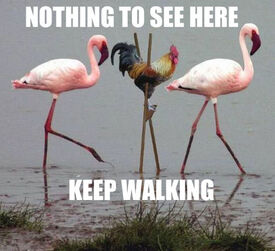 I hope Kendall gets it.
Ya I concur
That outfit makes her look really flat. Pass.
Upset our union meeting isn't at the bar as usual <_<
Ya, it's been snowing since about 10am, supposed to keep going until tomorrow. Not that big of a deal but still You was right tho
6/10 Lesbo stare.
It's snowing <_<
Those pics remind me of J-Law a bit for some reason
You mean boob*
Was thinking more:
I hope Kendall gets it.
Ya I concur
That outfit makes her look really flat. Pass.
Upset our union meeting isn't at the bar as usual <_<
Ya, it's been snowing since about 10am, supposed to keep going until tomorrow. Not that big of a deal but still You was right tho
6/10 Lesbo stare.
It's snowing <_<
Those pics remind me of J-Law a bit for some reason
You mean boob*
Was thinking more: Shoot me a PM sometime (or I might when I'm not almost sleeping at my computer) things have clearly changed with us both be nice to catch up a bit more
Her nose bugs me this whole video.
Welcome back buddy I missed ya. I'm good, been without internet (until today) for about 10/11 days, but i'm great otherwise just super busy with work and such it's not funny
Shoot me a PM sometime (or I might when I'm not almost sleeping at my computer) things have clearly changed with us both be nice to catch up a bit more
Her nose bugs me this whole video.
Welcome back buddy I missed ya. I'm good, been without internet (until today) for about 10/11 days, but i'm great otherwise just super busy with work and such it's not funny




Account
Navigation
Search
Configure browser push notifications
Chrome (Android)
- Tap the lock icon next to the address bar.
- Tap Permissions → Notifications.
- Adjust your preference.
Chrome (Desktop)
- Click the padlock icon in the address bar.
- Select Site settings.
- Find Notifications and adjust your preference.
Safari (iOS 16.4+)
- Ensure the site is installed via Add to Home Screen.
- Open Settings App → Notifications.
- Find your app name and adjust your preference.
Safari (macOS)
- Go to Safari → Preferences.
- Click the Websites tab.
- Select Notifications in the sidebar.
- Find this website and adjust your preference.
Edge (Android)
- Tap the lock icon next to the address bar.
- Tap Permissions.
- Find Notifications and adjust your preference.
Edge (Desktop)
- Click the padlock icon in the address bar.
- Click Permissions for this site.
- Find Notifications and adjust your preference.
Firefox (Android)
- Go to Settings → Site permissions.
- Tap Notifications.
- Find this site in the list and adjust your preference.
Firefox (Desktop)
- Open Firefox Settings.
- Search for Notifications.
- Find this site in the list and adjust your preference.