Jump to content
View in the app

A better way to browse. Learn more.

Bellazon

A full-screen app on your home screen with push notifications, badges and more.

To install this app on iOS and iPadOS
  1. Tap the Share icon in Safari
  2. Scroll the menu and tap Add to Home Screen.
  3. Tap Add in the top-right corner.
To install this app on Android
  1. Tap the 3-dot menu (⋮) in the top-right corner of the browser.
  2. Tap Add to Home screen or Install app.
  3. Confirm by tapping Install.

Dayrell

Members
  • Joined

  • Last visited

Everything posted by Dayrell

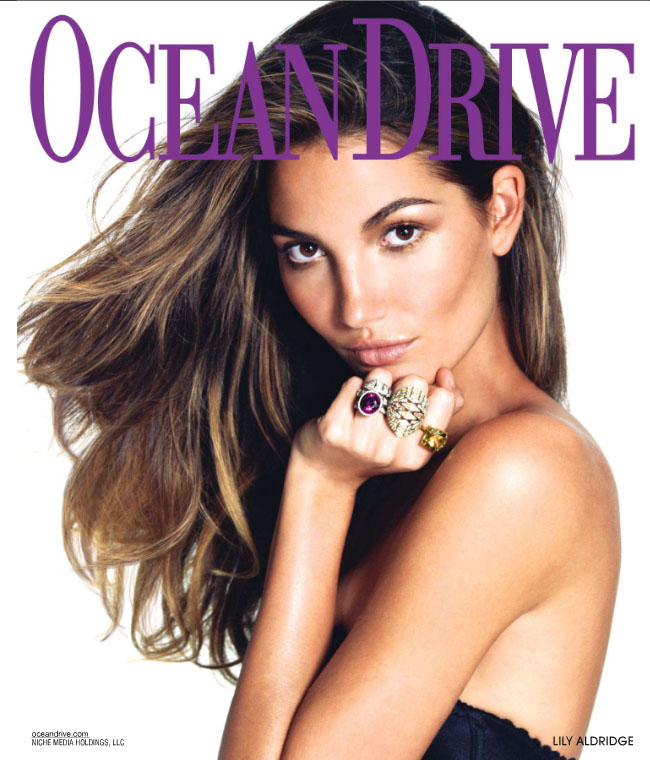
  1. she is in the new Ocean Drive cover
  2. Elle Oriente
  3. :drool: :drool: Thanks John!
  4. Hi there Dayrell and everyone out there I am afraid but she may be Anji aka Angela Featherstone? http://www.aveleyman.com/ActorCredit.aspx?ActorID=21734 http://www.modelscomposites.com/fullsize.php?count=1 http://www.modelscomposites.com/fullsize.php?count=3 She used to have her hair black in 80-90s, before she starts acting career. Either way, the cover is utterly beautiful!! GJ Yes, can be, but I´m realy not sure. Maybe the other guys can help us!
  5. Nice cover!Thanks,dear
  6. Dayrell, Thank you My pleasure, dear!
  7. Cool Magazine
  8. Improper Bostonian
  9. Bob Store Magazine, Brazil
  10. french Madame Figaro
  11. Plaza
  12. french Madame Figaro
  13. swedish Cafe
  14. fiona gets a lot of covers. half of those aren't even in her port. i wouldn't be surprised if she had more floating around. If you have more covers, please post, Model. And thanks a lot!
  15. Yes, it is!
  16. Polo Magazine, Brasil
  17. Dayrell replied to a post in a topic in Female Fashion Models
    old brazilian magazine World Tennis
  18. Dayrell replied to Lolita's topic in Actresses
    french Be
  19. Dayrell replied to Paradox's topic in Actresses
    Madame Figaro
  20. Dayrell replied to seshiru's topic in Actresses
    french Grazia

Configure browser push notifications

Chrome (Android)
  1. Tap the lock icon next to the address bar.
  2. Tap Permissions → Notifications.
  3. Adjust your preference.
Chrome (Desktop)
  1. Click the padlock icon in the address bar.
  2. Select Site settings.
  3. Find Notifications and adjust your preference.