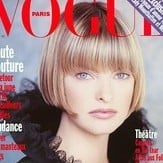
# elle cover
-
- 2000s model
- 90s model
- blonde
- elle cover
-
Tagged with:
- 57 comments
- 16,481 views
-
- 51 comments
- 18,463 views
-
- 224 comments
- 95,105 views
-
- 35 comments
- 8,519 views
-
- 90s model
- american model
- 2000s
- 90s
-
Tagged with:
- 67 comments
- 21,813 views
-
- 33 comments
- 8,135 views
-
- 136 comments
- 36,754 views
-
- 70 comments
- 18,703 views
-
- 206 comments
- 76,315 views
-
- 39 comments
- 14,277 views
-
- 58 comments
- 15,906 views
-
- 90s model
- british
- 2000s model
- 90s
-
Tagged with:
- 104 comments
- 42,611 views
-
- 71 comments
- 22,199 views
-
- 10 comments
- 3,601 views
-
- 47 comments
- 11,674 views
-
- 53 comments
- 16,686 views