

Dayrell
Members
-
Joined
-
Last visited
Everything posted by Dayrell
-
 You´re wellcome!
 -
and Bazaar Argentina
 spanish Marie Claire
Elle Beleza, Brazil
spanish Marie Claire
Elle Beleza, Brazil Bazaar Bulgaria
 S Moda, Spain
Womens Health, South Africa
Viva Moda, Poland
S Moda, Spain
Womens Health, South Africa
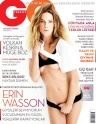
Viva Moda, Poland turkish GQ
 Elle Dubai
 Indonesia Womens Health
 Marie Claire Ukraine
 Amazing, thanks Wendy!
View of the times, cover
Amazing, thanks Wendy!
View of the times, cover She is beautiful in Amica, thanks SingleLady!
Frida, Isabeli and...?
the other cover
She is beautiful in Amica, thanks SingleLady!
Frida, Isabeli and...?
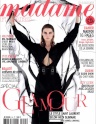
the other cover new french Madame Figaro













Account
Navigation
Search
Configure browser push notifications
Chrome (Android)
- Tap the lock icon next to the address bar.
- Tap Permissions → Notifications.
- Adjust your preference.
Chrome (Desktop)
- Click the padlock icon in the address bar.
- Select Site settings.
- Find Notifications and adjust your preference.
Safari (iOS 16.4+)
- Ensure the site is installed via Add to Home Screen.
- Open Settings App → Notifications.
- Find your app name and adjust your preference.
Safari (macOS)
- Go to Safari → Preferences.
- Click the Websites tab.
- Select Notifications in the sidebar.
- Find this website and adjust your preference.
Edge (Android)
- Tap the lock icon next to the address bar.
- Tap Permissions.
- Find Notifications and adjust your preference.
Edge (Desktop)
- Click the padlock icon in the address bar.
- Click Permissions for this site.
- Find Notifications and adjust your preference.
Firefox (Android)
- Go to Settings → Site permissions.
- Tap Notifications.
- Find this site in the list and adjust your preference.
Firefox (Desktop)
- Open Firefox Settings.
- Search for Notifications.
- Find this site in the list and adjust your preference.