RIP_Cabrini_Green
Members
-
Joined
-
Last visited
Everything posted by RIP_Cabrini_Green
-
 Ph: Jared Thomas Kocka


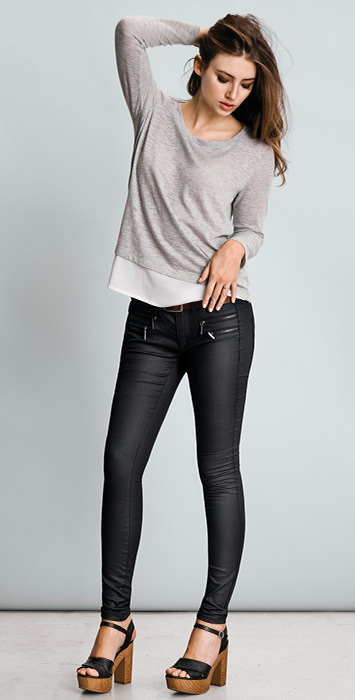
 Hey @DanniCullen, any idea where we can track down the shoot she did for ONLY? She posted one of the pics on her IG but I can't seem to find it anywhere. I checked the photographer's website and all...I know you were able to snag Robin's shoot, so I thought maybe you'd want to take a crack at this one too. Or point me in the right direction. Thank You!
ONLY
Hey @DanniCullen, any idea where we can track down the shoot she did for ONLY? She posted one of the pics on her IG but I can't seem to find it anywhere. I checked the photographer's website and all...I know you were able to snag Robin's shoot, so I thought maybe you'd want to take a crack at this one too. Or point me in the right direction. Thank You!
ONLY



 Chanel Iman Beauty 6 Sexiness 7 HFV 3 Mass Appeal 5 Likability 4 Alexandria Morgan Beauty 7 Sexiness 6 HFV 8 Mass Appeal 5 Likability 9 Laetitia Casta Beauty 8 Sexiness 7 HFV 8 Mass Appeal 6 Likability 7
Gorgeous. Love Lulu!
Chanel Iman Beauty 6 Sexiness 7 HFV 3 Mass Appeal 5 Likability 4 Alexandria Morgan Beauty 7 Sexiness 6 HFV 8 Mass Appeal 5 Likability 9 Laetitia Casta Beauty 8 Sexiness 7 HFV 8 Mass Appeal 6 Likability 7
Gorgeous. Love Lulu!
Account
Search
Configure browser push notifications
Chrome (Android)
- Tap the lock icon next to the address bar.
- Tap Permissions → Notifications.
- Adjust your preference.
Chrome (Desktop)
- Click the padlock icon in the address bar.
- Select Site settings.
- Find Notifications and adjust your preference.
Safari (iOS 16.4+)
- Ensure the site is installed via Add to Home Screen.
- Open Settings App → Notifications.
- Find your app name and adjust your preference.
Safari (macOS)
- Go to Safari → Preferences.
- Click the Websites tab.
- Select Notifications in the sidebar.
- Find this website and adjust your preference.
Edge (Android)
- Tap the lock icon next to the address bar.
- Tap Permissions.
- Find Notifications and adjust your preference.
Edge (Desktop)
- Click the padlock icon in the address bar.
- Click Permissions for this site.
- Find Notifications and adjust your preference.
Firefox (Android)
- Go to Settings → Site permissions.
- Tap Notifications.
- Find this site in the list and adjust your preference.
Firefox (Desktop)
- Open Firefox Settings.
- Search for Notifications.
- Find this site in the list and adjust your preference.