TheBestModels
Members
-
Joined
Everything posted by TheBestModels
-
 Thanks for the updates
 -
+1 ... Overal, that new BZ is no good !
-
Cannes 2017, 21.05.2017



 New shots from @EliteNYC






 Polaroids / Digitals @imgmodels






 @fisch.swim Summer 2017




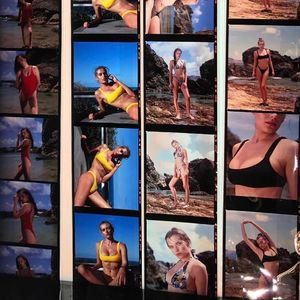
 Polaroids / Digitals LA Models Factorchosenchicago




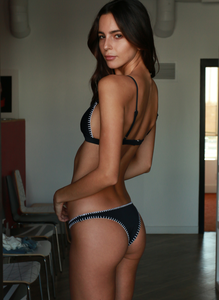


 Very nice model, thanks all for the updates !
Protest over “no-go zone for women” in Paris immigrant district. >> https://www.thelocal.fr/20170519/protest-over-no-go-zone-for-women-in-paris-immigrant-district With Macron or without him, old or new government, the same problems are still there, and nothing is done, EVEN if a woman mayor is in charge in Paris ... Desperating !!
@tellerbyjournal "In Bed with...." interview is with model/designer, Natalie Roser. By @maxthompson. >> http://journalhotels.com/teller/3559/bed-natalie-roser/
Very nice model, thanks all for the updates !
Protest over “no-go zone for women” in Paris immigrant district. >> https://www.thelocal.fr/20170519/protest-over-no-go-zone-for-women-in-paris-immigrant-district With Macron or without him, old or new government, the same problems are still there, and nothing is done, EVEN if a woman mayor is in charge in Paris ... Desperating !!
@tellerbyjournal "In Bed with...." interview is with model/designer, Natalie Roser. By @maxthompson. >> http://journalhotels.com/teller/3559/bed-natalie-roser/







Account
Navigation
Search
Configure browser push notifications
Chrome (Android)
- Tap the lock icon next to the address bar.
- Tap Permissions → Notifications.
- Adjust your preference.
Chrome (Desktop)
- Click the padlock icon in the address bar.
- Select Site settings.
- Find Notifications and adjust your preference.
Safari (iOS 16.4+)
- Ensure the site is installed via Add to Home Screen.
- Open Settings App → Notifications.
- Find your app name and adjust your preference.
Safari (macOS)
- Go to Safari → Preferences.
- Click the Websites tab.
- Select Notifications in the sidebar.
- Find this website and adjust your preference.
Edge (Android)
- Tap the lock icon next to the address bar.
- Tap Permissions.
- Find Notifications and adjust your preference.
Edge (Desktop)
- Click the padlock icon in the address bar.
- Click Permissions for this site.
- Find Notifications and adjust your preference.
Firefox (Android)
- Go to Settings → Site permissions.
- Tap Notifications.
- Find this site in the list and adjust your preference.
Firefox (Desktop)
- Open Firefox Settings.
- Search for Notifications.
- Find this site in the list and adjust your preference.