

PinkCouture
Admin
-
Joined
Everything posted by PinkCouture
-
 Just watched Psych: The Movie.
 -
I overall enjoyed the movie I do agree, they did rely on CGI a bit too much that there were many parts that looked very artificial and half-assed I was particular disappointed by Steppenwolf's whole look. They, no pun intended, did not do him justice in the way he could have potentially looked with the resources they had
-
Elsa looked like she was so over it and was DONE. Even Stella made an effort to fake it
-
Sorry if reposts. Feel free to post in other threads---I am too lazy to
-
Thoughts on the Muppet Movie. - They made a lame Courtney Love joke and played a Nirvana song at the shoot. - Miss Piggy whacking Barbara was the best part - Did Hailey Baldwin paid them to feature her in the video? - Doutzen only shows up in the end with the credits rolling over her...really? - Didn’t Miss Piggy and Kermit break-up awhile ago? I guess they got back together?
-
Elsa seemed a bit out of place in the singing video. Maybe she was tired and wanted to go home
-
I don't think what separates the NAs and the veterans are necessarily their age. I am more and more convinced Romee is a bot. There was this video I saw in which she had the same expression throughout and all she said was "nice..." like a creepy bro
-
Those are the only semi-legit videos I found. I didn't do a in-depth search so maybe there are others with some of the veterans. I don't think Martha or Lais are in the ones above though.
-
I think it is one of those generic and superficial things that seems thoughtful but it isn’t. Not saying love is generic and superficial but sometimes, especially in marketing, the concept & idea of it is used as a gimmick.
Oh right...my bad!
^ That and to promote the Love fragrance
Bella Hadid Wings: 8/10 Overall Look: 8/10 Everything but the bra and panties were the saving graces. Blanca Padilla Overall Look: 7/10 Top part of outfit is awkward looking. Bottom is ok though.
Connie
@Stormbringer I was going to post this in your thread later but thought I would post it here instead to share the Christmas joy with all???? It is the perfect Christmas song for you!!!? Merry Christmas!!!???
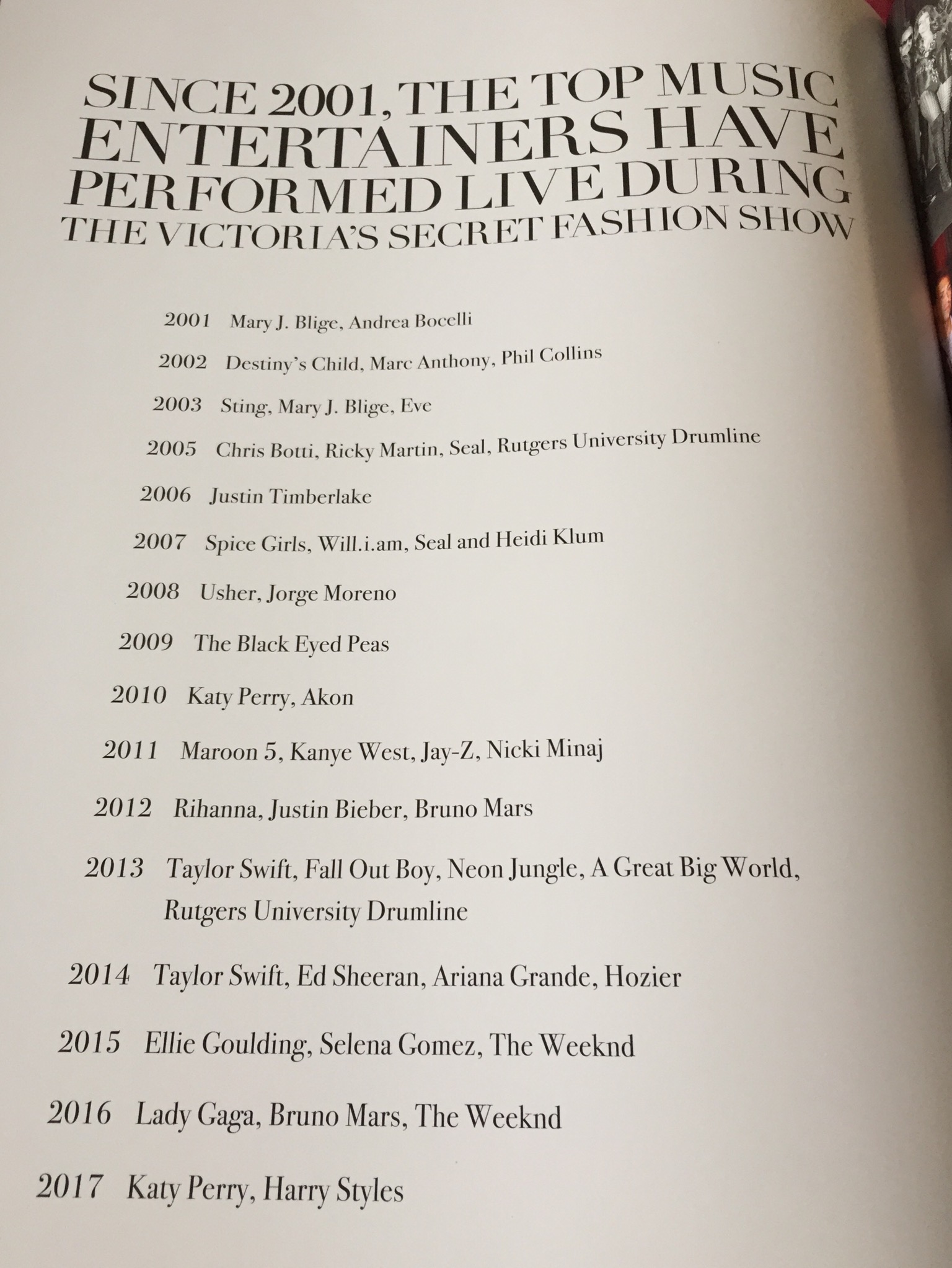
Not that we need further confirmation, Russell credited Katy Perry as one of the muscial artist for this year’s show in his book... ...
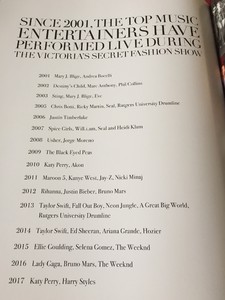
- 16,907 replies
-
- adriana lima
- alessandra ambrosio
- behati prinsloo
- candice swanepoel
-
Tagged with:
- adriana lima
- alessandra ambrosio
- behati prinsloo
- candice swanepoel
- elsa hosk
- fantasy bra
- jasmine tookes
- josephine skriver
- lais ribeiro
- lily aldridge
- martha hunt
- model
- models
- romee strijd
- sara sampaio
- stella maxwell
- taylor hill
- victorias secret
- victorias secret angels
- victorias secret fashion show 2017
- vs
- vs angel
- vs angels
- vsfs
- vsfs 2017
Snapshot this just bc I like the photo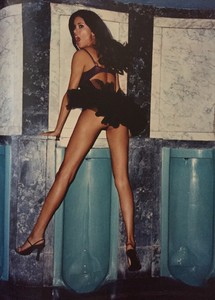 WTF LOVE!?They need to stop deleting stuff And the Jourdan video wasn’t as bad as the others #JusticeForJourdan EDIT: Someone grabbed and uploaded the video before LOVE deleted it. So I edited my post above with their video
Account
Search
Configure browser push notifications
Chrome (Android)
- Tap the lock icon next to the address bar.
- Tap Permissions → Notifications.
- Adjust your preference.
Chrome (Desktop)
- Click the padlock icon in the address bar.
- Select Site settings.
- Find Notifications and adjust your preference.
Safari (iOS 16.4+)
- Ensure the site is installed via Add to Home Screen.
- Open Settings App → Notifications.
- Find your app name and adjust your preference.
Safari (macOS)
- Go to Safari → Preferences.
- Click the Websites tab.
- Select Notifications in the sidebar.
- Find this website and adjust your preference.
Edge (Android)
- Tap the lock icon next to the address bar.
- Tap Permissions.
- Find Notifications and adjust your preference.
Edge (Desktop)
- Click the padlock icon in the address bar.
- Click Permissions for this site.
- Find Notifications and adjust your preference.
Firefox (Android)
- Go to Settings → Site permissions.
- Tap Notifications.
- Find this site in the list and adjust your preference.
Firefox (Desktop)
- Open Firefox Settings.
- Search for Notifications.
- Find this site in the list and adjust your preference.