

PinkCouture
Admin
-
Joined
Everything posted by PinkCouture
-
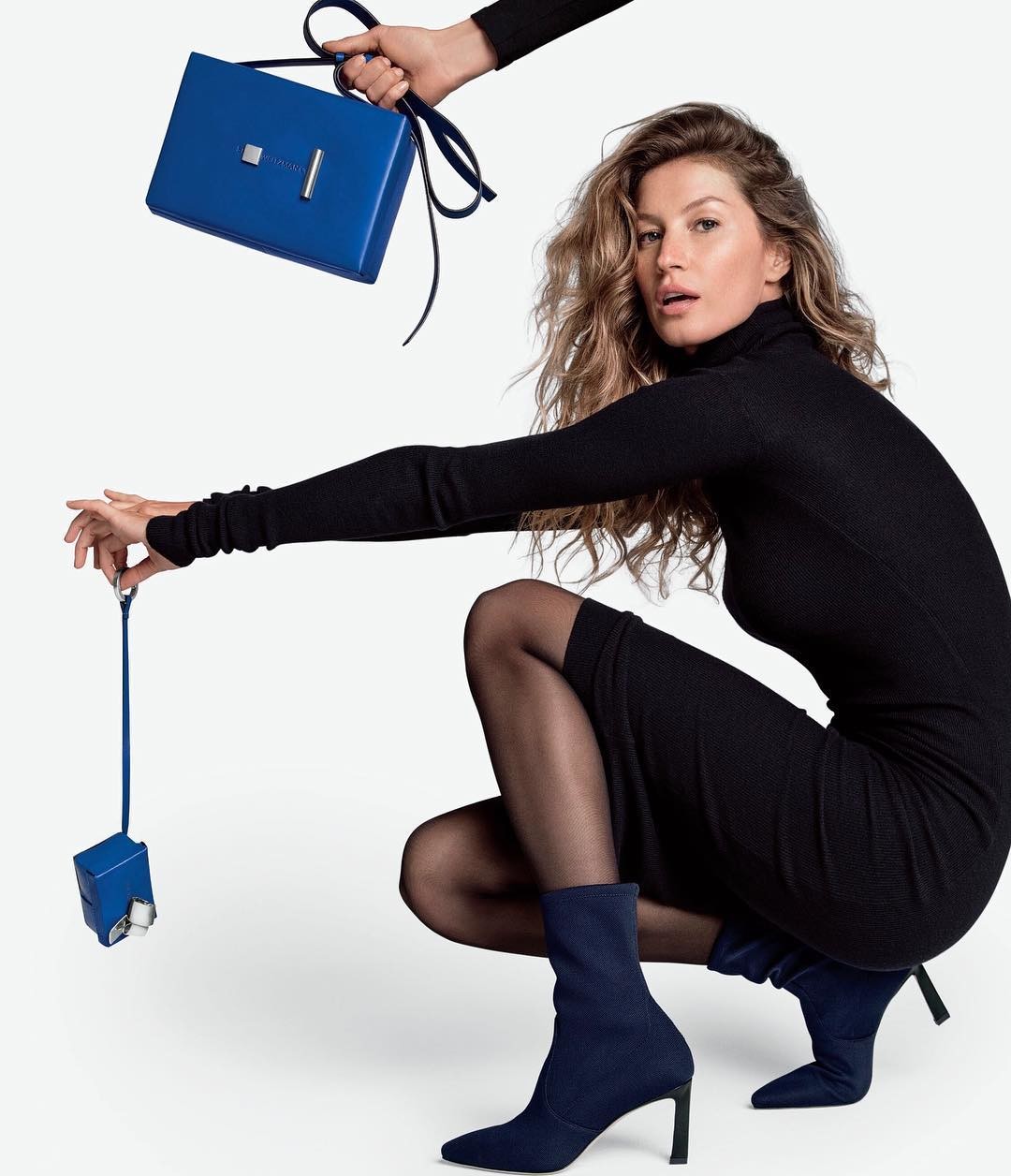
 Stuart Weitzman (Fall 2018)
 -
She is the face of J Brand and Biotherm. She also does Bobbi Brown, Solid & Striped, and a few runway shows
Haven't you changed your display name before?
I don't know for a fact but I wouldn't be surprised if she lost at least someone close to her. It is way too common
^ I think you meant to ask is her boyfriend Black. Yes, he is Black.
^ Fixing now...thx!
^ Only those 2!? Couldn't we just gather a bunch of people and have them kill each other off???
^ Yeah she does have a cheesy movie vibe to her. Anyway, congrats to her and what’s his name. Hope it all works out.
^ Or just take them out!
I think you are right. I will credit him in the tweet then. Thanks!
Not sure why this part isn't in the video above?
Anyone know the photographer for the DKNY campaign?
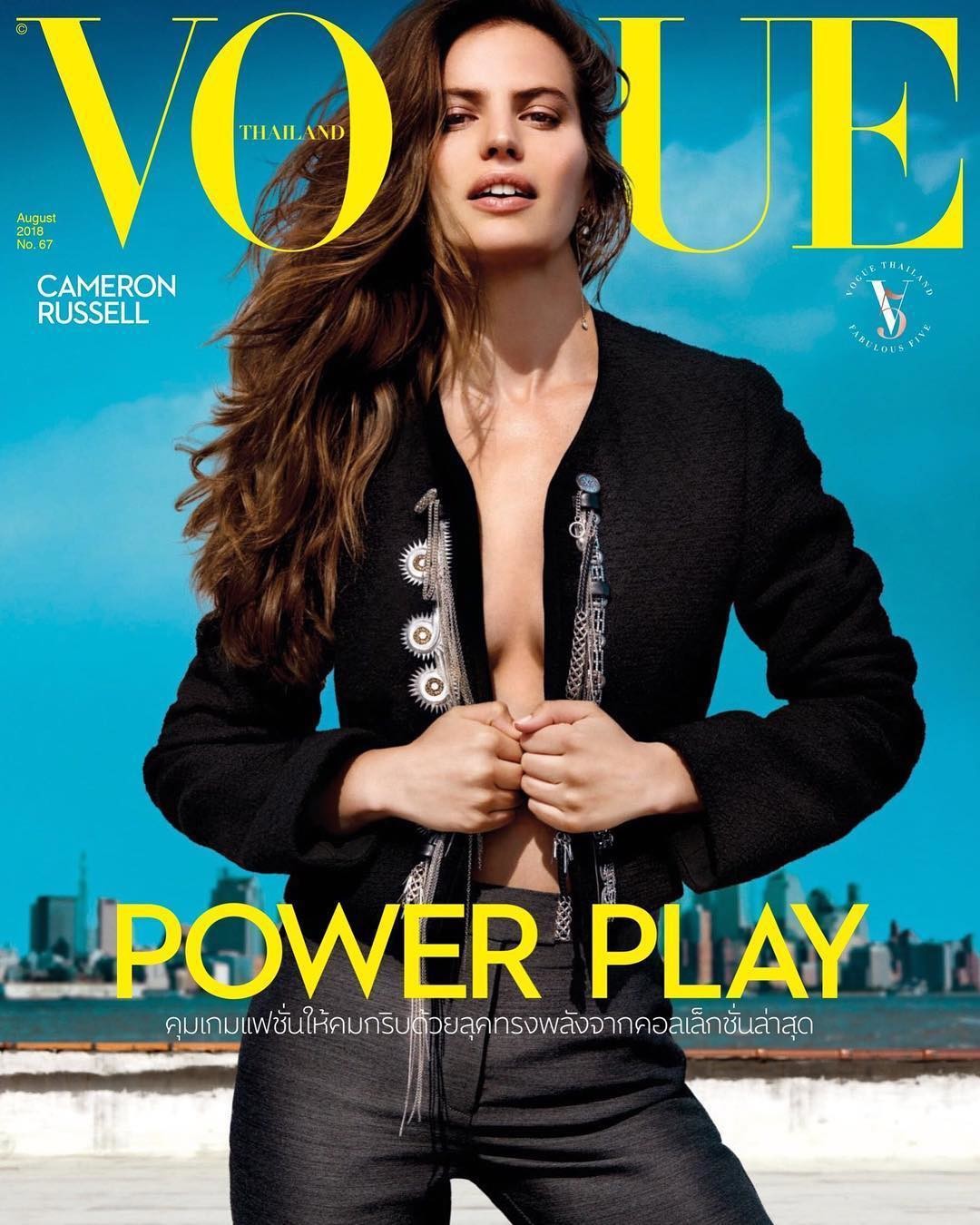
Vogue (Thailand), August 2018 PH: Yu Tsai
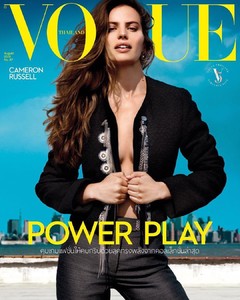 Sam looks like she aged an extra 20 years in the photo above
Thread Cleaned Everyone is allowed to their opinions but please express them in a respectful and reasonable manner. There is no need to attack, bait or bash a fellow member. If anyone feels the need to further argue or bicker with a fellow member, please do it via PM or outside of BZ. Thank you!
Please Post in This Thread Instead:
Sam looks like she aged an extra 20 years in the photo above
Thread Cleaned Everyone is allowed to their opinions but please express them in a respectful and reasonable manner. There is no need to attack, bait or bash a fellow member. If anyone feels the need to further argue or bicker with a fellow member, please do it via PM or outside of BZ. Thank you!
Please Post in This Thread Instead:- 59 replies
-
- 2018
- adriana lima
- backstage
- behati prinsloo
-
Tagged with:
- 2018
- adriana lima
- backstage
- behati prinsloo
- candice swanepoel
- catwalk
- elsa hosk
- fantasy bra
- jasmine tookes
- josephine skriver
- lais ribeiro
- lily aldridge
- martha hunt
- model
- models
- romee strijd
- runway
- sara sampaio
- stella maxwell
- taylor hill
- victorias secret
- victorias secret angels
- vs angels
- vsfs
- vsfs 2018
Account
Search
Configure browser push notifications
Chrome (Android)
- Tap the lock icon next to the address bar.
- Tap Permissions → Notifications.
- Adjust your preference.
Chrome (Desktop)
- Click the padlock icon in the address bar.
- Select Site settings.
- Find Notifications and adjust your preference.
Safari (iOS 16.4+)
- Ensure the site is installed via Add to Home Screen.
- Open Settings App → Notifications.
- Find your app name and adjust your preference.
Safari (macOS)
- Go to Safari → Preferences.
- Click the Websites tab.
- Select Notifications in the sidebar.
- Find this website and adjust your preference.
Edge (Android)
- Tap the lock icon next to the address bar.
- Tap Permissions.
- Find Notifications and adjust your preference.
Edge (Desktop)
- Click the padlock icon in the address bar.
- Click Permissions for this site.
- Find Notifications and adjust your preference.
Firefox (Android)
- Go to Settings → Site permissions.
- Tap Notifications.
- Find this site in the list and adjust your preference.
Firefox (Desktop)
- Open Firefox Settings.
- Search for Notifications.
- Find this site in the list and adjust your preference.