

maddog107
Admin
-
Joined
-
Last visited
Everything posted by maddog107
-
 *edit
*edit -
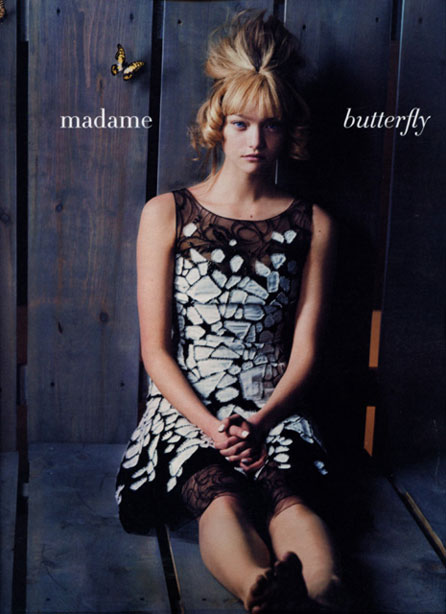
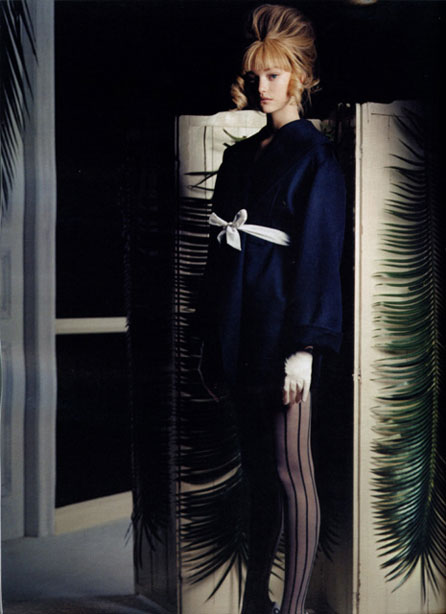
I hate the hairstyle of that show, so ugly. But that first pic is great. Thx
 *gives OS evil stare*
those r nice chicken thx
Thanks for posting the H&M ad - I couldn't figure out how to save it to my computer. I just did a Print Screen
*gives OS evil stare*
those r nice chicken thx
Thanks for posting the H&M ad - I couldn't figure out how to save it to my computer. I just did a Print Screen welcome to BZ hope you enjoy it here, and thanks for all those pics.
thx impel69 and lullaby
thx for the link. and welcome to BZ
thx for the pics and welcome to BZ TheFashionique
Charlize, Keira, Kidman, Portman.
I know not what you speak of
dont know if thsoe qualify as fantasy, mabye the alice in wonderland set would work good?
yea its like a drawing pad which you can write on with a special pen and it will show up on the monitor. I was asking because your handwriting was very neat on that tutorial you posted, and writing with a mouse is a pain, so i assumed you had a wacom.
do i have a what? Ill take that as a no.
If people just uploaded em to our upload feature we wouldnt have the problem of them disapearing. Great pics though, thx Avenger
thx sin shes pretty
Thinking that The_Lonely_Wolf shoudl remove that sig to be consideriate to 56k ers since its 1.8 mbs :|
llama you got a Wacom?
why do u got a spanish PS nways? im sure any of the admins would happily send it to u in english
welcome to BZ hope you enjoy it here, and thanks for all those pics.
thx impel69 and lullaby
thx for the link. and welcome to BZ
thx for the pics and welcome to BZ TheFashionique
Charlize, Keira, Kidman, Portman.
I know not what you speak of
dont know if thsoe qualify as fantasy, mabye the alice in wonderland set would work good?
yea its like a drawing pad which you can write on with a special pen and it will show up on the monitor. I was asking because your handwriting was very neat on that tutorial you posted, and writing with a mouse is a pain, so i assumed you had a wacom.
do i have a what? Ill take that as a no.
If people just uploaded em to our upload feature we wouldnt have the problem of them disapearing. Great pics though, thx Avenger
thx sin shes pretty
Thinking that The_Lonely_Wolf shoudl remove that sig to be consideriate to 56k ers since its 1.8 mbs :|
llama you got a Wacom?
why do u got a spanish PS nways? im sure any of the admins would happily send it to u in english






Account
Navigation
Search
Configure browser push notifications
Chrome (Android)
- Tap the lock icon next to the address bar.
- Tap Permissions → Notifications.
- Adjust your preference.
Chrome (Desktop)
- Click the padlock icon in the address bar.
- Select Site settings.
- Find Notifications and adjust your preference.
Safari (iOS 16.4+)
- Ensure the site is installed via Add to Home Screen.
- Open Settings App → Notifications.
- Find your app name and adjust your preference.
Safari (macOS)
- Go to Safari → Preferences.
- Click the Websites tab.
- Select Notifications in the sidebar.
- Find this website and adjust your preference.
Edge (Android)
- Tap the lock icon next to the address bar.
- Tap Permissions.
- Find Notifications and adjust your preference.
Edge (Desktop)
- Click the padlock icon in the address bar.
- Click Permissions for this site.
- Find Notifications and adjust your preference.
Firefox (Android)
- Go to Settings → Site permissions.
- Tap Notifications.
- Find this site in the list and adjust your preference.
Firefox (Desktop)
- Open Firefox Settings.
- Search for Notifications.
- Find this site in the list and adjust your preference.