
Jump to content
View in the app

A better way to browse. Learn more.

Bellazon

A full-screen app on your home screen with push notifications, badges and more.

To install this app on iOS and iPadOS
  1. Tap the Share icon in Safari
  2. Scroll the menu and tap Add to Home Screen.
  3. Tap Add in the top-right corner.
To install this app on Android
  1. Tap the 3-dot menu (⋮) in the top-right corner of the browser.
  2. Tap Add to Home screen or Install app.
  3. Confirm by tapping Install.

Povad

Members
  • Joined

  • Last visited

Everything posted by Povad

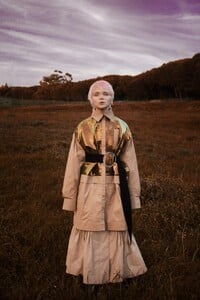
  1. photo by Ksenya Malgina (2011)
  2. Sokolov jewelry 2015 photo by Lena Rezvova
  3. Beaute Magazine Gre June 2021 photo by Vasilis Topouslidis
  4. photo by Vera Fyodorova (2015)
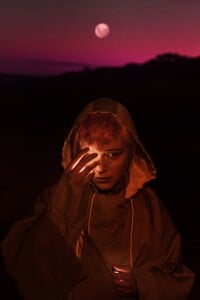
  5. Nocturne Turkey
  6. photo by Irina Krupina (2021)
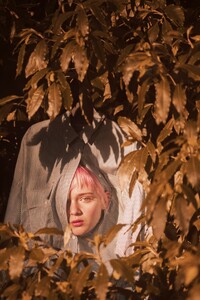
  7. Pink New Girl. part 2)
  8. photo by Mila Yurskaya (2015)
  9. DESIGN SCENE STYLE May 2017 Renaissance Woman by Israel Veintidos
  10. photo by Ksyusha Malgina (2014)
  11. An Annur Story 19 SETTEMBRE 2019 from Vogue It Muses: Anya, [email protected] , Antoshkina Ira @antoshkinaaaaa
  12. photo by Liliya Veber (2015)
  13. photo by Alena Romanova (2015)
  14. photo by Matteo Brioschi (2018)
  15. Cadidl S/S 16 campaign Photographer Michelle Du Xuan
  16. Pink New Girl. Taiwan 2018
  17. photo by Igor Pavlov (2014)
  18. Povad replied to sanja's topic in Female Fashion Models
    THE SHOPS BUCKHEAD ATLANTA FALL CAMPAIGN september 2018 Photographer: Larson Group Creative Models: Liza Kei (DT Model Management), Justin Davis (LA MODELS)

Account

Navigation

Search

Configure browser push notifications

Chrome (Android)
  1. Tap the lock icon next to the address bar.
  2. Tap Permissions → Notifications.
  3. Adjust your preference.
Chrome (Desktop)
  1. Click the padlock icon in the address bar.
  2. Select Site settings.
  3. Find Notifications and adjust your preference.