All Activity
- Past hour
-
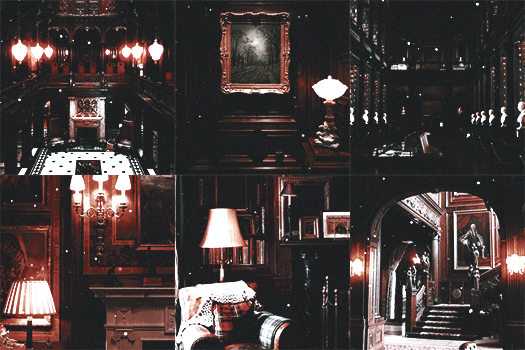
 Here are some montages... GISELE Cosmopolitan HILARY Malibu OLIVIA Malibu



-
 Hello, does anyone recognize her?
-
 • Laura Grassi (Most) • Melinda London (Second) • Ciana Parks (Least) • Omer Nudelman (Most) • Neta Alchimister (Second) • Alessia Sebastianelli (Third) • Nissia Benghazi (Least) • Amelia Stuart (Most) • Georgia-Grace Martin (Least) • Kimiya Hosseini (Most) • Rimma Schastlivaia (Least)
 -
-
Exploring future 🚀👽have you ever dream of visiting space ? ✨ video [2025.12.05] lizakovalenkoo_DR5Jv88jhfK.mp4








- Yesterday
-

-
 • Melinda London • Laura Grassi • Ciana Parks • Alessia Sebastianelli • Omer Nudelman • Nissia Benghazi • Neta Alchimister • Amelia Stuart • Georgia-Grace Martin • Kimiya Hosseini • Rimma Schastlivaia
 -
 IG stories StorySaver.net-magui_corceiro-Video-1764977837010.mp4 StorySaver.net-magui_corceiro-Video-1764977822783.mp4
 -
 Topic déjà : https://www.bellazon.com/main/topic/45878-kayslee-collins/
 -
 ELLE AUSTRALIA 1992 - photo Paul Westlake One of Saira‘s first editorials at the age of 14 and produced on Bali. source instagram
-
 This is Lydia Loison 😜
 SIGURON GmbH joined the community
L‘OFFICIEL INDIA Vol.3 Jul./Aug.2006 - photo unknown source instagram
SIGURON GmbH joined the community
L‘OFFICIEL INDIA Vol.3 Jul./Aug.2006 - photo unknown source instagram

























Account
Search
Configure browser push notifications
Chrome (Android)
- Tap the lock icon next to the address bar.
- Tap Permissions → Notifications.
- Adjust your preference.
Chrome (Desktop)
- Click the padlock icon in the address bar.
- Select Site settings.
- Find Notifications and adjust your preference.
Safari (iOS 16.4+)
- Ensure the site is installed via Add to Home Screen.
- Open Settings App → Notifications.
- Find your app name and adjust your preference.
Safari (macOS)
- Go to Safari → Preferences.
- Click the Websites tab.
- Select Notifications in the sidebar.
- Find this website and adjust your preference.
Edge (Android)
- Tap the lock icon next to the address bar.
- Tap Permissions.
- Find Notifications and adjust your preference.
Edge (Desktop)
- Click the padlock icon in the address bar.
- Click Permissions for this site.
- Find Notifications and adjust your preference.
Firefox (Android)
- Go to Settings → Site permissions.
- Tap Notifications.
- Find this site in the list and adjust your preference.
Firefox (Desktop)
- Open Firefox Settings.
- Search for Notifications.
- Find this site in the list and adjust your preference.