All Activity
- Past hour
-
 Andrew Russell





-


 Thanks a lot!
J Lindeberg Menswear SS04 (2k Post)
Thanks a lot!
J Lindeberg Menswear SS04 (2k Post)
 j lindeberg ss2004
 j lindeberg menswear ss2004

 GFF by Gainfranco Ferre fall 1999


 gianfranco ferre menswear s/s 2004?
 gianfranco ferre menswear ss2005
 Gianfranco Ferre Menswear SS04

 gianfraco ferre menswear ss2004


 gianfranco ferre menswear ss2004

- Today
 https://www.instagram.com/p/DVT14xWiBMs Only these 3 are unseen if i'm not mistaken.
.thumb.jpg.5ef59abe0673e265b24a684ac5b47e41.jpg)
.thumb.jpg.e44a0e690cceaa78d3ae700abc33a878.jpg)
.thumb.jpg.60961646aae64f63a0f1f0d38452a002.jpg) john galliano s/s 2005
john galliano s/s 2005 JOHN GALLIANO SS2005
 JOHN GALLIANO S/S2005

 Need help finding this model. I’ve reverse image searched on yandex, google, and tin eye with zero luck






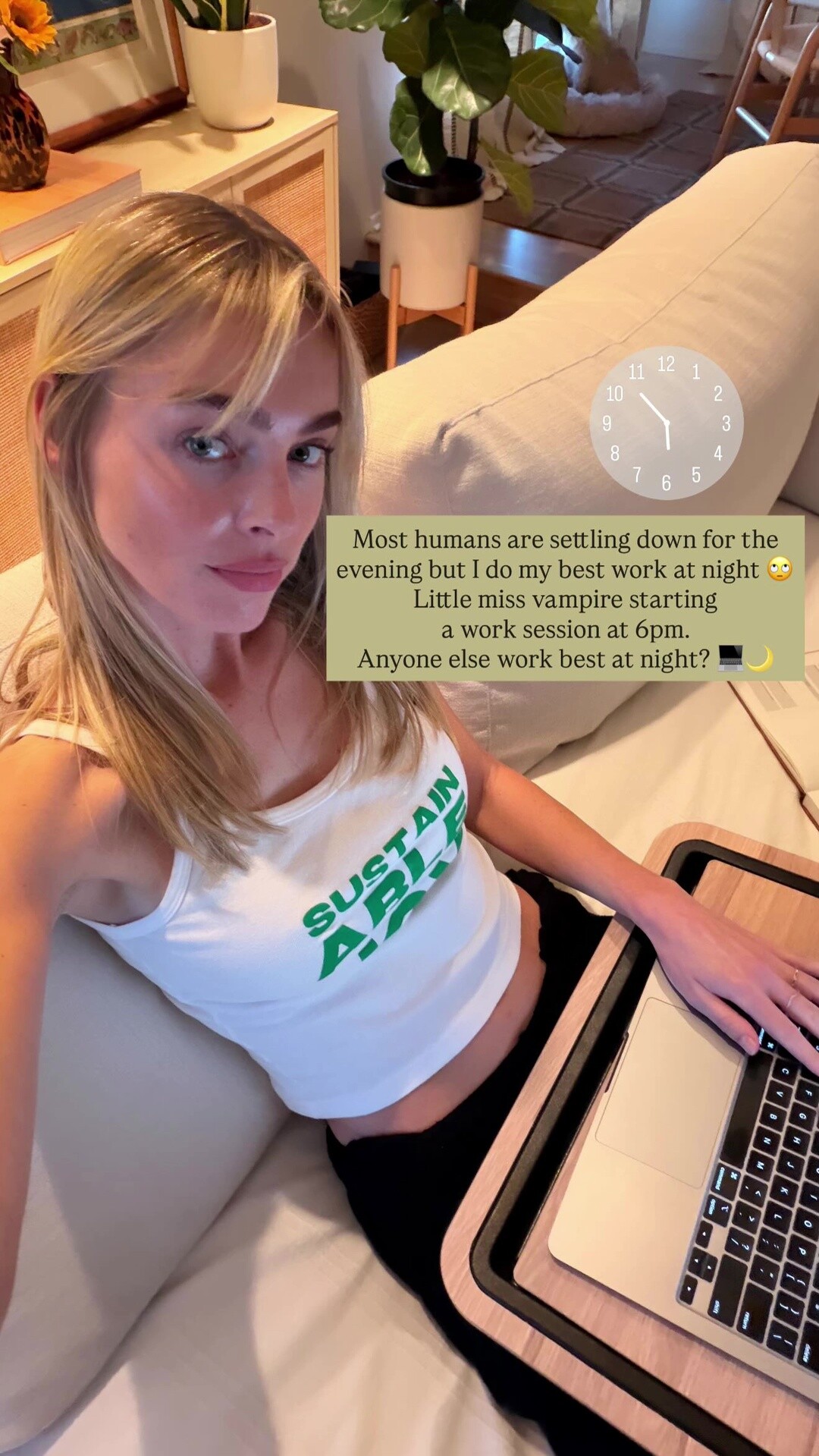


























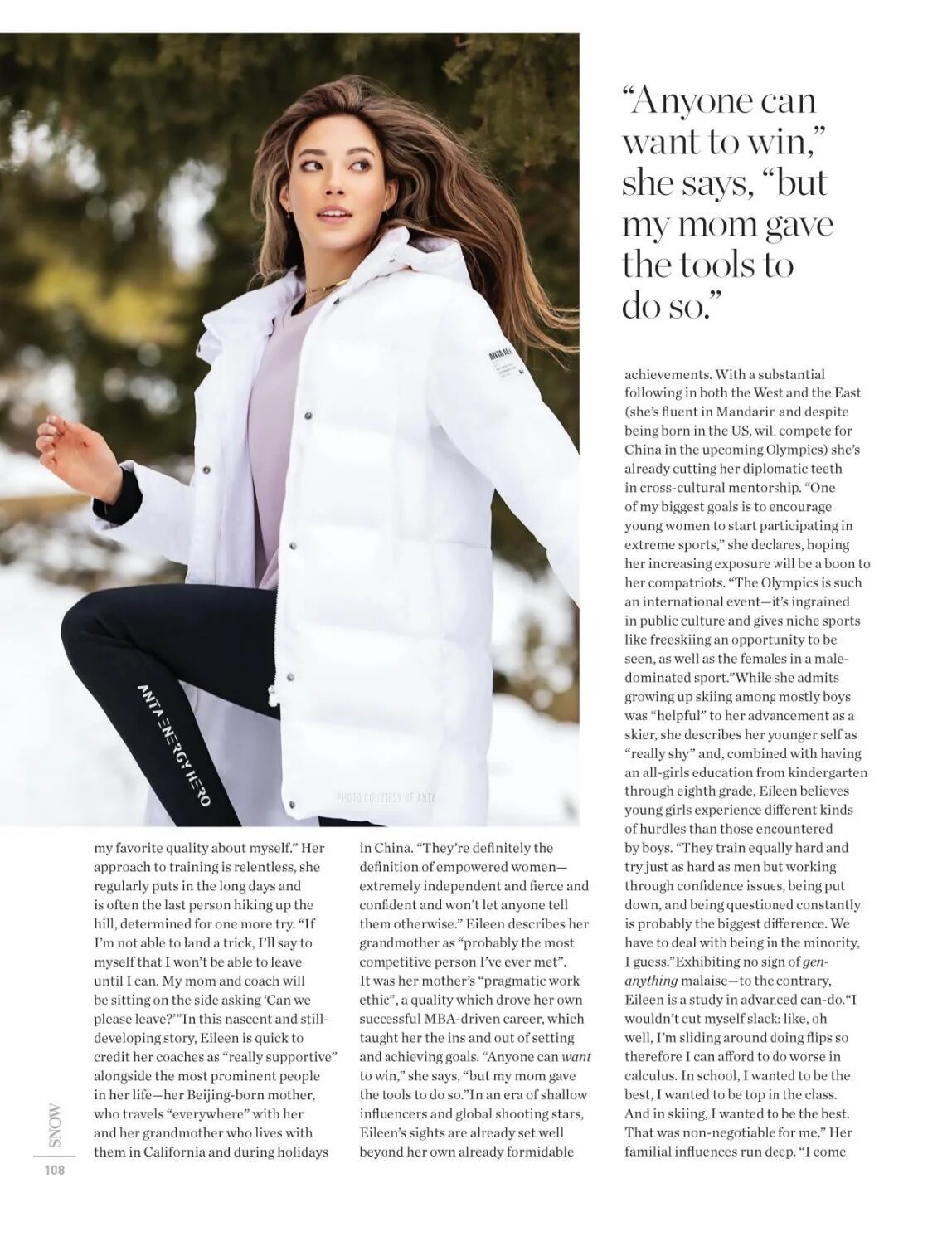















































































.jpg.452576a722294771d1cacc236205cf68.jpg)
.jpg.8dd21471e6b9718049e853b944adedab.jpg)
.jpg.c82af0d867777ba535ee02033d6f69cd.jpg)




Account
Navigation
Search
Configure browser push notifications
Chrome (Android)
- Tap the lock icon next to the address bar.
- Tap Permissions → Notifications.
- Adjust your preference.
Chrome (Desktop)
- Click the padlock icon in the address bar.
- Select Site settings.
- Find Notifications and adjust your preference.
Safari (iOS 16.4+)
- Ensure the site is installed via Add to Home Screen.
- Open Settings App → Notifications.
- Find your app name and adjust your preference.
Safari (macOS)
- Go to Safari → Preferences.
- Click the Websites tab.
- Select Notifications in the sidebar.
- Find this website and adjust your preference.
Edge (Android)
- Tap the lock icon next to the address bar.
- Tap Permissions.
- Find Notifications and adjust your preference.
Edge (Desktop)
- Click the padlock icon in the address bar.
- Click Permissions for this site.
- Find Notifications and adjust your preference.
Firefox (Android)
- Go to Settings → Site permissions.
- Tap Notifications.
- Find this site in the list and adjust your preference.
Firefox (Desktop)
- Open Firefox Settings.
- Search for Notifications.
- Find this site in the list and adjust your preference.