Skip to content

Anna Wang

Featured Replies

  • 1 month later...

:heart:

post-3083-0-1446143774-1197_thumb.jpg

post-3083-0-1446143774-13666_thumb.jpg

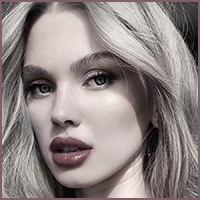
a beauty shock, isn't it? :p

you tell me- "欧莱雅08秋季发布会 惊魅天使 LAN Club" :idk:

  • 2 weeks later...

From the Cosmo of Image hidden for guestsSign in to view #46 :)

I loved this shoot :woot: :woot: :wub: :heart:

post-21823-0-1446143776-21927_thumb.jpg post-21823-0-1446143776-24924_thumb.jpg post-21823-0-1446143776-25925_thumb.jpg post-21823-0-1446143776-26454_thumb.jpg

post-21823-0-1446143776-29407_thumb.jpg post-21823-0-1446143776-32471_thumb.jpg Image hidden for guestsSign in to view post-21823-0-1446143776-34276_thumb.jpg post-21823-0-1446143776-36018_thumb.jpg post-21823-0-1446143776-38083_thumb.jpg post-21823-0-1446143776-39053_thumb.jpg

surespace

stunning :wub2:

thanks for posting, Lyon :heart:

A classically beautiful face :heart:

  • Author
you tell me- "欧莱雅08秋季发布会 惊魅天使 LAN Club" :idk:

I think it is a fashion collection launch party :) I will do more research on the event :yes:

  • 2 weeks later...

:heart:

post-3083-1231354113_thumb.jpg

"I use this" :rofl: she's so pretty, I'm in a beauty shock all over again :confused: thanks PC :hug:

  • 2 weeks later...
  • 3 weeks later...

Join the conversation

You can post now and register later. If you have an account, sign in now to post with your account.

Guest
Reply to this topic...

Recently Browsing 0

  • No registered users viewing this page.

Account

Navigation

Search

Search

Configure browser push notifications

Chrome (Android)
  1. Tap the lock icon next to the address bar.
  2. Tap Permissions → Notifications.
  3. Adjust your preference.
Chrome (Desktop)
  1. Click the padlock icon in the address bar.
  2. Select Site settings.
  3. Find Notifications and adjust your preference.