
Stromboli1
Members
-
Joined
Everything posted by Stromboli1
-
 I forgot the movie came out on Friday.
 -
Charlie Austin Doutzen Kroes Dioni Tabbers Carmella Rose
-
Lauren gives girls and guys boners!




 The reason girls like tall guys.
 They probably pay more for beef which makes up for it.
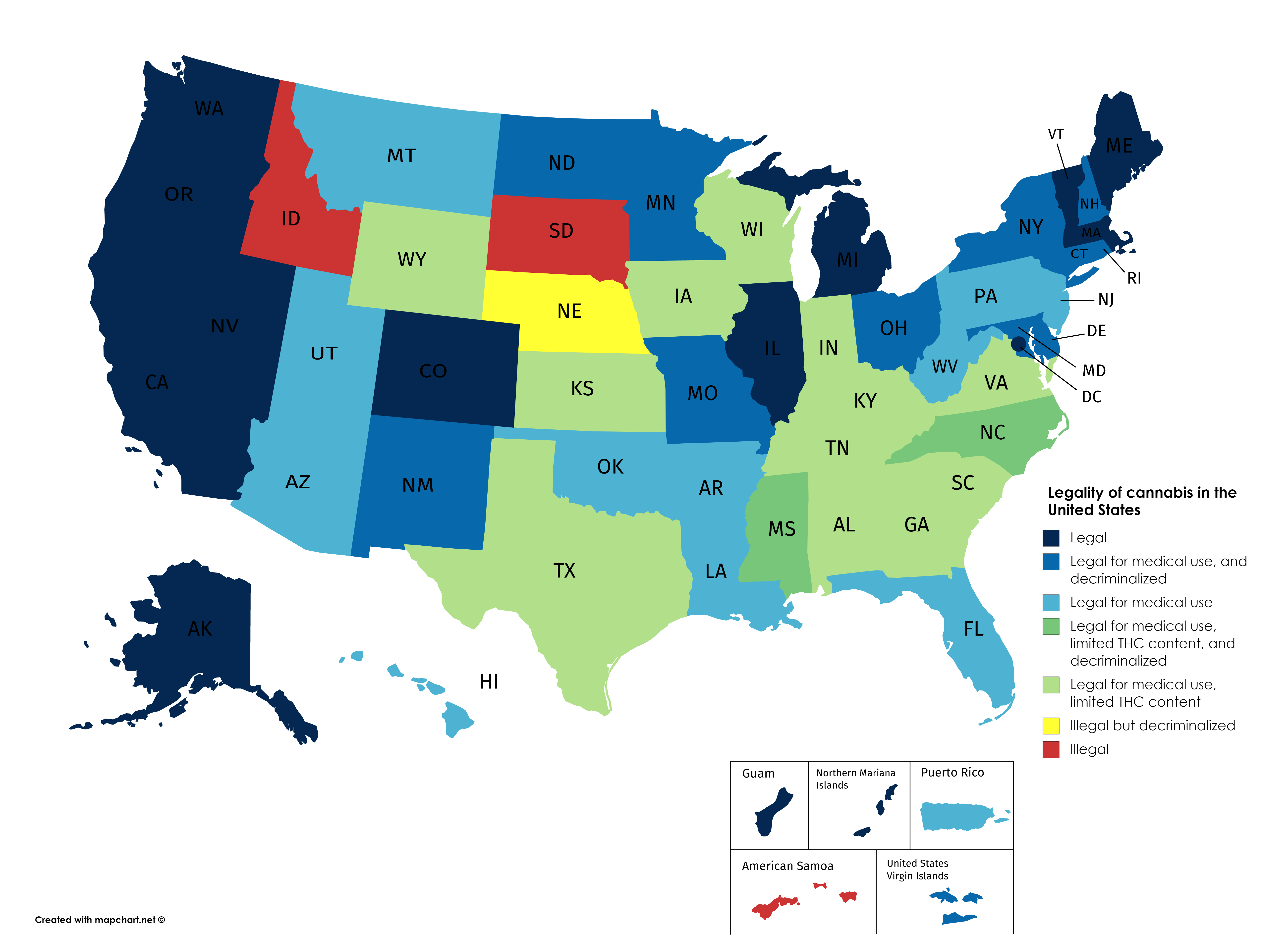
Pretty soon all states will be navy blue.
They probably pay more for beef which makes up for it.
Pretty soon all states will be navy blue. This is where the cultured cunts go!
@Stormbringer they're better combined.
32678522_302758964002477_3362608602998367623_n.mp4 35188520_2295678947364806_1804977505547248489_n.mp4 60232025_669216186858391_3298132412875565265_n.mp4
Hello gorgeous!
This is where the cultured cunts go!
@Stormbringer they're better combined.
32678522_302758964002477_3362608602998367623_n.mp4 35188520_2295678947364806_1804977505547248489_n.mp4 60232025_669216186858391_3298132412875565265_n.mp4
Hello gorgeous! Alessandra Ambrosio - 4 Barbara Palvin - 3 Charlie Austin - 8 Doutzen Kroes - 9
Need to get one of these. DASH_480.mp4
SaltyLegitimateColt.webm
Wrong x2
And that's not even prime Hannah.
Alessandra Ambrosio - 4 Barbara Palvin - 3 Charlie Austin - 8 Doutzen Kroes - 9
Need to get one of these. DASH_480.mp4
SaltyLegitimateColt.webm
Wrong x2
And that's not even prime Hannah.
Account
Search
Configure browser push notifications
Chrome (Android)
- Tap the lock icon next to the address bar.
- Tap Permissions → Notifications.
- Adjust your preference.
Chrome (Desktop)
- Click the padlock icon in the address bar.
- Select Site settings.
- Find Notifications and adjust your preference.
Safari (iOS 16.4+)
- Ensure the site is installed via Add to Home Screen.
- Open Settings App → Notifications.
- Find your app name and adjust your preference.
Safari (macOS)
- Go to Safari → Preferences.
- Click the Websites tab.
- Select Notifications in the sidebar.
- Find this website and adjust your preference.
Edge (Android)
- Tap the lock icon next to the address bar.
- Tap Permissions.
- Find Notifications and adjust your preference.
Edge (Desktop)
- Click the padlock icon in the address bar.
- Click Permissions for this site.
- Find Notifications and adjust your preference.
Firefox (Android)
- Go to Settings → Site permissions.
- Tap Notifications.
- Find this site in the list and adjust your preference.
Firefox (Desktop)
- Open Firefox Settings.
- Search for Notifications.
- Find this site in the list and adjust your preference.