
Jeanmarc
Members
-
Joined
-
Last visited
Everything posted by Jeanmarc
-
Nylon Video
-
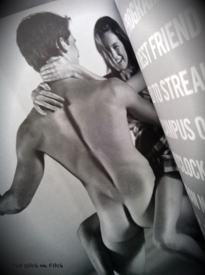
The Sitch on Fitch http://anfnewsnow.blogspot.com.es/2013/10/camille-rowe-abercrombie-fitch-2010.htmlThe Sitch on Fitch Nudity http://imgbox.com/accXaFij http://anfnewsnow.blogspot.com.es/2013/10/camille-rowe-abercrombie-fitch-2010.html


 One Choy s/s 2014 October 2013




 She appears in these music videosPhotographer: Anna Palma @ Ray Brown Pro Props and Art Director: Dane Holweger Stylist: Christine Baker Hair and Makeup: Susan Haddon @ Celestine LA Model: Matilda Price @ Two Management







 Rush Magazine June/July 2011
 Photography: Vivian Bellido & Alex Cruces Hair & Make up: Noemi Nohales



 Josh Ryan Nudity

 Asha MiaModel/ Actress Brittany Brousseau in the new URBAN PLANET TV Commercial. With Lauren Hastings and Daniel B.by Bryant Slava
 La Senza party & backstage


 Marc Hervouet

 Shaughnessy Brown by gilad









































































Account
Navigation
Search
Configure browser push notifications
Chrome (Android)
- Tap the lock icon next to the address bar.
- Tap Permissions → Notifications.
- Adjust your preference.
Chrome (Desktop)
- Click the padlock icon in the address bar.
- Select Site settings.
- Find Notifications and adjust your preference.
Safari (iOS 16.4+)
- Ensure the site is installed via Add to Home Screen.
- Open Settings App → Notifications.
- Find your app name and adjust your preference.
Safari (macOS)
- Go to Safari → Preferences.
- Click the Websites tab.
- Select Notifications in the sidebar.
- Find this website and adjust your preference.
Edge (Android)
- Tap the lock icon next to the address bar.
- Tap Permissions.
- Find Notifications and adjust your preference.
Edge (Desktop)
- Click the padlock icon in the address bar.
- Click Permissions for this site.
- Find Notifications and adjust your preference.
Firefox (Android)
- Go to Settings → Site permissions.
- Tap Notifications.
- Find this site in the list and adjust your preference.
Firefox (Desktop)
- Open Firefox Settings.
- Search for Notifications.
- Find this site in the list and adjust your preference.