All Activity
- Past hour
-

-



 Sfera (2026) With @adrivelandia_ Videos



 Very unique eyes
Beautiful
Very unique eyes
Beautiful
- Today


 warning: nudity

 https://models.com/models/Julie-Borawska 2 possibly, https://www.aeonmodels.com/main/305-dory/ 5 https://www.instagram.com/thalitafreiry 6 https://www.instagram.com/carla.peclet/ 7 https://www.instagram.com/_zoezz/?hl=en 8 https://www.instagram.com/smalsasha/?hl=en (she’s an artist now) 11 https://www.instagram.com/briannamellon/ 12 https://www.instagram.com/lea_peillard/?hl=en 14 https://www.bellazon.com/main/topic/56905-cindy-marichal/ 15 https://www.instagram.com/synnoveardal/?hl=en 16 https://www.bellazon.com/main/topic/67428-sandra-kaczorowska/

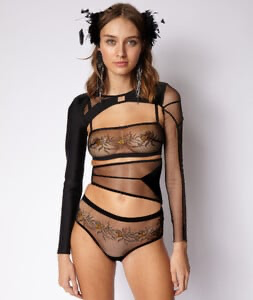


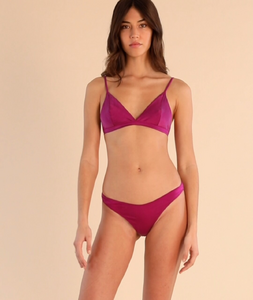



 https://www.instagram.com/justselma/?hl=en https://models.com/models/selma-hadziosmanovic
 Skylar Tisdale I'D by maxione
Margot looks around her age (35), Jacob however looks young, he could pass for a 21 yr old.
Skylar Tisdale I'D by maxione
Margot looks around her age (35), Jacob however looks young, he could pass for a 21 yr old. Fabulous Lucy posts @Sunshiine and @LeftPhalange ! Many thanks.





















































































































































































Account
Navigation
Search
Configure browser push notifications
Chrome (Android)
- Tap the lock icon next to the address bar.
- Tap Permissions → Notifications.
- Adjust your preference.
Chrome (Desktop)
- Click the padlock icon in the address bar.
- Select Site settings.
- Find Notifications and adjust your preference.
Safari (iOS 16.4+)
- Ensure the site is installed via Add to Home Screen.
- Open Settings App → Notifications.
- Find your app name and adjust your preference.
Safari (macOS)
- Go to Safari → Preferences.
- Click the Websites tab.
- Select Notifications in the sidebar.
- Find this website and adjust your preference.
Edge (Android)
- Tap the lock icon next to the address bar.
- Tap Permissions.
- Find Notifications and adjust your preference.
Edge (Desktop)
- Click the padlock icon in the address bar.
- Click Permissions for this site.
- Find Notifications and adjust your preference.
Firefox (Android)
- Go to Settings → Site permissions.
- Tap Notifications.
- Find this site in the list and adjust your preference.
Firefox (Desktop)
- Open Firefox Settings.
- Search for Notifications.
- Find this site in the list and adjust your preference.