Skip to content
View in the app

A better way to browse. Learn more.

Bellazon

A full-screen app on your home screen with push notifications, badges and more.

To install this app on iOS and iPadOS
  1. Tap the Share icon in Safari
  2. Scroll the menu and tap Add to Home Screen.
  3. Tap Add in the top-right corner.
To install this app on Android
  1. Tap the 3-dot menu (⋮) in the top-right corner of the browser.
  2. Tap Add to Home screen or Install app.
  3. Confirm by tapping Install.

Jessica Nazarenus

Featured Replies

For Guess by Tatiana Gigi (MUA Erika Reno, hair by Robert Steinken)

103628193_105905434417973_7835786536795141497_n.jpg 103766512_721563408607991_4291512164860642995_n.jpg 105506373_395665618076748_1251987366108207205_n.jpg 107291705_283863592689872_805403731246767031_n.jpg 119994448_195873291886873_1592389450363616856_n.jpg 120821029_3287738601295729_9214370015409367026_n.jpg 144054792_463566807981879_7694085894254211924_n.jpg

BY Josh Ryan for Guess (may be a repost, but wanted to make sure it was on here )

121486202_261121938593655_7875599306037108959_n.jpg

118855515_1016643105452945_789195680357798426_n.jpg

The Nightfall Group Black Tie Event (hair by Cole Scott)

242916683_1209348992912254_8069861209949380726_n.jpg 243158167_288464129467703_3437465280381299179_n.jpg

For Honey Birdette by X.Posed Design

242976748_841980796512187_3949897849351015553_n.jpg

She is just so pretty. Thank you so much, @bump. I especially love her GUESS work. 

17 minutes ago, BAGGOT said:

She is just so pretty. Thank you so much, @bump. I especially love her GUESS work. 

you're welcome friend! I LOVE her work for Guess, especially the picture with the pink blow up flamingo and the blue background. She looked really pretty and it was just a fun, summery picture. I would love to see her do more fashion work like that. She is good for the glamor modeling stuff, but I like fashion/clothes so that's what i would prefer to see. 
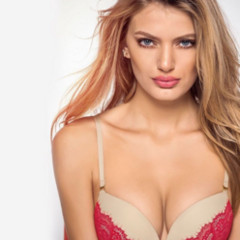
Honey Birdette IG by X.Posed Design

244179261_385641673098440_4112793595197624766_n.jpg 244223931_942823506306099_2627971209147229818_n.jpg 244223936_4447314988671079_4592304249949553243_n.jpg 244281678_382947943482174_7805930567295761273_n.jpg 244384184_398510095049425_2537652825612703205_n.jpg 244411895_440548120736020_3931828825666658621_n.jpg 244483843_229147945772257_7777000177159190094_n.jpg 244486830_1017604618813792_1685602544961153500_n.jpg 244521755_262117809148131_7445708686769835637_n.jpg 244607439_1026603384797560_4451252910380714706_n.jpg

Dream State Live (full set)

243766120_910547956543491_295247784609734493_n.webp 243800925_390249739410961_7145497632851981821_n.webp 243873712_3048984745348665_6728615256673920336_n.webp 243879443_598624804508030_8085851247191845279_n.webp 243962783_374481591071367_7869985400282646225_n.webp 244023266_1661087854087174_797621662860769469_n.webp 244028286_724643315158566_5164587555854983187_n.webp 244040040_2996717110595485_3831233520309674242_n.webp 244080586_1024176461748686_3382067124252002720_n.webp 244344189_673030717005932_4458186470723080436_n.webp

Honey Birdette IG by X.Posed Design (full length)

244388418_908055433175179_558265798582021976_n.webp
  • 2 weeks later...

By Dali Ma (stylist Ilaria de Plano, MUA Samantha Chapman)

242696913_960865501169268_4823297319057517_n.jpg 242822978_230139215750473_1948417946835053817_n.jpg 248271170_879083232794125_7579135005595330131_n (1).jpg

Her IG wearing Honey Birdette

248553231_481223866354211_1482768333790688290_n.jpg 248557544_3055388748050527_388086934417062928_n.jpg 248853434_406959244205070_6043365352095315814_n.jpg

Join the conversation

You can post now and register later. If you have an account, sign in now to post with your account.

Guest
Reply to this topic...

Recently Browsing 0

  • No registered users viewing this page.

Account

Navigation

Search

Search

Configure browser push notifications

Chrome (Android)
  1. Tap the lock icon next to the address bar.
  2. Tap Permissions → Notifications.
  3. Adjust your preference.
Chrome (Desktop)
  1. Click the padlock icon in the address bar.
  2. Select Site settings.
  3. Find Notifications and adjust your preference.