TheBestModels
Members
-
Joined
Everything posted by TheBestModels
-
 by Riker brothers
-
Definitely ... Close minded at is best. #indoctrinated
-
-
NUDITY
















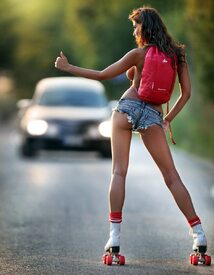
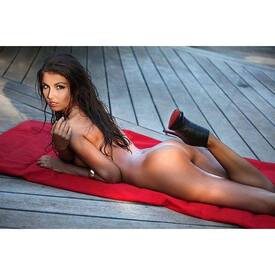

 @bonniecee
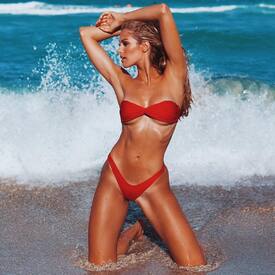 Education, eh ? "To change the world change yourself".
I think you don't get what i mean. You're always so busy at saying the same ritournelle again and again that you not even read what people are actually saying. I'm just saying that i find discusting the comments that people did agaisnt her on the SNs. 80% of them are pure racism. Or made from the most horrible form of body shaming mixed of racism. It's not because that Kate is white that people are allowed to do that. What kind of people they think they are to feel allowed to bahave that bad agaisnt someone who is giving her simple opinion. I find that not normal. So if you guys are ok with that, well we are once again not agree. That's all. I'm purely against the free violence made by some frustrate cowardly people behind their computer screens. Most of them just got a shitty life like we almost all got and they mind more lucky people for that, and they call that with the wrong words, that's my opinion.
@yamamayofficial FW16 Campaign @raffo_m @mimmodimaggio @womendirect_milano
Education, eh ? "To change the world change yourself".
I think you don't get what i mean. You're always so busy at saying the same ritournelle again and again that you not even read what people are actually saying. I'm just saying that i find discusting the comments that people did agaisnt her on the SNs. 80% of them are pure racism. Or made from the most horrible form of body shaming mixed of racism. It's not because that Kate is white that people are allowed to do that. What kind of people they think they are to feel allowed to bahave that bad agaisnt someone who is giving her simple opinion. I find that not normal. So if you guys are ok with that, well we are once again not agree. That's all. I'm purely against the free violence made by some frustrate cowardly people behind their computer screens. Most of them just got a shitty life like we almost all got and they mind more lucky people for that, and they call that with the wrong words, that's my opinion.
@yamamayofficial FW16 Campaign @raffo_m @mimmodimaggio @womendirect_milano
 So, racism know this double standard too. OK. Well, in France they teach us at school that there is no races but only one race, the human race. These dudes on the pics will earn more money than i will earn in my whole life, or wait, in my 100 next lifes lol So perhaps, i should feel frustrate because of that too. And i should protest. It's not fair after all
Seen from here you're only a racist. I'm sorry, but racism is racism. Racism is not working in only one way. But being from a country who is using the word "race" at the end of every sentences, what could you tell else than that ... That's you're education. Obviously not mine.
Still bigger than you though
WORLD SWIMSUIT ROOKIE OF THE YEAR - Tayla Skye
We knew Kate got boobs, then a back, now we know she got balls too
So, racism know this double standard too. OK. Well, in France they teach us at school that there is no races but only one race, the human race. These dudes on the pics will earn more money than i will earn in my whole life, or wait, in my 100 next lifes lol So perhaps, i should feel frustrate because of that too. And i should protest. It's not fair after all
Seen from here you're only a racist. I'm sorry, but racism is racism. Racism is not working in only one way. But being from a country who is using the word "race" at the end of every sentences, what could you tell else than that ... That's you're education. Obviously not mine.
Still bigger than you though
WORLD SWIMSUIT ROOKIE OF THE YEAR - Tayla Skye
We knew Kate got boobs, then a back, now we know she got balls tooAccount
Navigation
Search
Configure browser push notifications
Chrome (Android)
- Tap the lock icon next to the address bar.
- Tap Permissions → Notifications.
- Adjust your preference.
Chrome (Desktop)
- Click the padlock icon in the address bar.
- Select Site settings.
- Find Notifications and adjust your preference.
Safari (iOS 16.4+)
- Ensure the site is installed via Add to Home Screen.
- Open Settings App → Notifications.
- Find your app name and adjust your preference.
Safari (macOS)
- Go to Safari → Preferences.
- Click the Websites tab.
- Select Notifications in the sidebar.
- Find this website and adjust your preference.
Edge (Android)
- Tap the lock icon next to the address bar.
- Tap Permissions.
- Find Notifications and adjust your preference.
Edge (Desktop)
- Click the padlock icon in the address bar.
- Click Permissions for this site.
- Find Notifications and adjust your preference.
Firefox (Android)
- Go to Settings → Site permissions.
- Tap Notifications.
- Find this site in the list and adjust your preference.
Firefox (Desktop)
- Open Firefox Settings.
- Search for Notifications.
- Find this site in the list and adjust your preference.