Skip to content

Daria Zhemkova

Featured Replies

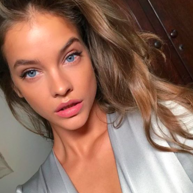
new to IMG models. She is really pretty and reminds me of Tanya and Marloes.

sorry if there is already a topic

:heart:

post-11622-0-1445998989-2203_thumb.jpg

post-11622-0-1445998989-23812_thumb.jpg

post-11622-0-1445998989-24618_thumb.jpg

post-11622-1245597484_thumb.jpg Image hidden for guestsSign in to view post-11622-1245597547_thumb.jpg post-11622-1245597583_thumb.jpg

IMG/TFS

  • Author

post-11622-0-1445998996-27792_thumb.jpg

Image hidden for guestsSign in to view Image hidden for guestsSign in to view post-11622-1245597766_thumb.jpg post-11622-1245597795_thumb.jpg

  • Author

She is also with black model management. theres alot of new pics there. I will try and post soon

  • 4 weeks later...
  • Author

Harper's Bazaar Russia July/August 2009

Mulholland Drive

Ph: Alexey Kolpakov

tfs

:heart:

Image hidden for guestsSign in to viewImage hidden for guestsSign in to view Image hidden for guestsSign in to view

Image hidden for guestsSign in to view Image hidden for guestsSign in to view Image hidden for guestsSign in to view

  • 4 months later...

Pretty eyes :wub: Good pics thanks

  • 1 month later...
  • 3 weeks later...
  • Author

coacd

post-11622-0-1445998989-70896_thumb.jpg

  • 3 weeks later...
  • 4 weeks later...
  • Author

post-11622-0-1445998990-63665_thumb.jpg

december issue

credit-tfs

  • Author
post-11622-1269713769_thumb.jpg post-11622-1269713780_thumb.jpg
  • Author

post-11622-0-1445998991-64327_thumb.jpg

post-11622-0-1445998991-78682_thumb.jpg

  • 2 months later...
  • 5 months later...

Join the conversation

You can post now and register later. If you have an account, sign in now to post with your account.

Guest
Reply to this topic...

Recently Browsing 0

  • No registered users viewing this page.

Account

Navigation

Search

Search

Configure browser push notifications

Chrome (Android)
  1. Tap the lock icon next to the address bar.
  2. Tap Permissions → Notifications.
  3. Adjust your preference.
Chrome (Desktop)
  1. Click the padlock icon in the address bar.
  2. Select Site settings.
  3. Find Notifications and adjust your preference.