
gedeon67
Members
-
Joined
-
Last visited
Everything posted by gedeon67
-
Grazia Italia N.24 – 25.05.2023 Voglia Di Mare Photo : Simone Falcetta Styling : Anna Sgura Make-up : Rachid Hair : Mimmo Di Maggio
-
1994080902_IROSS23.mp4
-
Sporty&Rich
-
AREA pre-fall 2023 Photo : Roe Ethridge Styling : Katie Burnett Hair : Tamas Tuzes Make-up : Janessa Paré Manicure : Yukie Miyakawa Collage : Mat Maitland
-
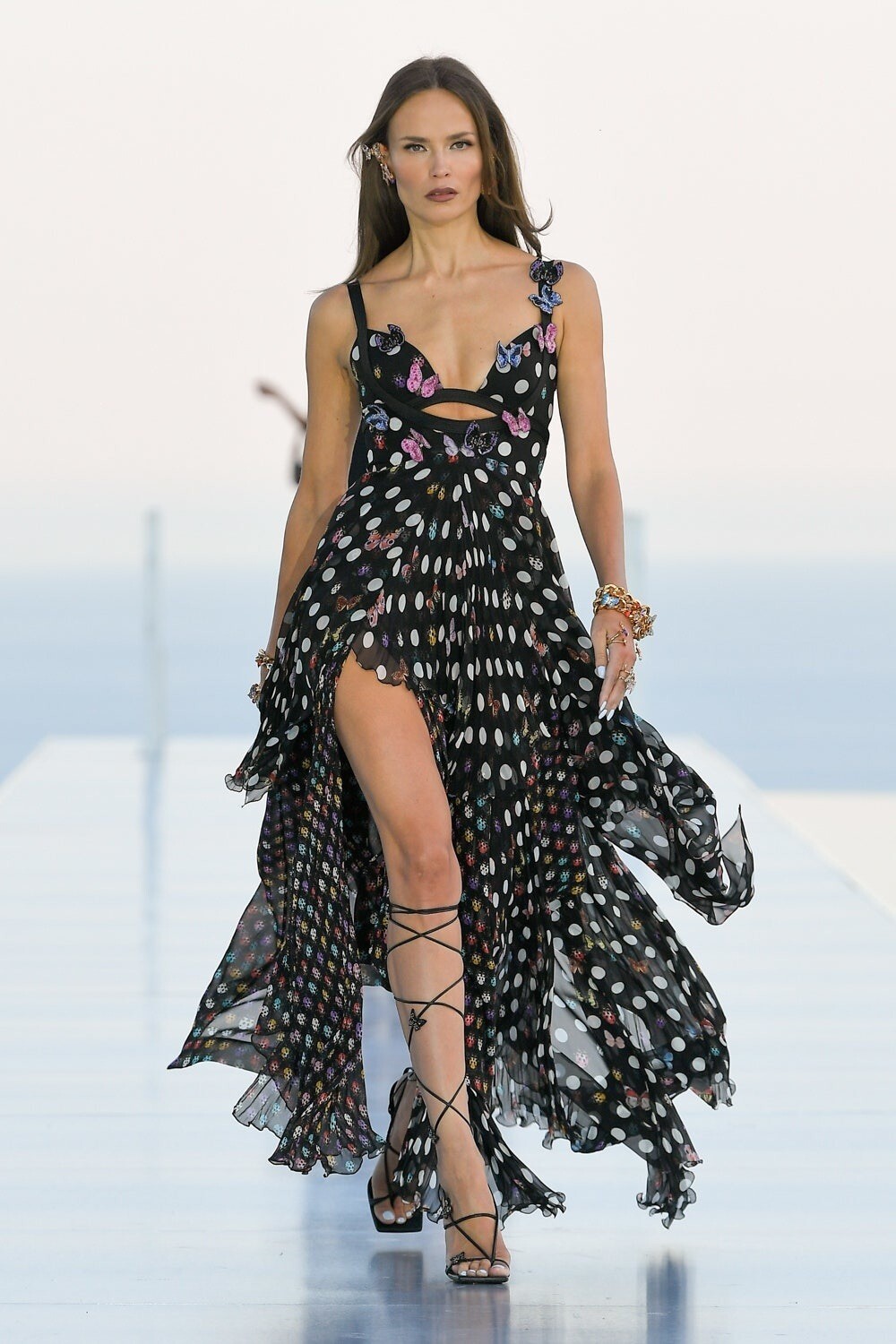
Versace x Dua Lipa "La Vacanza" Resort 2024 Show Cannes

-
Versace x Dua Lipa "La Vacanza" Resort 2024 Show Cannes ( C )


-
Versace x Dua Lipa "La Vacanza" Resort 2024 Show Cannes

-
Versace x Dua Lipa "La Vacanza" Resort 2024 Show Cannes

-
larger ones
-
-
-
Chanel Les beiges chanel les beiges.mp4
Elle Italia N.20-21 – 25.05.2023 City of Joy by Monica Curetti Photo : Adriana Russo Hair : Marco Minunno Make-up : Luciano Chiarello Manicure : Rosimar Viana Da Silva textless pics
Chirstopher Esber pre-fall 2023
Scanlan Theodore FW23 scan.mp4
Bottega Veneta Salone del Mobile 2023
new Dolce&Gabbana ads
Alanui RTW Spring 2024
untagged pic
Cue AAFW Show 01 Runway ( C )
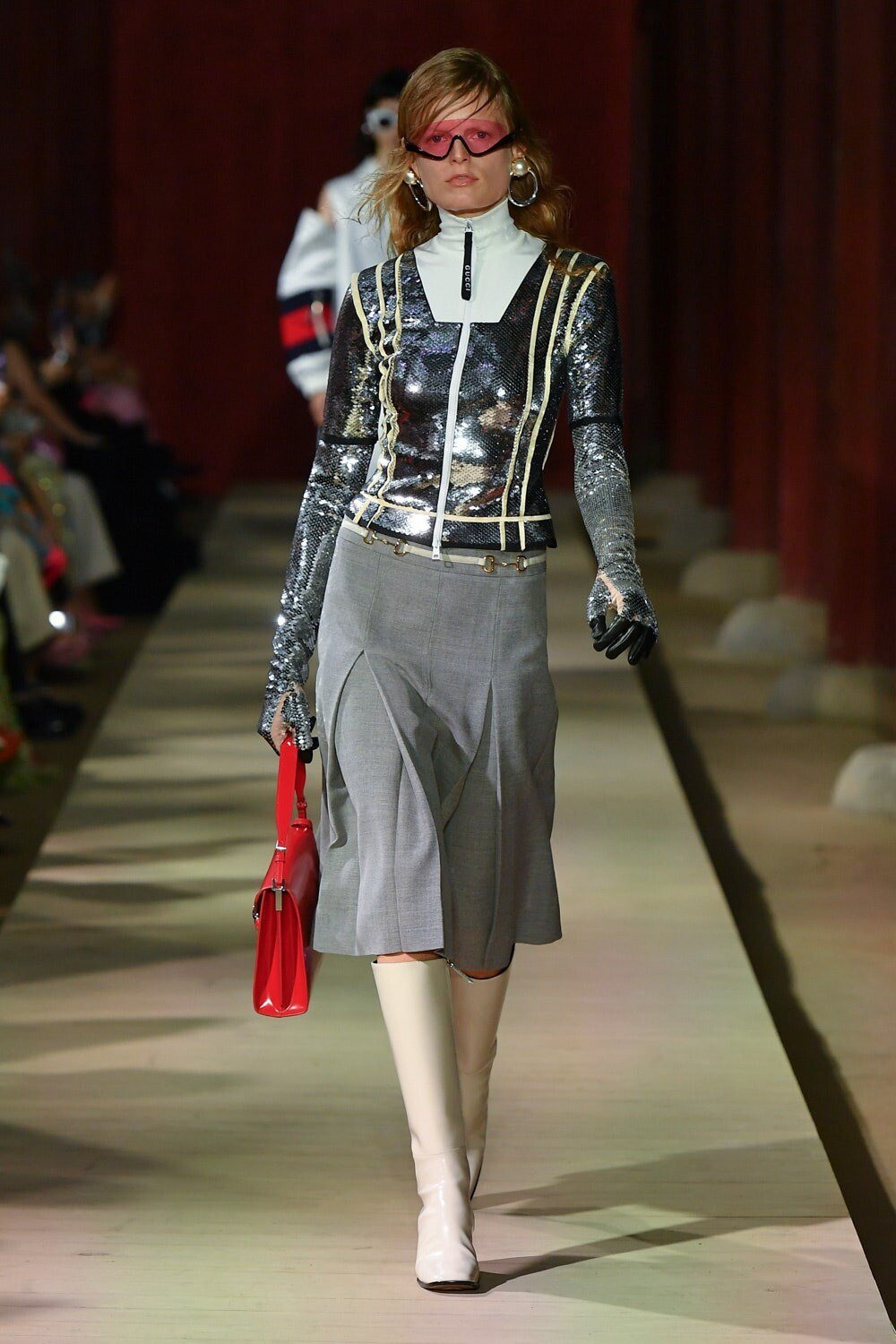
Gucci Resort 2024 Show Seoul






Account
Navigation
Search
Configure browser push notifications
Chrome (Android)
- Tap the lock icon next to the address bar.
- Tap Permissions → Notifications.
- Adjust your preference.
Chrome (Desktop)
- Click the padlock icon in the address bar.
- Select Site settings.
- Find Notifications and adjust your preference.
Safari (iOS 16.4+)
- Ensure the site is installed via Add to Home Screen.
- Open Settings App → Notifications.
- Find your app name and adjust your preference.
Safari (macOS)
- Go to Safari → Preferences.
- Click the Websites tab.
- Select Notifications in the sidebar.
- Find this website and adjust your preference.
Edge (Android)
- Tap the lock icon next to the address bar.
- Tap Permissions.
- Find Notifications and adjust your preference.
Edge (Desktop)
- Click the padlock icon in the address bar.
- Click Permissions for this site.
- Find Notifications and adjust your preference.
Firefox (Android)
- Go to Settings → Site permissions.
- Tap Notifications.
- Find this site in the list and adjust your preference.
Firefox (Desktop)
- Open Firefox Settings.
- Search for Notifications.
- Find this site in the list and adjust your preference.