
gedeon67
Members
-
Joined
-
Last visited
Everything posted by gedeon67
-
Red UK - April 2024 Practical Privilege Photo : Thanassis Krikis
-
Chloé FW 24
-
-
Puma F/W 24
 Ulla Johnson F/W 24 Show
 Ludovic de Saint Sernin F/W 24
 Tory Burch F/W 24 Show
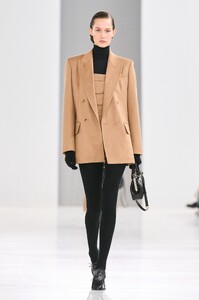
 Max Mara F/W 2024
 Moschino F/W 24 Show
 Alaïa Summer/Fall 2024
 Sportmax F/W 24 Show
 Dolce & Gabbana F/W 24
 Bottega Veneta F/W 24
 Grazia N.12 - 29.02.2024 Sempre Con Te Photo : Simone Falcetta Styling : Selin Bursalioglu Hair : Maurizio Kulpherk Make-up : Rachid
Balmain F/W 24 Show
Elle Italia N.8 - 8.03. 2024 Tributo a Peter Lindbergh Photo : François Rotger Styling : Laura Seganti Hair+Makeup : Sergio Corvacho
Courrèges FW 24
Courrèges FW 24
Courrèges FW 24
Acne studios Fw 24
Acne Studio fw 24
Grazia N.12 - 29.02.2024 Sempre Con Te Photo : Simone Falcetta Styling : Selin Bursalioglu Hair : Maurizio Kulpherk Make-up : Rachid
Balmain F/W 24 Show
Elle Italia N.8 - 8.03. 2024 Tributo a Peter Lindbergh Photo : François Rotger Styling : Laura Seganti Hair+Makeup : Sergio Corvacho
Courrèges FW 24
Courrèges FW 24
Courrèges FW 24
Acne studios Fw 24
Acne Studio fw 24








Account
Navigation
Search
Configure browser push notifications
Chrome (Android)
- Tap the lock icon next to the address bar.
- Tap Permissions → Notifications.
- Adjust your preference.
Chrome (Desktop)
- Click the padlock icon in the address bar.
- Select Site settings.
- Find Notifications and adjust your preference.
Safari (iOS 16.4+)
- Ensure the site is installed via Add to Home Screen.
- Open Settings App → Notifications.
- Find your app name and adjust your preference.
Safari (macOS)
- Go to Safari → Preferences.
- Click the Websites tab.
- Select Notifications in the sidebar.
- Find this website and adjust your preference.
Edge (Android)
- Tap the lock icon next to the address bar.
- Tap Permissions.
- Find Notifications and adjust your preference.
Edge (Desktop)
- Click the padlock icon in the address bar.
- Click Permissions for this site.
- Find Notifications and adjust your preference.
Firefox (Android)
- Go to Settings → Site permissions.
- Tap Notifications.
- Find this site in the list and adjust your preference.
Firefox (Desktop)
- Open Firefox Settings.
- Search for Notifications.
- Find this site in the list and adjust your preference.