Jade Bahr
Members
-
Joined
-
Last visited
Everything posted by Jade Bahr
-
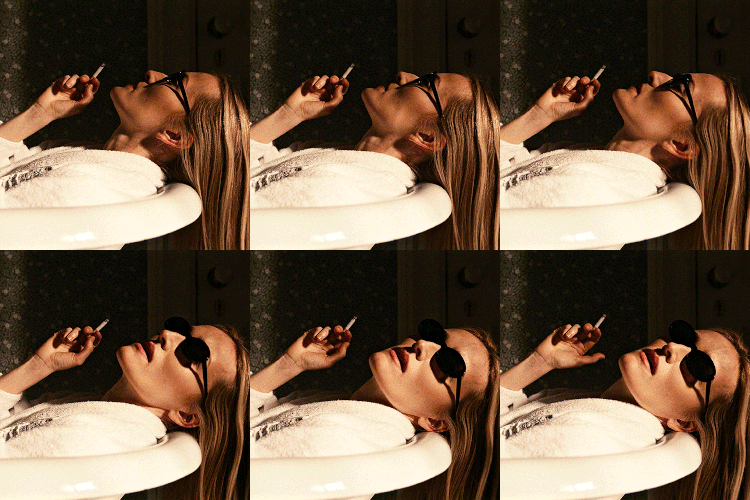
 Elaine Constantine ph. for The Sunday Times Style (November 05, 2023)
 -
Nick Thompson ph. for Wonderland Magazine (November 2023)
-
JACOB ELORDI & BARRY KEOGHAN Venetia Scott ph. for British Vogue (2023) behind the scenes of ‘Saltburn’ photographed by Krista Schlueter for GQ Men of the Year at the premiere of 'Saltburn' in Los Angeles (November 14, 2023) Love them 🥰
-
Dan Doperalski ph. for Variety (December 2023)
-
Jason Nocito ph. for GQ Magazine (January 2024)
-
Will Grundy ph. for W Magazine (February 2024)
-
Brendan Freeman ph. for GQ magazine UK (October 03, 2022)
-
The Last Magazine | Richard Gilligan | November 2017
-
for Arena HOMME+ Magazine (2022)
-
I think he deserves his own thread @Lilja K 😚
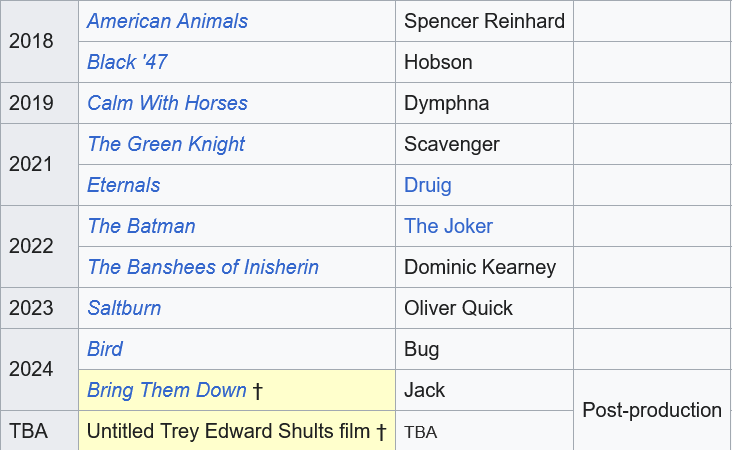
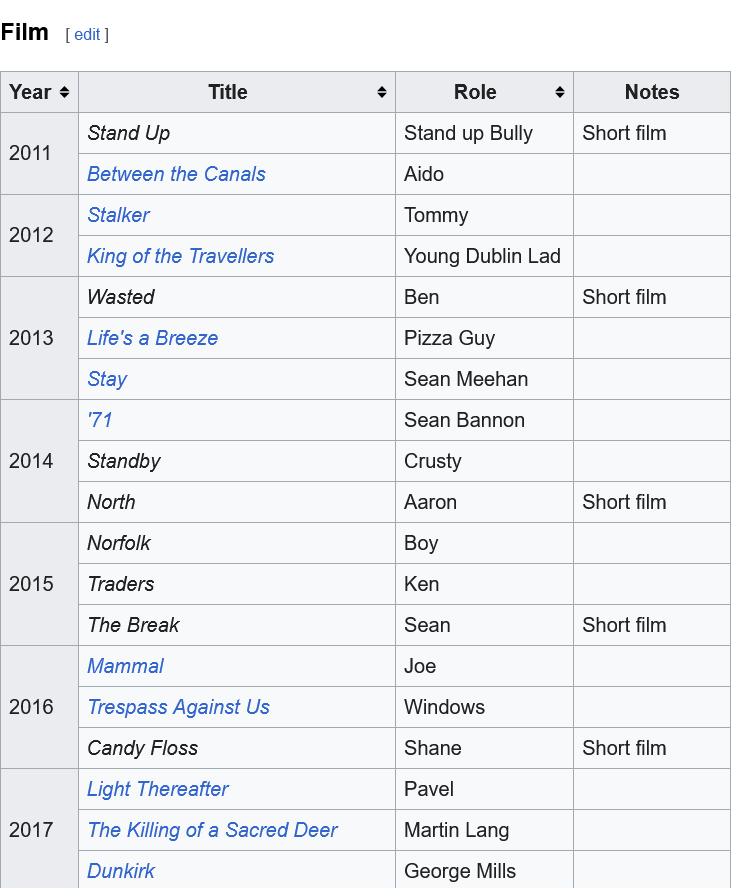
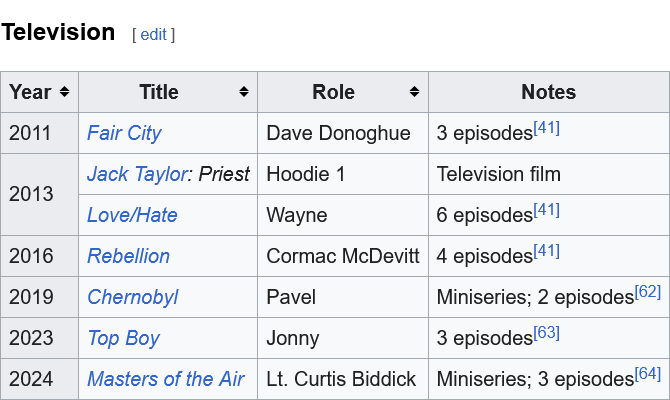
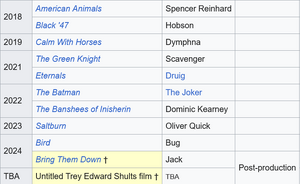
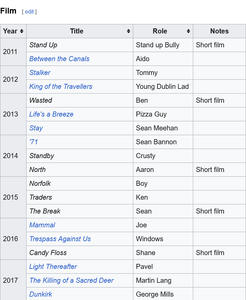
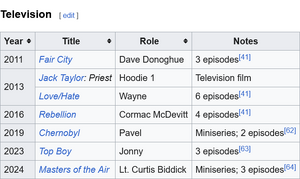
Barry Keoghan (/ˈkjoʊɡən/ KYOH-gən; born 18 October 1992) is an Irish actor. His accolades include a BAFTA Award, along with nominations for an Academy Award and two Golden Globe Awards. In 2020, he was listed at number 27 on The Irish Times list of Ireland's greatest film actors. Keoghan began acting in 2011 and gained recognition in 2017 for his roles in Christopher Nolan's Dunkirk and Yorgos Lanthimos's The Killing of a Sacred Deer. He gained praise for his performances in the Irish crime film Calm with Horses (2019) and in the fantasy film The Green Knight (2021). He expanded to big-budget films with his role as Druig in the Marvel Cinematic Universe film Eternals (2021). In 2022 he appeared in Martin McDonagh's The Banshees of Inisherin, for which he won the BAFTA Award for Best Actor in a Supporting Role and received nominations for the Golden Globe and Academy Award for Best Supporting Actor. Keoghan then starred in the psychological drama Saltburn (2023), for which he gained nominations for a Golden Globe and BAFTA Award for Best Actor. He has appeared in television, including in the RTÉ drama Love/Hate (2013), the HBO mini-series Chernobyl (2019), the final season of the Netflix reboot Top Boy (2023), and in the Apple TV+ miniseries Masters of the Air (2024). Keoghan is a brand ambassador for Dior and Barretstown. Early life Keoghan was born on 18 October 1992, and grew up in Summerhill, Dublin, Ireland. His mother struggled with drug addiction and died when he was 12. With his brother Eric, he spent seven years in foster care, in 13 foster homes, before being raised by their grandmother, aunt, and older sister Gemma. As a child, Keoghan appeared in school plays in the O'Connell School on Dublin's North Richmond Street but was banned for "messing about". He attributes his film education to sneaking into films with friends at Cineworld, Parnell Street, from which he was eventually barred.[8] After appearing in Between the Canals, Keoghan studied acting at The Factory (now Bow Street Academy), a local Dublin drama school. He remembers "not even having €2.20 to get the bus to The Factory" at the time. Personal life Keoghan is an amateur boxer. From 2017 to 2020 Keoghan was in a relationship with Killarney native Shona Guerin, whom he had met on Good Friday in a Killarney pub where she was working. The pair appeared on Livin' with Lucy together in 2019 in which Lucy Kennedy stayed with them in their Los Angeles home. In September 2021 Keoghan began dating Alyson Kierans, a dental nurse and orthodontic therapist. A few months later, on Ireland's Mother's Day, 27 March 2022, he disclosed that the couple were expecting a child together. The birth of their son was announced on 8 August 2022. The family moved to Broughty Ferry, Dundee, Scotland, in November 2022. Keoghan said in a 2024 interview that he and Kierans had split in mid-2023. In April 2022, Keoghan was arrested in Dublin for public intoxication. He was later released without charge and issued with a fixed charged notice. Since late 2023, Keoghan has been dating American singer-songwriter Sabrina Carpenter. Keoghan is a supporter of Manchester United F.C. and appeared in the club's promotional campaign for the 2024/25 season kit. Filmography Source: wikipedia
 🤣 @Lilja K
 Queen slayin the runway @Lilja K https://www.instagram.com/p/C_t45bXC5q5/ more: https://www.instagram.com/p/C_uN9UkgQ8c/
Leo + Brad Pitt + Bobby D reunion @ a private exhibition in NY https://www.instagram.com/p/C_uLN73A2Mi/ Leo + his phone leaving the building https://www.instagram.com/p/C_uLEIINagB/
Queen slayin the runway @Lilja K https://www.instagram.com/p/C_t45bXC5q5/ more: https://www.instagram.com/p/C_uN9UkgQ8c/
Leo + Brad Pitt + Bobby D reunion @ a private exhibition in NY https://www.instagram.com/p/C_uLN73A2Mi/ Leo + his phone leaving the building https://www.instagram.com/p/C_uLEIINagB/Account
Navigation
Search
Configure browser push notifications
Chrome (Android)
- Tap the lock icon next to the address bar.
- Tap Permissions → Notifications.
- Adjust your preference.
Chrome (Desktop)
- Click the padlock icon in the address bar.
- Select Site settings.
- Find Notifications and adjust your preference.
Safari (iOS 16.4+)
- Ensure the site is installed via Add to Home Screen.
- Open Settings App → Notifications.
- Find your app name and adjust your preference.
Safari (macOS)
- Go to Safari → Preferences.
- Click the Websites tab.
- Select Notifications in the sidebar.
- Find this website and adjust your preference.
Edge (Android)
- Tap the lock icon next to the address bar.
- Tap Permissions.
- Find Notifications and adjust your preference.
Edge (Desktop)
- Click the padlock icon in the address bar.
- Click Permissions for this site.
- Find Notifications and adjust your preference.
Firefox (Android)
- Go to Settings → Site permissions.
- Tap Notifications.
- Find this site in the list and adjust your preference.
Firefox (Desktop)
- Open Firefox Settings.
- Search for Notifications.
- Find this site in the list and adjust your preference.