
Lyla
Members
-
Joined
Everything posted by Lyla
-
 I'm sure about that! :-) the less that we'll got are candids imo. but I hope she'll get a place at Dior front row again. About catwalking I'm not even dreaming...:-(
 -
Barbara with her barbellas today in Paris






 another shot from Vogue Mexico: With Alyssa Miller and Erin Heatherton before Justin Timberlake concert:

 little preview from Vogue Mexico
 Vogue Mexico March 2014 :-)
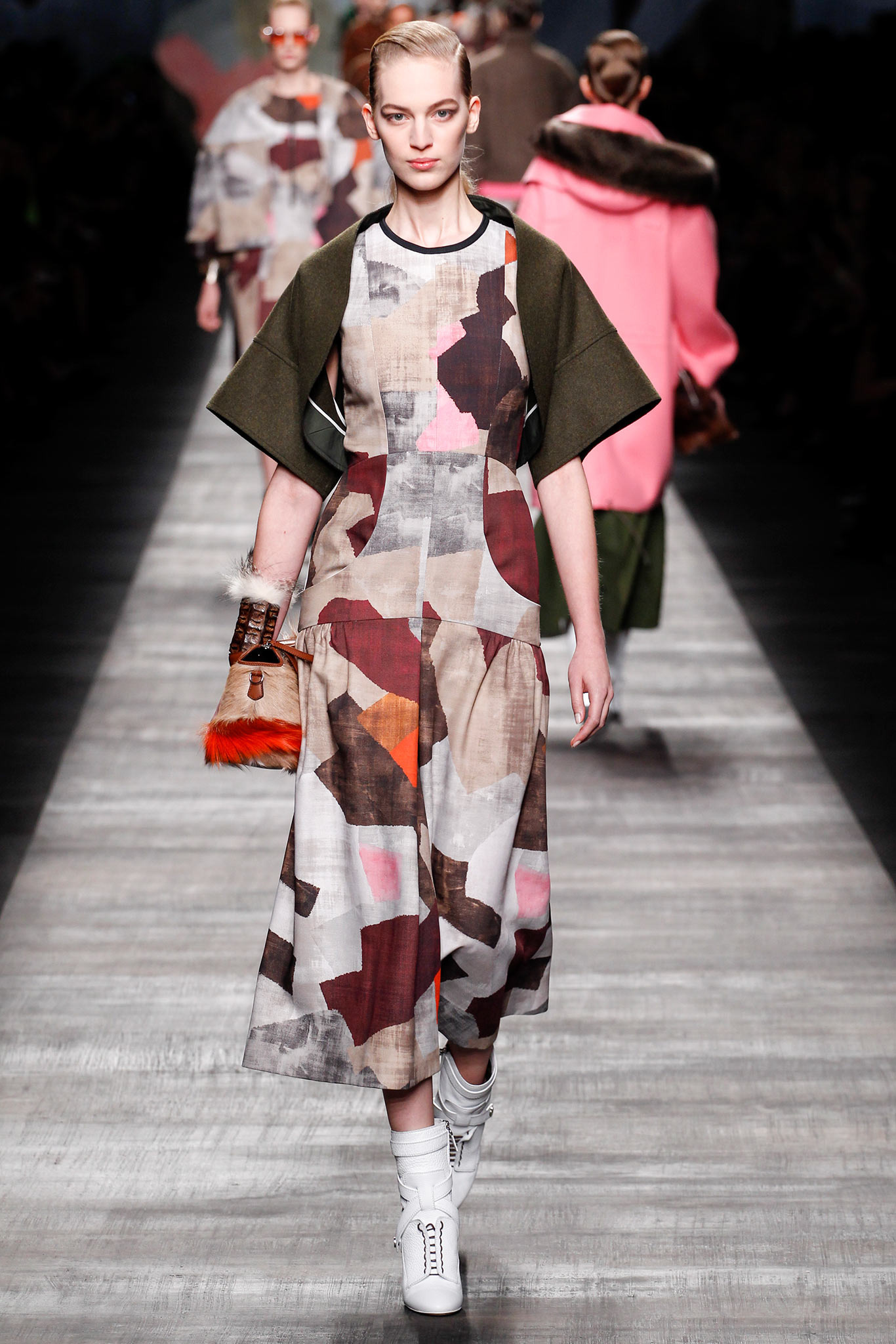
 Fendi - FW 2014
 RIVER ISLAND DESIGN FORUM: KATIE EARY
Gucci FW 2014 thx for all the pics, tfs !
RIVER ISLAND DESIGN FORUM: KATIE EARY
Gucci FW 2014 thx for all the pics, tfs !













 thanks! it's horrible...
its red carpet 470153145.jpg and that's the same photo what i've posted just with another watermark...
its red carpet OMG! Are you serious? maybe I wasn't accurate enough, but I reffered to the 2nd pic...(btw hope will find it somewhere)
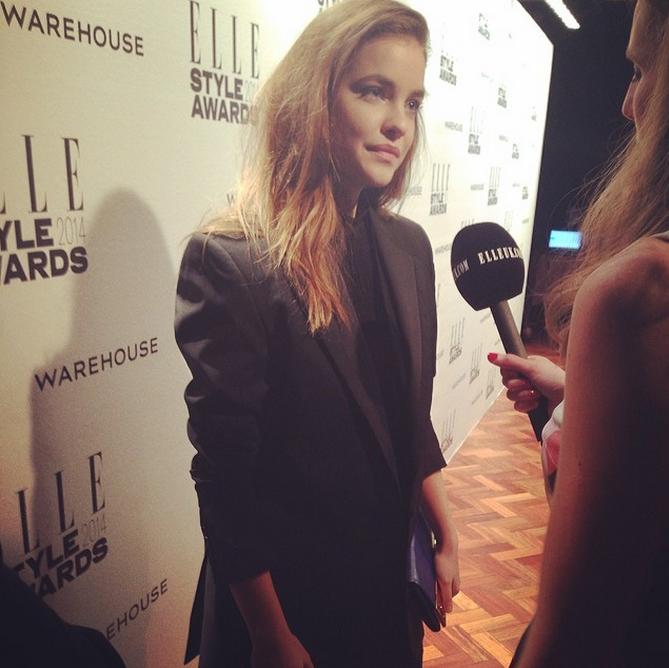
Elle Style Awards 2014 (London) it looks liike an interview, yay!
thanks! it's horrible...
its red carpet 470153145.jpg and that's the same photo what i've posted just with another watermark...
its red carpet OMG! Are you serious? maybe I wasn't accurate enough, but I reffered to the 2nd pic...(btw hope will find it somewhere)
Elle Style Awards 2014 (London) it looks liike an interview, yay!
 agreed to both! but the bottom of her hair is still quite light, they ruined her hair earlier...:@ so, while I'm glad that it's darker, imo it's still not the best, like she had earlier, for example in this gif ^ up the page..
that's the new trend! according to CaraD
CR Fashion Book Spring 2014
agreed to both! but the bottom of her hair is still quite light, they ruined her hair earlier...:@ so, while I'm glad that it's darker, imo it's still not the best, like she had earlier, for example in this gif ^ up the page..
that's the new trend! according to CaraD
CR Fashion Book Spring 2014

















































Account
Search
Configure browser push notifications
Chrome (Android)
- Tap the lock icon next to the address bar.
- Tap Permissions → Notifications.
- Adjust your preference.
Chrome (Desktop)
- Click the padlock icon in the address bar.
- Select Site settings.
- Find Notifications and adjust your preference.
Safari (iOS 16.4+)
- Ensure the site is installed via Add to Home Screen.
- Open Settings App → Notifications.
- Find your app name and adjust your preference.
Safari (macOS)
- Go to Safari → Preferences.
- Click the Websites tab.
- Select Notifications in the sidebar.
- Find this website and adjust your preference.
Edge (Android)
- Tap the lock icon next to the address bar.
- Tap Permissions.
- Find Notifications and adjust your preference.
Edge (Desktop)
- Click the padlock icon in the address bar.
- Click Permissions for this site.
- Find Notifications and adjust your preference.
Firefox (Android)
- Go to Settings → Site permissions.
- Tap Notifications.
- Find this site in the list and adjust your preference.
Firefox (Desktop)
- Open Firefox Settings.
- Search for Notifications.
- Find this site in the list and adjust your preference.