
tinkerbelle
Members
-
Joined
-
Last visited
Everything posted by tinkerbelle
-
 with Jordana Brewster
 last two
 thanx:!! he's sooo damn good looking on this one
 thanx Penny D !! those are amazing!!! here are more scans

 I agree with Flo ! if he was a boy next door... gosh all girls would love to live beside cause he's freakin hot and charming!!
can't see the pic
last one
there's always someone saying he/she knows people... proof ??
you're welcome ! here's some more
I agree with Flo ! if he was a boy next door... gosh all girls would love to live beside cause he's freakin hot and charming!!
can't see the pic
last one
there's always someone saying he/she knows people... proof ??
you're welcome ! here's some more

 sorry if repost my scan
 my scan she's beautiful
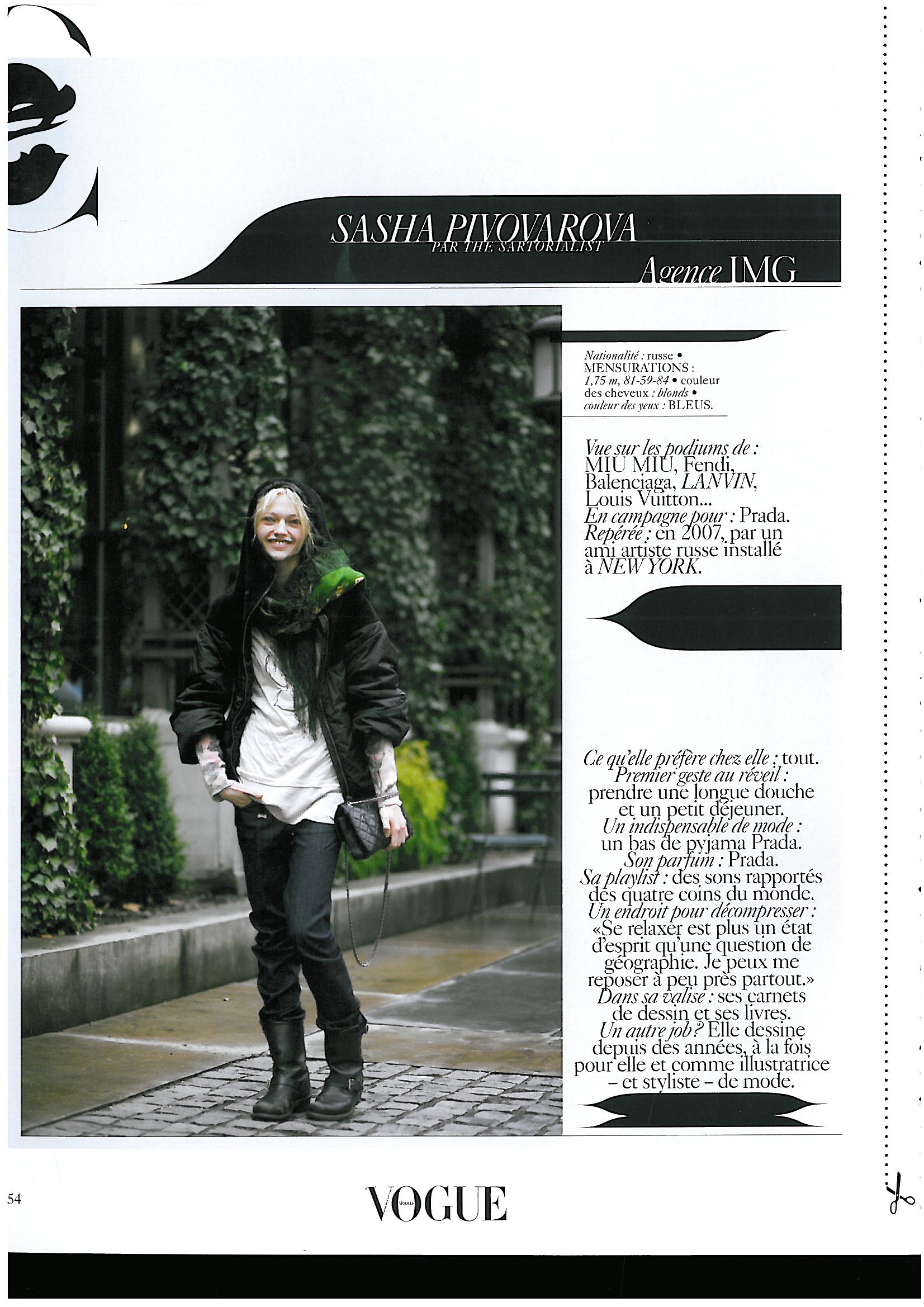
 my scan from vogue
 sorry to bother you but some get lost and forgotten. I don't think everybody looks at the models in the last pages.I do by the way and often ID models so I dunno if there's any policy about it. If there is sorry though I'm not the only one to do it, you maybe just notice me more cause I'm posting a lot of new thread. nevermind... If not then I think it's my right to bump to try to find out.





















Account
Navigation
Search
Configure browser push notifications
Chrome (Android)
- Tap the lock icon next to the address bar.
- Tap Permissions → Notifications.
- Adjust your preference.
Chrome (Desktop)
- Click the padlock icon in the address bar.
- Select Site settings.
- Find Notifications and adjust your preference.
Safari (iOS 16.4+)
- Ensure the site is installed via Add to Home Screen.
- Open Settings App → Notifications.
- Find your app name and adjust your preference.
Safari (macOS)
- Go to Safari → Preferences.
- Click the Websites tab.
- Select Notifications in the sidebar.
- Find this website and adjust your preference.
Edge (Android)
- Tap the lock icon next to the address bar.
- Tap Permissions.
- Find Notifications and adjust your preference.
Edge (Desktop)
- Click the padlock icon in the address bar.
- Click Permissions for this site.
- Find Notifications and adjust your preference.
Firefox (Android)
- Go to Settings → Site permissions.
- Tap Notifications.
- Find this site in the list and adjust your preference.
Firefox (Desktop)
- Open Firefox Settings.
- Search for Notifications.
- Find this site in the list and adjust your preference.