phenobarbie
Admin
-
Joined
Everything posted by phenobarbie
-
 Beauty: Chandra Body: Chandra Sexiness: Chandra
 -
Rosie Maryna Izabel Shannon
-
omg Baron... you crack me up
-
Neither of them really seem to have much definition in the rear end.. o.0 Candice x3? Because Abby's looks.. no
-
You want me to click almost 16 links.. because I don't know half of these girls... ok that would be 8 links, it's to early/late!!! I shall vote later 1 Delta Goodrem vs Fiona Apple 2 Caroline Corr vs Helena Paparizou 3 Ashley Tisdale vs Ciara Harris 4 Alsou Ralifovna 5 Britney Spears vs Bjork Gudmundsdottir 6 Ashlee Simpson vs Mika Nakashima 7 Faith Hill 8 Shirley Manson
-
Erin Lily Caroline Selita
-
Rachel Weisz
-
-
Alsou
-
Anna Rosie Alessandra Miranda
-
scanned by me
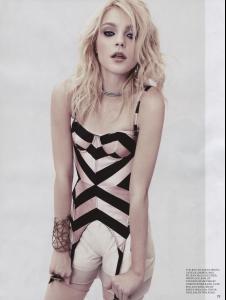
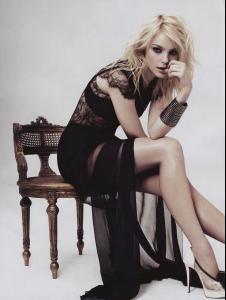
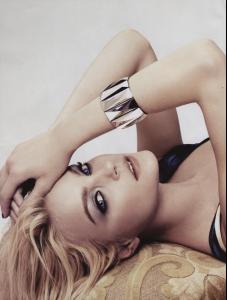
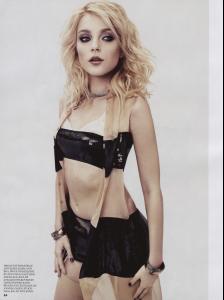
-
Liu Dan
-
Isabeli Lyndsey Doutzen Abbey
-
Uma Hasn't this round been open for 2 days?
-
lol will actually listen to that stuff when i hook my comp back up chocolate girl carmel girl vanilla girl flower crotch (remind you of anything? )
-
Muffin, computers and family suck Donkey balls.. we still haven't left however this should be a short trip as the wicked bitch of the pubescent sect has elected not to go... call my cell
-
I especially love the 'straight from the runway' listed above the girls. As far as I know only 2 of those girls have ever walked in a vs show, so it's an all around fail on the part of whomever is requesting these rsvp from Media's... I'd email or call the number and bitch about false advertising if I were the media.. that's if they could scrabble enough brain power between the group of them to realize this. I mean seriously, a church, no official 'angels' or even typical spokesmodels from the company, all in the advent of a new cell phone release from a company that has shitty cell reception, and costs more then most of the other companies? Yes, spells out win to me.. or wait was that /fale?
-
o.0 where did Isabeli and Doutzen come into play?
-
Rosi Edita Abbey Miranda
-
grats to the ana and gisele
-
Not sure here but it looks like the event is only going to be open to photographers and Media with the need of a business card and identification being necessary to get into the fuction. I'm not sure just your typical average joe will be able to walk in off the street. Link
-
Part of the reason Ana's legs look so 'good' is because of the stockings imo, women generally look better when they're legs are smoothed, and the sheen from the sheer fabric gives it the illusion of shape and definition, whereas Caroline's have that shape and definition without any aid of articifice. It's early Caroline x3
-
Ana - Blue Ana - Gold Caroline Mini - Gold Mini - Red Tyra
-
Sophie x3
-
Ana Caroline Mini Gisele