

Everything posted by nhlovesadri
-
 apuliti’s ig stories 45796025_2204303793143554_7096493913946322477_n.mp4
marianalive ig stories
apuliti’s ig stories 45796025_2204303793143554_7096493913946322477_n.mp4
marianalive ig stories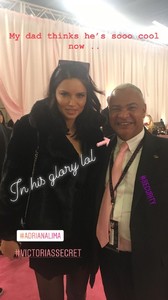 Behati said in a Pink Carpet interview that Adriana did a speech backstage like Alessandra. I WANT TO SEE IT, let's hope they show it somewhere, hopefully in the RTTR last video.
Behati said here Adriana did a speech backstage ❤️ I hope we see it somewhere
the second video is about the other models talking of her retirement
ctilburymakeup ig stories 45451362_187919888798899_6109043370443644420_n.mp4
Goodnight everyone, thanks for all the material
She is as fit as she can be, I think she looks amazing, pregnant I don't think so either. Now she is the last of the Brazilain Bombshells left.
Interesting intro, too bad the other segments are so cut short...
Honeslty tho ask anybody who isn't into modeling which model can they name, you will hear Naomi, Tyra too if they are Americans and know her for the tv shows, Gisele and Adriana.
LOL there is a certain similarity with her tho you are right
She wasn' that unlucky tho even with the collaboration outfit, comparing it with Josephine... Pale pink suits her skin tone really well.
I checked his ig, he was elsewhere
I have seen all day articles in every imaginable language talking about her, she was trending worldwide
There wasn't ET around this year? That Frazier guy is also nuce and he always speaks with her.
I'l miss these interviews backstage so much, you can tell she is so happy to be there
Agree I can understand that VS trademark is (more was right now if we watch the new models each eyar...) to gift you an hour of fairy tale fantasy on tv with the most gorgeous and famous models in the world who also have a personality and you can feel connected with, thanks to the documentary parts. You forget your daily routine with its problems and then you should buy their products because they should make you feel part of that fantasy world too at home. With all due respect to any gender, there aren't yet any very famous trans models and we as public aren't used to see them in high profile fashion jobs, so inserting them into that fantasy moment would change it making our attention go all there on them instead of having our "escapist" happy moment, not having all genders equality being a big issue we have to live with daily, that we don't want to be shown when we are tryin to forget the problems for a moment of happy fantasy. Or at least that's my humble opinion on the matter. But Ed really acted dumb throwing it out there in such a rude way, it was disrespectful and gender-racist. Thanks @PinkCouture for all the amazing work on posting! Love the Josh Wong photos
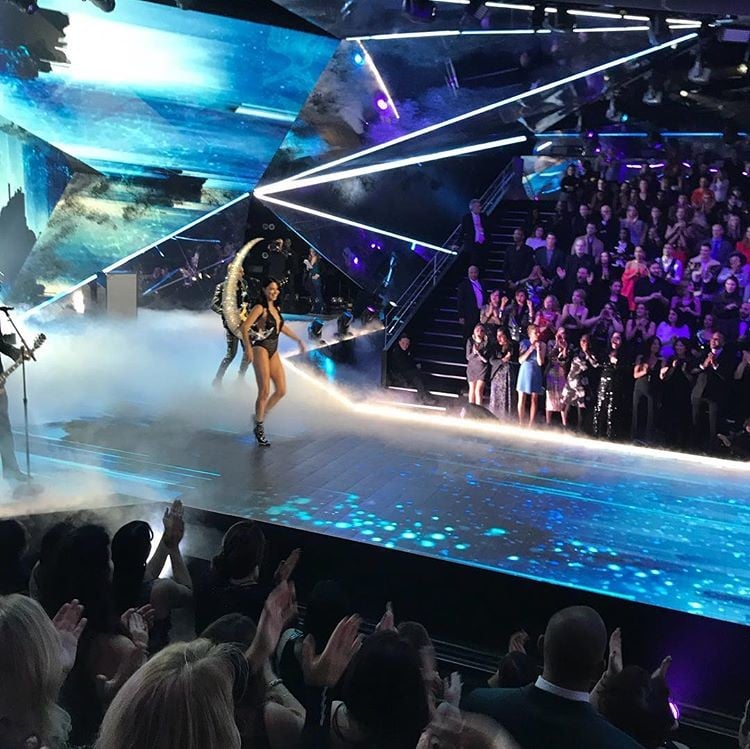
@Souled-Out it will be aired and probably well edited too, at least compared oto the other mess, because if you look at the press around today there's only one thing they are all showing: Adriana's own segment and her goodbye. People expect that, many will watch just to see Adriana's last time on the VS runway, they have to do it, it's their own interest to get press and viewers.
In Italy we have a say, "meglio soli che male accompagnati", better alone then with a bad company. Better get rid of those idiots who follow her just because she is famous or pretty, or to hate, it's only people who care for her like us that matter.
Behati said in a Pink Carpet interview that Adriana did a speech backstage like Alessandra. I WANT TO SEE IT, let's hope they show it somewhere, hopefully in the RTTR last video.
Behati said here Adriana did a speech backstage ❤️ I hope we see it somewhere
the second video is about the other models talking of her retirement
ctilburymakeup ig stories 45451362_187919888798899_6109043370443644420_n.mp4
Goodnight everyone, thanks for all the material
She is as fit as she can be, I think she looks amazing, pregnant I don't think so either. Now she is the last of the Brazilain Bombshells left.
Interesting intro, too bad the other segments are so cut short...
Honeslty tho ask anybody who isn't into modeling which model can they name, you will hear Naomi, Tyra too if they are Americans and know her for the tv shows, Gisele and Adriana.
LOL there is a certain similarity with her tho you are right
She wasn' that unlucky tho even with the collaboration outfit, comparing it with Josephine... Pale pink suits her skin tone really well.
I checked his ig, he was elsewhere
I have seen all day articles in every imaginable language talking about her, she was trending worldwide
There wasn't ET around this year? That Frazier guy is also nuce and he always speaks with her.
I'l miss these interviews backstage so much, you can tell she is so happy to be there
Agree I can understand that VS trademark is (more was right now if we watch the new models each eyar...) to gift you an hour of fairy tale fantasy on tv with the most gorgeous and famous models in the world who also have a personality and you can feel connected with, thanks to the documentary parts. You forget your daily routine with its problems and then you should buy their products because they should make you feel part of that fantasy world too at home. With all due respect to any gender, there aren't yet any very famous trans models and we as public aren't used to see them in high profile fashion jobs, so inserting them into that fantasy moment would change it making our attention go all there on them instead of having our "escapist" happy moment, not having all genders equality being a big issue we have to live with daily, that we don't want to be shown when we are tryin to forget the problems for a moment of happy fantasy. Or at least that's my humble opinion on the matter. But Ed really acted dumb throwing it out there in such a rude way, it was disrespectful and gender-racist. Thanks @PinkCouture for all the amazing work on posting! Love the Josh Wong photos
@Souled-Out it will be aired and probably well edited too, at least compared oto the other mess, because if you look at the press around today there's only one thing they are all showing: Adriana's own segment and her goodbye. People expect that, many will watch just to see Adriana's last time on the VS runway, they have to do it, it's their own interest to get press and viewers.
In Italy we have a say, "meglio soli che male accompagnati", better alone then with a bad company. Better get rid of those idiots who follow her just because she is famous or pretty, or to hate, it's only people who care for her like us that matter.
Account
Navigation
Search
Configure browser push notifications
Chrome (Android)
- Tap the lock icon next to the address bar.
- Tap Permissions → Notifications.
- Adjust your preference.
Chrome (Desktop)
- Click the padlock icon in the address bar.
- Select Site settings.
- Find Notifications and adjust your preference.
Safari (iOS 16.4+)
- Ensure the site is installed via Add to Home Screen.
- Open Settings App → Notifications.
- Find your app name and adjust your preference.
Safari (macOS)
- Go to Safari → Preferences.
- Click the Websites tab.
- Select Notifications in the sidebar.
- Find this website and adjust your preference.
Edge (Android)
- Tap the lock icon next to the address bar.
- Tap Permissions.
- Find Notifications and adjust your preference.
Edge (Desktop)
- Click the padlock icon in the address bar.
- Click Permissions for this site.
- Find Notifications and adjust your preference.
Firefox (Android)
- Go to Settings → Site permissions.
- Tap Notifications.
- Find this site in the list and adjust your preference.
Firefox (Desktop)
- Open Firefox Settings.
- Search for Notifications.
- Find this site in the list and adjust your preference.