

PrettyDeadThings
Admin
-
Joined
-
Last visited
Everything posted by PrettyDeadThings
-
 Yes, yes I can. EVERYONE else is a big pool to jump into.
 -
Accurate, but the statement still stands.
-
Imagine thinking a shopper from the middle of Kansas knows who HF models are by name or face without some kind of major commercial in store cross over Imagine thinking a shopper from the middle of Montana knows who HF models are by name or face without some kind of major commercial in store cross over Imagine thinking a shopper from the middle of Nevada knows who HF models are by name or face without some kind of major commercial in store cross over Imagine thinking a shopper from the middle of Tennessee knows who HF are models by name or face without some kind of major commercial in store cross over Imagine thinking a shopper from the middle of Florida knows who HF models are by name or face without some kind of major commercial in store cross over Imagine thinking a shopper from the middle of Maryland knows who HF models are by name or face without some kind of major commercial in store cross over Imagine thinking a shopper from the middle of Maine knows who HF models are by name or face without some kind of major commercial in store cross over Imagine thinking a shopper from the middle of Texas knows who HF models are by name or face without some kind of major commercial in store cross over Imagine thinking a shopper from the middle of Ohio knows who HF models are by name or face without some kind of major commercial in store cross over Imagine thinking a shopper from the middle of New Mexico knows who HF are models by name or face without some kind of major commercial in store cross over Imagine thinking a shopper from the middle of Alabama knows who HF are models by name or face without some kind of major commercial in store cross over Imagine thinking a shopper from the middle of Indiana knows who HF are models by name or face without some kind of major commercial in store cross overto Imagine thinking a shopper from the middle of North Dakota knows who HF are models by name or face without some kind of major commercial in store cross over Imagine thinking a shopper from the middle of Vermont knows who HF models are by name or face without some kind of major commercial in store cross over Imagine thinking a shopper from the middle of South Carolina knows who HF models are by name or face without some kind of major commercial in store cross over Imagine thinking a shopper from the middle of Vietnam knows who HF models are by name or face without some kind of major commercial in store cross over Imagine thinking a shopper from the middle of Russia knows who HF models are by name or face without some kind of major commercial in store cross over Imagine thinking a shopper from the middle of Ireland knows who HF models are by name or face without some kind of major commercial in store cross over Imagine thinking a shopper from the middle of Mexico knows who HF models are by name or face without some kind of major commercial in store cross over Imagine thinking a shopper from the middle of Canada knows who HF models are by name or face without some kind of major commercial in store cross over Imagine thinking a shopper from the middle of Yemen knows who HF models are by name or face without some kind of major commercial in store cross over Imagine thinking a shopper from the middle of Cuba knows who HF models are by name or face without some kind of major commercial in store cross over Imagine thinking a shopper from the middle of Chile knows who HF models are by name or face without some kind of major commercial in store cross over Imagine thinking a shopper from the middle of Portugal knows who HF models are by name or face without some kind of major commercial in store cross over Imagine thinking a shopper from the middle of Greece knows who HF models are by name or face without some kind of major commercial in store cross over Imagine thinking ANYONE who doesn't follow fashion as much as BZ/Other Fashion Forums/Fashion Industry knows who HF models by name or face. KEKW
Round 24/33 Matchup 8/17 Adriana Lima vs. Josephine Skriver Lily Aldridge vs. Heidi Klum Sara Sampaio vs. Miranda Kerr Alessandra Ambrosio vs. Leomie Anderson Rules - It's simple, which Angel do you like more? All models will go against each other. At the end of the comp, we should have a list of the most beloved angels and the not so preferred. Adriana Lima vs. Josephine Skriver Lily Aldridge vs. Heidi Klum Sara Sampaio vs. Miranda Kerr Alessandra Ambrosio vs. Leomie Anderson
Round 24/33 Matchup 4/17 Romee Strijd vs. Lindsay Ellingson Izabel Goulart vs. Marisa Miller Stella Maxwell vs. Erin Heatherton Lais Ribeiro vs. Behati Prinsloo Rules - It's simple, which Angel do you like more? All models will go against each other. At the end of the comp, we should have a list of the most beloved angels and the not so preferred. Romee Strijd vs. Lindsay Ellingson Izabel Goulart vs. Marisa Miller Stella Maxwell vs. Erin Heatherton Lais Ribeiro vs. Behati Prinsloo
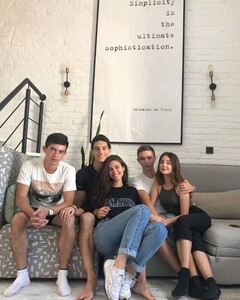
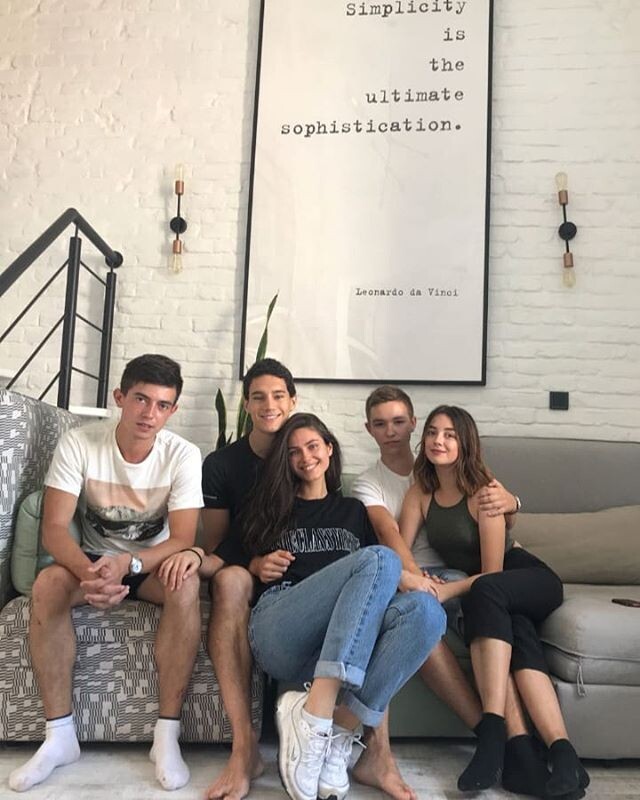
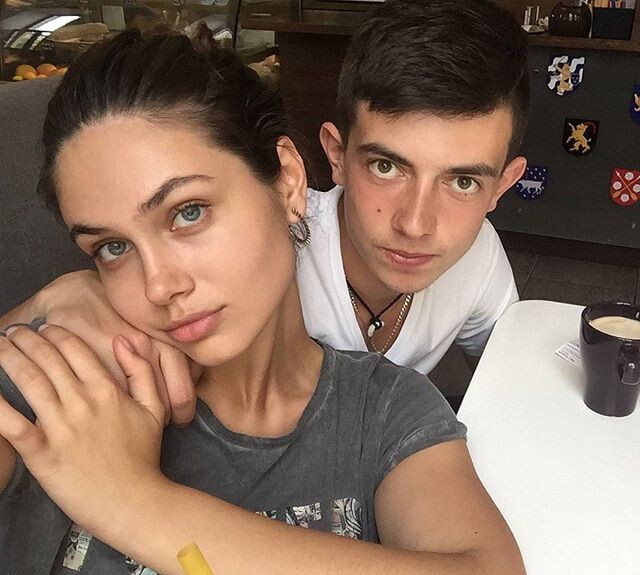
Vika & Her Brother

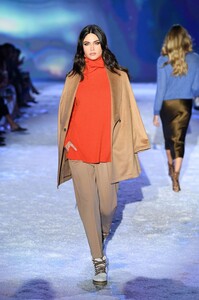
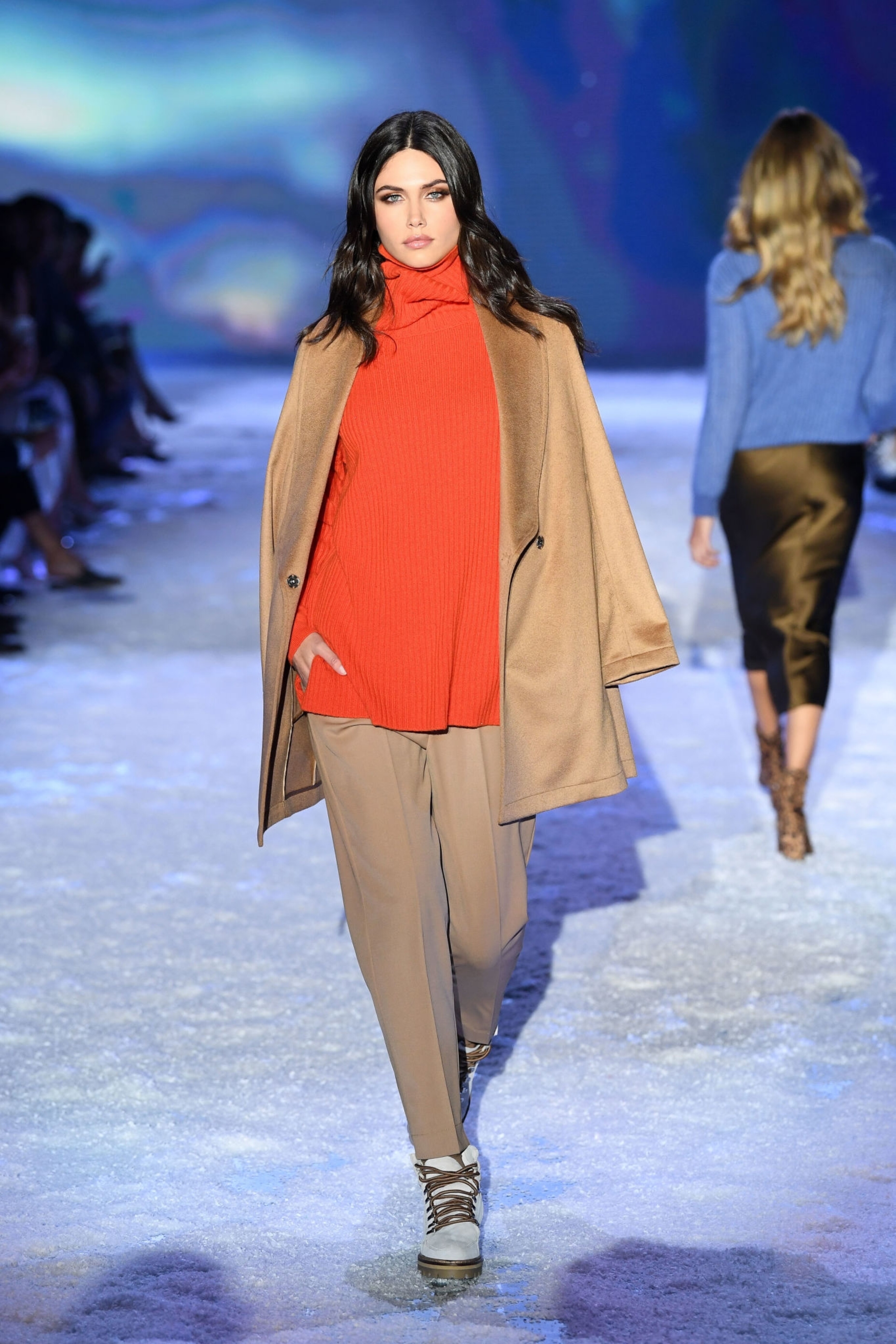
 Falconeri Show - UHQ
 Eyes are everywhere around these parts. 🤔
I mean if you want to, by all means, but I fully expect people's feelings to be offended 🤣
"They are pretty cool." "That's their bag." Is very similar to the singular you, which is also gender neutral. "You are pretty cool." "That's your bag." WORDS BTW
Shhh, don't say that around these parts, People will go HULK on your ass...
There are so many things wrong with those woman.... o.o
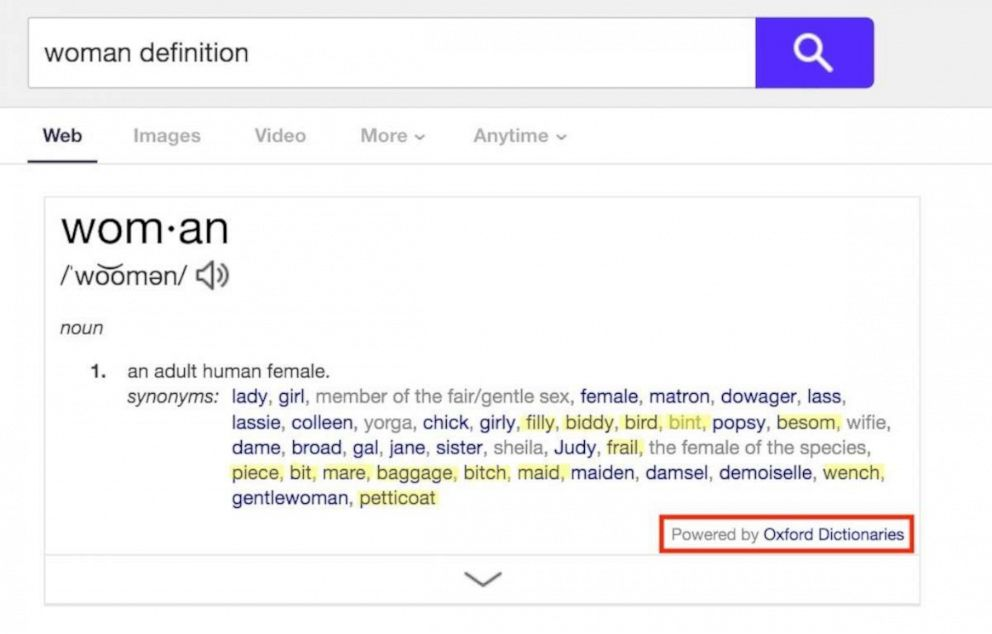
@Stromboli1 Is the dictionary sexist? Petition calls for Oxford English Dictionary to remove sexist terms for women A petition that now has nearly 30,000 signatures and counting on Change.org was started by a simple online search. Maria Beatrice Giovanardi, a London-based communications and marketing expert, typed the word “woman” into a search engine earlier this summer while looking up information on women’s earnings. She said she was bombarded with results for synonymous of woman that included words like bitch, piece, bit, mare, baggage, wench, petticoat, frail and biddy. “I was like, 'What’s going on? Why are these the synonyms?,” Giovanardi, 28, told “Good Morning America.” “I don’t see myself like this as a woman. “My girlfriends don’t speak like this so it’s a man’s point of view,” she recalled thinking. Giovanardi learned the information about the word "woman" she saw online came from content produced by Oxford University Press, a department of the University of Oxford in the U.K. that also produces the Oxford English Dictionary (OED). As Giovanardi looked further into it, she saw more examples of what she described as sexist language, including using sentences like these as examples alongside the definition of women: "‘One of his sophisticated London women"; "Don't be daft, woman!": and "he wondered whether Billy had his woman with him." "If you look up 'man' you see sentences of what men can be doing as individuals, while with women you see sentences of women as an oppressed group, not as individuals," she said. "Their goal is to portray language but this has a very judgmental bias." Giovanardi took action by starting the Change.org petition titled, "Change Oxford Dictionary’s Sexist Definition of ‘Woman.'" Since June, the petition has drawn 29,926 signatures and counting. "One of our goals was to have as many signatures as the Oxford student body, which is around 24,000 students, so we achieved that goal," she said. "But the more pressure the better so we hope to get more and more." The petition has already caught the attention of the Oxford University Press, which dedicated a blog post to responding to the petition. The post specifies that the content around women called out by the petition comes from the Oxford Thesaurus of English and the Oxford Dictionary of English, which "aim to cover contemporary English usage and are accessible online in a variety of formats." "These texts are based on the methodologies of descriptive, corpus-based lexicography, meaning that editors analyse large quantities of evidence from real-life use to determine the meanings of words," the post explains in part. "If there is evidence of an offensive or derogatory word or meaning being widely used in English, it will not be excluded from the dictionary solely on the grounds that it is offensive or derogatory." Oxford University Press also told "GMA" in a statement Thursday: "Our dictionaries strive to reflect, rather than dictate, how language is used. This is achieved by using an evidence-based approach, drawing on vast collections of written English from books, magazines, journals, and other digital sources." "Our editors analyse these collections to determine how real people use English in their daily lives," the statement read. "In cases where words or senses are considered offensive, they are clearly labelled as such." Giovanardi's petition definitely started a conversation, which is what she told "GMA" was one of her goals. (MORE: #NotWorthLess highlights the battle for equality behind the scenes in Hollywood) One woman, who identifies herself as a feminist and a linguist, took to Twitter to explain why she didn't sign the petition. "Lobbying dictionaries to make their definitions fit your political preferences is misguided," she wrote. Giovanardi said she plans to keep up the "pressure" with her petition because, for her, Oxford University's reply was not enough. "Our point is that sexism against someone is not acceptable and it is not okay to have definitions like these about women," she said. "We also want them to remove the sentences that denote women being the property of men, and there’s a lot of them,and make it more inclusive." And even people who may not sign the petition should walk away from the debate asking themselves questions, according to Giovanardi. "I hope people ask themselves if are we doing enough to patrol sexism and see how widespread it is and ask if we are we taking it seriously enough," she said. "Because it’s very embedded in every part of society."
Eyes are everywhere around these parts. 🤔
I mean if you want to, by all means, but I fully expect people's feelings to be offended 🤣
"They are pretty cool." "That's their bag." Is very similar to the singular you, which is also gender neutral. "You are pretty cool." "That's your bag." WORDS BTW
Shhh, don't say that around these parts, People will go HULK on your ass...
There are so many things wrong with those woman.... o.o
@Stromboli1 Is the dictionary sexist? Petition calls for Oxford English Dictionary to remove sexist terms for women A petition that now has nearly 30,000 signatures and counting on Change.org was started by a simple online search. Maria Beatrice Giovanardi, a London-based communications and marketing expert, typed the word “woman” into a search engine earlier this summer while looking up information on women’s earnings. She said she was bombarded with results for synonymous of woman that included words like bitch, piece, bit, mare, baggage, wench, petticoat, frail and biddy. “I was like, 'What’s going on? Why are these the synonyms?,” Giovanardi, 28, told “Good Morning America.” “I don’t see myself like this as a woman. “My girlfriends don’t speak like this so it’s a man’s point of view,” she recalled thinking. Giovanardi learned the information about the word "woman" she saw online came from content produced by Oxford University Press, a department of the University of Oxford in the U.K. that also produces the Oxford English Dictionary (OED). As Giovanardi looked further into it, she saw more examples of what she described as sexist language, including using sentences like these as examples alongside the definition of women: "‘One of his sophisticated London women"; "Don't be daft, woman!": and "he wondered whether Billy had his woman with him." "If you look up 'man' you see sentences of what men can be doing as individuals, while with women you see sentences of women as an oppressed group, not as individuals," she said. "Their goal is to portray language but this has a very judgmental bias." Giovanardi took action by starting the Change.org petition titled, "Change Oxford Dictionary’s Sexist Definition of ‘Woman.'" Since June, the petition has drawn 29,926 signatures and counting. "One of our goals was to have as many signatures as the Oxford student body, which is around 24,000 students, so we achieved that goal," she said. "But the more pressure the better so we hope to get more and more." The petition has already caught the attention of the Oxford University Press, which dedicated a blog post to responding to the petition. The post specifies that the content around women called out by the petition comes from the Oxford Thesaurus of English and the Oxford Dictionary of English, which "aim to cover contemporary English usage and are accessible online in a variety of formats." "These texts are based on the methodologies of descriptive, corpus-based lexicography, meaning that editors analyse large quantities of evidence from real-life use to determine the meanings of words," the post explains in part. "If there is evidence of an offensive or derogatory word or meaning being widely used in English, it will not be excluded from the dictionary solely on the grounds that it is offensive or derogatory." Oxford University Press also told "GMA" in a statement Thursday: "Our dictionaries strive to reflect, rather than dictate, how language is used. This is achieved by using an evidence-based approach, drawing on vast collections of written English from books, magazines, journals, and other digital sources." "Our editors analyse these collections to determine how real people use English in their daily lives," the statement read. "In cases where words or senses are considered offensive, they are clearly labelled as such." Giovanardi's petition definitely started a conversation, which is what she told "GMA" was one of her goals. (MORE: #NotWorthLess highlights the battle for equality behind the scenes in Hollywood) One woman, who identifies herself as a feminist and a linguist, took to Twitter to explain why she didn't sign the petition. "Lobbying dictionaries to make their definitions fit your political preferences is misguided," she wrote. Giovanardi said she plans to keep up the "pressure" with her petition because, for her, Oxford University's reply was not enough. "Our point is that sexism against someone is not acceptable and it is not okay to have definitions like these about women," she said. "We also want them to remove the sentences that denote women being the property of men, and there’s a lot of them,and make it more inclusive." And even people who may not sign the petition should walk away from the debate asking themselves questions, according to Giovanardi. "I hope people ask themselves if are we doing enough to patrol sexism and see how widespread it is and ask if we are we taking it seriously enough," she said. "Because it’s very embedded in every part of society."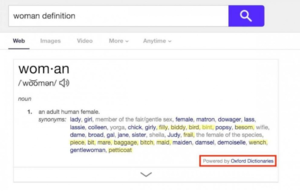 Grace!
Round 23/33 Matchup 17/17 Alexina Graham vs. Behati Prinsloo Karlie Kloss vs. Josephine Skriver Doutzen Kroes vs. Heidi Klum Elsa Hosk vs. Leomie Anderson Rosie Huntington-Whiteley vs. Tyra Banks Calling - Kate Grigorieva vs. Miranda Kerr Chanel Iman vs. Taylor Hill Rules - It's simple, which Angel do you like more? All models will go against each other. At the end of the comp, we should have a list of the most beloved angels and the not so preferred. Alexina Graham vs. Behati Prinsloo Karlie Kloss vs. Josephine Skriver Doutzen Kroes vs. Heidi Klum Elsa Hosk vs. Leomie Anderson Rosie Huntington-Whiteley vs. Tyra Banks
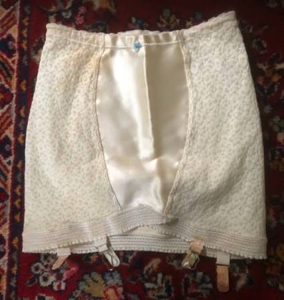
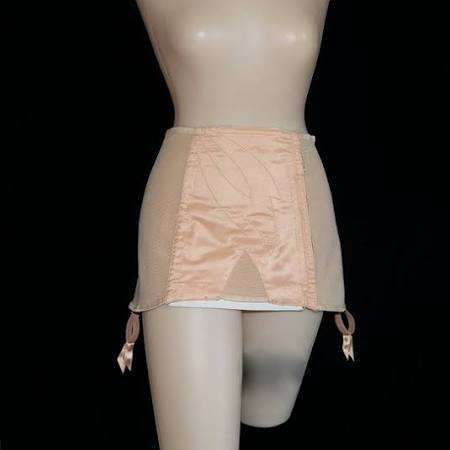
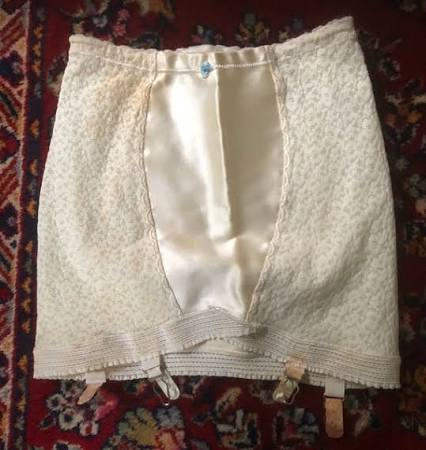
It's a close take on the late 40's to 1950's Girdle/Garter set. I personally think it's wonderful and I know a lot of girls in the Goth/Pinup scene will be buying it.
Grace!
Round 23/33 Matchup 17/17 Alexina Graham vs. Behati Prinsloo Karlie Kloss vs. Josephine Skriver Doutzen Kroes vs. Heidi Klum Elsa Hosk vs. Leomie Anderson Rosie Huntington-Whiteley vs. Tyra Banks Calling - Kate Grigorieva vs. Miranda Kerr Chanel Iman vs. Taylor Hill Rules - It's simple, which Angel do you like more? All models will go against each other. At the end of the comp, we should have a list of the most beloved angels and the not so preferred. Alexina Graham vs. Behati Prinsloo Karlie Kloss vs. Josephine Skriver Doutzen Kroes vs. Heidi Klum Elsa Hosk vs. Leomie Anderson Rosie Huntington-Whiteley vs. Tyra Banks
It's a close take on the late 40's to 1950's Girdle/Garter set. I personally think it's wonderful and I know a lot of girls in the Goth/Pinup scene will be buying it.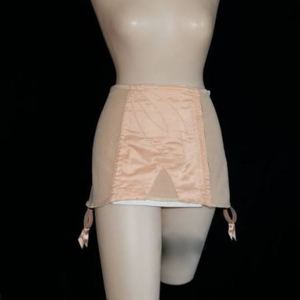


Account
Navigation
Search
Configure browser push notifications
Chrome (Android)
- Tap the lock icon next to the address bar.
- Tap Permissions → Notifications.
- Adjust your preference.
Chrome (Desktop)
- Click the padlock icon in the address bar.
- Select Site settings.
- Find Notifications and adjust your preference.
Safari (iOS 16.4+)
- Ensure the site is installed via Add to Home Screen.
- Open Settings App → Notifications.
- Find your app name and adjust your preference.
Safari (macOS)
- Go to Safari → Preferences.
- Click the Websites tab.
- Select Notifications in the sidebar.
- Find this website and adjust your preference.
Edge (Android)
- Tap the lock icon next to the address bar.
- Tap Permissions.
- Find Notifications and adjust your preference.
Edge (Desktop)
- Click the padlock icon in the address bar.
- Click Permissions for this site.
- Find Notifications and adjust your preference.
Firefox (Android)
- Go to Settings → Site permissions.
- Tap Notifications.
- Find this site in the list and adjust your preference.
Firefox (Desktop)
- Open Firefox Settings.
- Search for Notifications.
- Find this site in the list and adjust your preference.