Skip to content
View in the app

A better way to browse. Learn more.

Bellazon

A full-screen app on your home screen with push notifications, badges and more.

To install this app on iOS and iPadOS
  1. Tap the Share icon in Safari
  2. Scroll the menu and tap Add to Home Screen.
  3. Tap Add in the top-right corner.
To install this app on Android
  1. Tap the 3-dot menu (⋮) in the top-right corner of the browser.
  2. Tap Add to Home screen or Install app.
  3. Confirm by tapping Install.

Helena de Jesus

Featured Replies

  • 1 month later...
  • 4 weeks later...
On 9/24/2022 at 6:52 PM, missparker7 said:

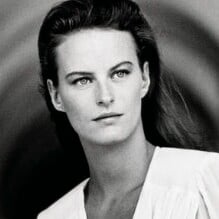
benetton advertisement - ANNA Italy 9. December 1988 #50 - also showing Jonna Hansson, Tabatha Bergin, Roshumba Williams, Sophia Goth, unknown

benettonAdAnnaIT091288no50a.thumb.jpg.f6e862c9c362aed38141ecc078d0a73a.jpgbenettonAdAnnaIT091288no50b.thumb.jpg.81f201cb915cea576e872db316f2f92e.jpg

Thanks for the IDs to Martial. :flower:

Also showing Lisa Bennett (3rd from right). - Thanks for the ID to RocketQueen. flower
Join the conversation

You can post now and register later. If you have an account, sign in now to post with your account.

Guest
Reply to this topic...

Recently Browsing 0

  • No registered users viewing this page.

Account

Navigation

Search

Search

Configure browser push notifications

Chrome (Android)
  1. Tap the lock icon next to the address bar.
  2. Tap Permissions → Notifications.
  3. Adjust your preference.
Chrome (Desktop)
  1. Click the padlock icon in the address bar.
  2. Select Site settings.
  3. Find Notifications and adjust your preference.