Skip to content
View in the app

A better way to browse. Learn more.

Bellazon

A full-screen app on your home screen with push notifications, badges and more.

To install this app on iOS and iPadOS
  1. Tap the Share icon in Safari
  2. Scroll the menu and tap Add to Home Screen.
  3. Tap Add in the top-right corner.
To install this app on Android
  1. Tap the 3-dot menu (⋮) in the top-right corner of the browser.
  2. Tap Add to Home screen or Install app.
  3. Confirm by tapping Install.

Bette Franke

Featured Replies

Jason Wu S/S 2013 RTW-NY

post-38290-0-1446084251-71044_thumb.jpg

Backstage from Jason Wu SS 2013 show

post-38290-0-1446084254-99152_thumb.jpg post-38290-0-1446084255-01269_thumb.jpg post-38290-0-1446084255-02297_thumb.jpg post-38290-0-1446084255-07018_thumb.jpg post-38290-0-1446084255-07692_thumb.jpg post-38290-0-1446084255-08383_thumb.jpg post-38290-0-1446084255-09351_thumb.jpg post-38290-0-1446084255-11637_thumb.jpg post-38290-0-1446084255-12943_thumb.jpg

stylebistro

Derek Lam SS 2013 RTW -NY

post-38290-0-1446084257-40051_thumb.jpg

Michael Kors S/S 2013 RTW-NY

post-38290-0-1446084258-69288_thumb.jpg post-38290-0-1446084258-76368_thumb.jpg adz9KS4f.jpg

Vogue Italia september 2012

Couture Supplement:

Alta Moda: Dolce & Gabbana una storia italiana

Photographer: Paolo Roversi

Models: Monica Bellucci, Bette Franke & others

Styling: Giovanna Battaglia

Hair: John Nollet, Guido, Samatha Hillerby

Make-Up: Letizia Carnevale, Pat McGarth & Sally Branca

Nails: G.G.O.P.

image3pr.jpg

http://visualoptimism.blogspot.fr/2012/09/alta-moda-dolce-gabbana-una-storia.html
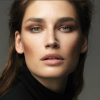
J. Mendel F/W 2012 Ad Campaign Ph. Daniel Jackson

post-35845-0-1446084262-61571_thumb.jpg post-35845-0-1446084262-63564_thumb.jpg post-35845-0-1446084262-65495_thumb.jpg post-35845-0-1446084262-67253_thumb.jpg post-35845-0-1446084262-69656_thumb.jpg

Join the conversation

You can post now and register later. If you have an account, sign in now to post with your account.

Guest
Reply to this topic...

Recently Browsing 0

  • No registered users viewing this page.

Account

Navigation

Search

Search

Configure browser push notifications

Chrome (Android)
  1. Tap the lock icon next to the address bar.
  2. Tap Permissions → Notifications.
  3. Adjust your preference.
Chrome (Desktop)
  1. Click the padlock icon in the address bar.
  2. Select Site settings.
  3. Find Notifications and adjust your preference.