

Bettina Saw-Morgan
Members
-
Joined
-
Last visited
Everything posted by Bettina Saw-Morgan
-
 elsa❤️


-
JOJA
-
JOJA
-
-
Kelly Gale Abigail O'Neill Polina Malinovskaya Cristina Buccino Margaux Brazhnyk Daria Gertz
-
Maya Albana

-
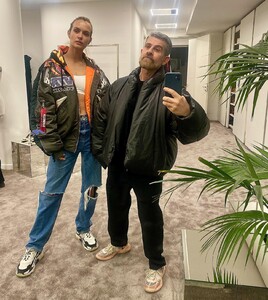
Salvo Nicosia
-
Triarchy

-
Caroline Lowe Yulia Rose Jasmine Tookes Gintare Sudziute
-
Romee Strijd


-
Sara Sampaio



-
elsa❤️



-
Jasmine Tookes Irina Shayk Emily Deyt Aysage Taya Krav Isabelle Mathers Mariama Diallo
-
-
X P O S E D D E S I G N










 Elsa Hosk Taylor Hill Anastasia Smerechevska Ginatre Suzdiute Eden Polani Carolina Stramare
Sara Sampaio
Honey Birdette
Elsa Hosk Taylor Hill Anastasia Smerechevska Ginatre Suzdiute Eden Polani Carolina Stramare
Sara Sampaio
Honey Birdette
 Jasmine Tookes
Triarchy
Jasmine Tookes
Triarchy Rosie Huntington-Whiteley Raven Lyn Tanya Mityushina Gintare Sudziute































Account
Search
Configure browser push notifications
Chrome (Android)
- Tap the lock icon next to the address bar.
- Tap Permissions → Notifications.
- Adjust your preference.
Chrome (Desktop)
- Click the padlock icon in the address bar.
- Select Site settings.
- Find Notifications and adjust your preference.
Safari (iOS 16.4+)
- Ensure the site is installed via Add to Home Screen.
- Open Settings App → Notifications.
- Find your app name and adjust your preference.
Safari (macOS)
- Go to Safari → Preferences.
- Click the Websites tab.
- Select Notifications in the sidebar.
- Find this website and adjust your preference.
Edge (Android)
- Tap the lock icon next to the address bar.
- Tap Permissions.
- Find Notifications and adjust your preference.
Edge (Desktop)
- Click the padlock icon in the address bar.
- Click Permissions for this site.
- Find Notifications and adjust your preference.
Firefox (Android)
- Go to Settings → Site permissions.
- Tap Notifications.
- Find this site in the list and adjust your preference.
Firefox (Desktop)
- Open Firefox Settings.
- Search for Notifications.
- Find this site in the list and adjust your preference.