

valeadicto
Members
-
Joined
-
Last visited
Everything posted by valeadicto
-
 Herb Ritts - HQ



 H&M http://www.linkdetails.com/make-up/anya-de-tobon/advertising/jobs/h-m-99543db9-0d09-4888-8ce1-392d909fcc6e
Franck Sorbier - Fall 1996 - Paris
H&M http://www.linkdetails.com/make-up/anya-de-tobon/advertising/jobs/h-m-99543db9-0d09-4888-8ce1-392d909fcc6e
Franck Sorbier - Fall 1996 - Paris Randy Kemper - Fall 1994 - New York
 Franck Sorbier - Spring Summer 2000 - Paris
 Zang Toi - Spring Summer 1997 - New York

 WYNN - Spring Summer 1997 - New York


 Kyoko Higa - Spring Summer 1997




 Keiko Suzuki - Spring Summer 1997
















 Kazuya Hirayama - Spring Summer 1997




 Kazu Ito - Spring Summer 1997
















 Junko Koshino - Spring Summer 1997








 Isabel Toledo - Spring Summer 1997 - New York

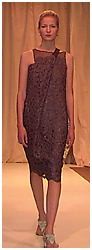




 Hiroko Koshino - Spring Summer 1997




 Hanae Mori - Spring Summer 1997




 Eri Matsui C2 - Spring Summer 1997
















 2B! - Spring Summer 1997 - New York



 Mark Eisen - Fall 1994 - New York Naomi Campbell and ...

















































































































Account
Navigation
Search
Configure browser push notifications
Chrome (Android)
- Tap the lock icon next to the address bar.
- Tap Permissions → Notifications.
- Adjust your preference.
Chrome (Desktop)
- Click the padlock icon in the address bar.
- Select Site settings.
- Find Notifications and adjust your preference.
Safari (iOS 16.4+)
- Ensure the site is installed via Add to Home Screen.
- Open Settings App → Notifications.
- Find your app name and adjust your preference.
Safari (macOS)
- Go to Safari → Preferences.
- Click the Websites tab.
- Select Notifications in the sidebar.
- Find this website and adjust your preference.
Edge (Android)
- Tap the lock icon next to the address bar.
- Tap Permissions.
- Find Notifications and adjust your preference.
Edge (Desktop)
- Click the padlock icon in the address bar.
- Click Permissions for this site.
- Find Notifications and adjust your preference.
Firefox (Android)
- Go to Settings → Site permissions.
- Tap Notifications.
- Find this site in the list and adjust your preference.
Firefox (Desktop)
- Open Firefox Settings.
- Search for Notifications.
- Find this site in the list and adjust your preference.