

TheBestModels
Members
-
Joined
Everything posted by TheBestModels
-
 ^
^ -
^A great man
-
^ if it's true ... Maybe he plans to make his own putch there
^ Classic, pretty basis for a putch lol
^LOL i was thinking the same ahah
Hopefully it will successful though.
@reinaolga_beachwear
 @scottlipps @one1k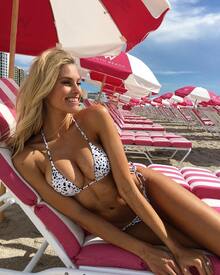

 #SwimWeek
 Clearly, to answer to such hate, racism and extrem violence, in add of the everydays violence we can see in our streets, with #PrayforHumanity #PrayforLove or #WeAreAllHumans, or crying, or ignoring, it's just accepting that. Blindness is not the solution. And NO, Islam is not a victime of these attacks. All these reactions are reactions of depressive people, for not saying weak.
Thanks @foofur16 and @DolceGabbanaLove5 for the updates
The terrorist from Nice was not at all from Daesh or anything. It was a Tunisian living in France since years. He never traveled there obviously. He was not in any data of the Secret services but in the police one for stealing, violence and domestic violence.
https://www.facebook.com/watch.genevieve/videos/vb.27420310542/10157073762590543/?type=2&theater
You live in France, you maybe cross their way everydays, so, you know of what kind of crap we're talking about ...Not surprising, and that's the probleme!
^ That's so horrible what happened there. I feel very touched, way more than in the Paris attacks, because well, i live in the south of France, pretty close from Nice... It's happened during the firework of BastilleDay, while families and all were watching it ...
Clearly, to answer to such hate, racism and extrem violence, in add of the everydays violence we can see in our streets, with #PrayforHumanity #PrayforLove or #WeAreAllHumans, or crying, or ignoring, it's just accepting that. Blindness is not the solution. And NO, Islam is not a victime of these attacks. All these reactions are reactions of depressive people, for not saying weak.
Thanks @foofur16 and @DolceGabbanaLove5 for the updates
The terrorist from Nice was not at all from Daesh or anything. It was a Tunisian living in France since years. He never traveled there obviously. He was not in any data of the Secret services but in the police one for stealing, violence and domestic violence.
https://www.facebook.com/watch.genevieve/videos/vb.27420310542/10157073762590543/?type=2&theater
You live in France, you maybe cross their way everydays, so, you know of what kind of crap we're talking about ...Not surprising, and that's the probleme!
^ That's so horrible what happened there. I feel very touched, way more than in the Paris attacks, because well, i live in the south of France, pretty close from Nice... It's happened during the firework of BastilleDay, while families and all were watching it ...










Account
Navigation
Search
Configure browser push notifications
Chrome (Android)
- Tap the lock icon next to the address bar.
- Tap Permissions → Notifications.
- Adjust your preference.
Chrome (Desktop)
- Click the padlock icon in the address bar.
- Select Site settings.
- Find Notifications and adjust your preference.
Safari (iOS 16.4+)
- Ensure the site is installed via Add to Home Screen.
- Open Settings App → Notifications.
- Find your app name and adjust your preference.
Safari (macOS)
- Go to Safari → Preferences.
- Click the Websites tab.
- Select Notifications in the sidebar.
- Find this website and adjust your preference.
Edge (Android)
- Tap the lock icon next to the address bar.
- Tap Permissions.
- Find Notifications and adjust your preference.
Edge (Desktop)
- Click the padlock icon in the address bar.
- Click Permissions for this site.
- Find Notifications and adjust your preference.
Firefox (Android)
- Go to Settings → Site permissions.
- Tap Notifications.
- Find this site in the list and adjust your preference.
Firefox (Desktop)
- Open Firefox Settings.
- Search for Notifications.
- Find this site in the list and adjust your preference.