Jump to content
View in the app

A better way to browse. Learn more.

Bellazon

A full-screen app on your home screen with push notifications, badges and more.

To install this app on iOS and iPadOS
  1. Tap the Share icon in Safari
  2. Scroll the menu and tap Add to Home Screen.
  3. Tap Add in the top-right corner.
To install this app on Android
  1. Tap the 3-dot menu (⋮) in the top-right corner of the browser.
  2. Tap Add to Home screen or Install app.
  3. Confirm by tapping Install.

kimflorida

Members
  • Joined

  • Last visited

Everything posted by kimflorida

  1. you're welcome 🙂
  2. https://www.instagram.com/stavco_/?hl=en
  3. always happy to help 🙂
  4. Taylor Pelouze https://www.instagram.com/pelos_er/
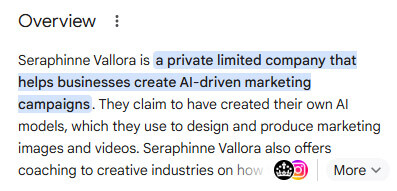
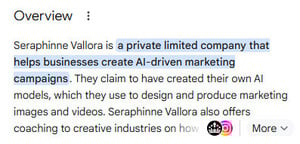
  5. If you check the credits, this ad campaign was "produced" by Seraphinne Vallora no photographer credit ☹️ according to Google - I'm kinda disappointed, but the way things are going, AI can be more cost effective.
  6. she is an AI model
  7. 1 Grace Cox https://www.instagram.com/grace.e.cox/?hl=en 2 Anna Pricope https://www.instagram.com/anna_pricope/?hl=en 3 Pauline Hoarau https://www.instagram.com/paulinehoarau/?hl=en 4 Louise Lefebure https://www.instagram.com/louiselefebure/?hl=en 5 Oriana Ruggeri https://www.instagram.com/orianaruggeri/?hl=en
  8. You’re welcome 😉
  9. Blanca Pachon https://musenyc.com/development/blanca-pachon https://www.instagram.com/blancapachong/
  10. You’re welcome ☺️
  11. https://www.instagram.com/lauraoganessian/?hl=en she has been so popular around here lately 🙂
  12. https://www.instagram.com/paigemhenry/?hl=en
  13. https://www.instagram.com/ashika_pratt
  14. You’re welcome
  15. I found her - https://www.instagram.com/jeanellegabrielle/
  16. https://www.naturalmodelsla.com/divisions/ny-main/portfolios/ashourina https://www.instagram.com/aushosays/?hl=en
  17. Glad to help 🙂
  18. You’re welcome

Account

Navigation

Search

Configure browser push notifications

Chrome (Android)
  1. Tap the lock icon next to the address bar.
  2. Tap Permissions → Notifications.
  3. Adjust your preference.
Chrome (Desktop)
  1. Click the padlock icon in the address bar.
  2. Select Site settings.
  3. Find Notifications and adjust your preference.