Everything posted by nhlovesadri
-

-
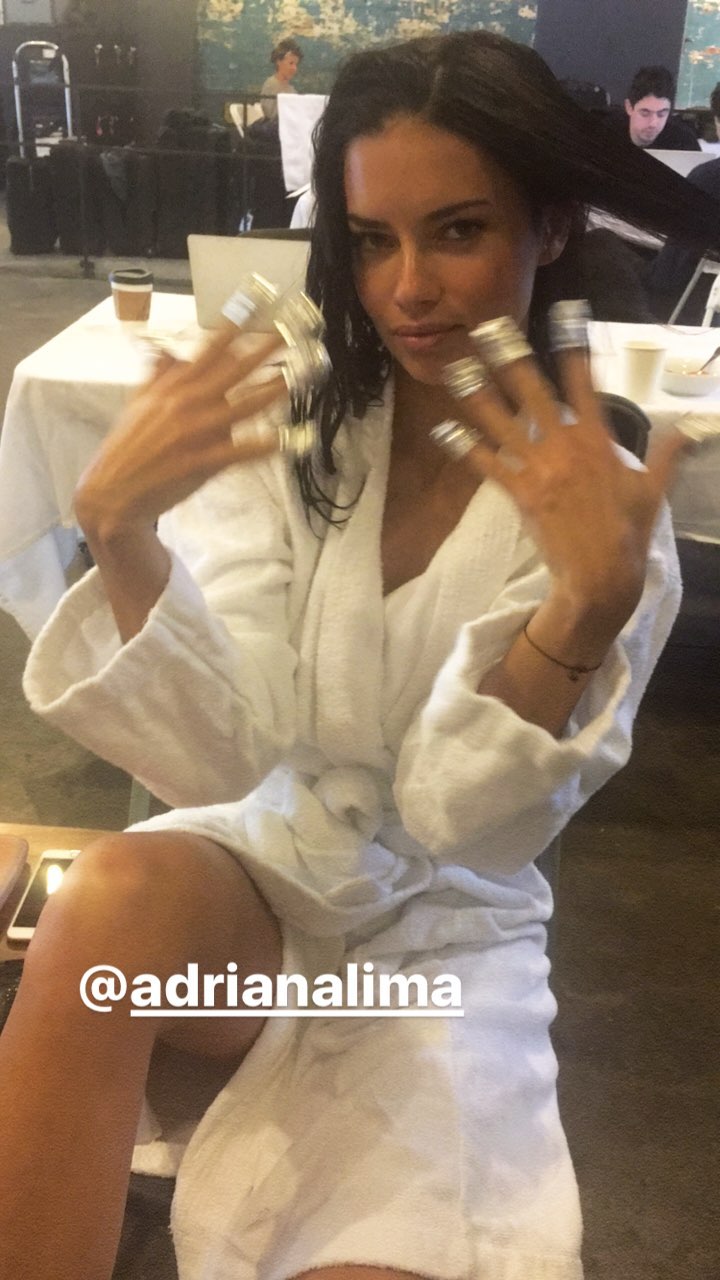
Adriana on Joan Smalls ig stories: she is getting ready to shoot something, does someone know what it is?
 Adriana from her ig stories 15500882_128473554308786_6819985260877447168_n.mp4
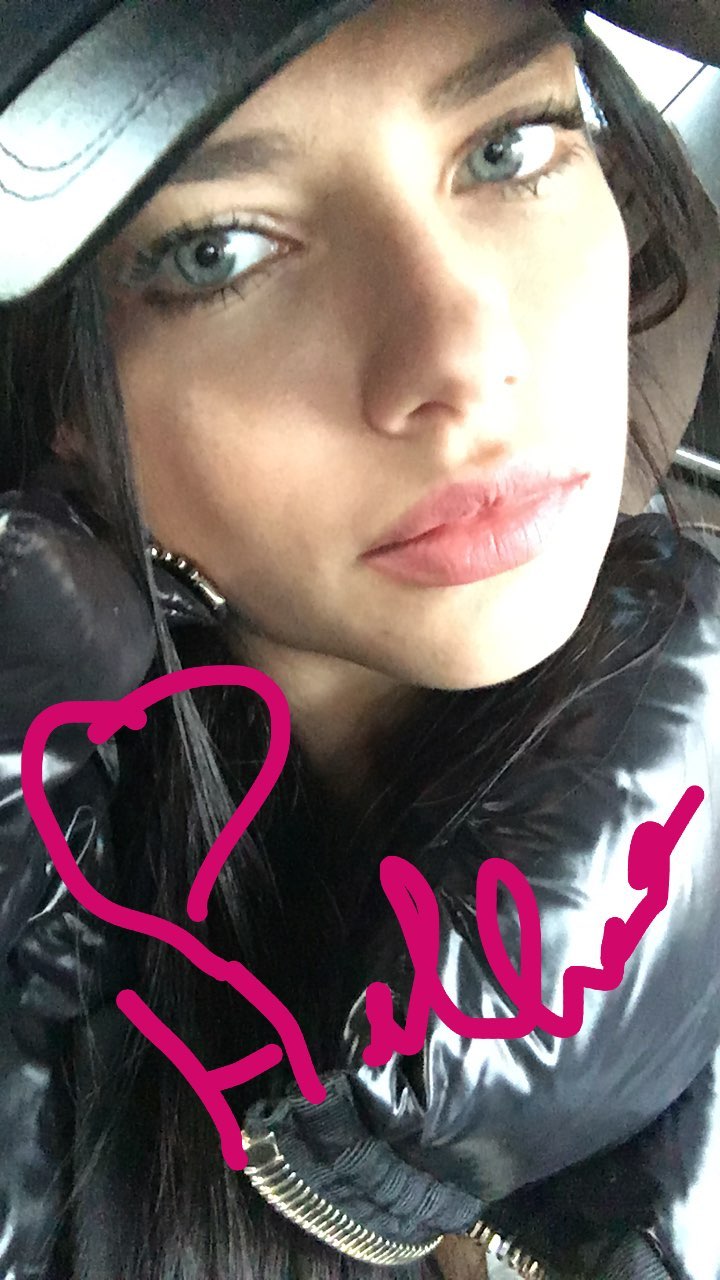
Selfie from ig stories
Adriana from her ig stories 15500882_128473554308786_6819985260877447168_n.mp4
Selfie from ig stories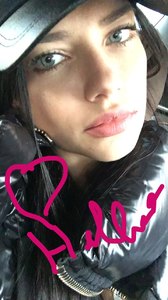 I don't remember to have seen this one before. if it's a repost tell me I'll delete it.
Adriana cooking beans with bacon and baking a cake, from her ig stories. 15500366_939328706197836_8838881298886950912_n.mp4 15051181_381823872154805_4506468321926840320_n.mp4 15497165_1684848745178616_4411976876751323136_n.mp4 15500576_581590098699390_151788121380356096_n.mp4 15500610_242512129502948_2315966448993828864_n.mp4
A vsfs 2016 backstage video from yahoo style that wasn't posted here yet, Adriana and other models tlak about what they want to eat after the show. https://www.yahoo.com/news/victorias-secret-angels-unwind-show-231721368.html @AdrianaSuperFan This year there aren't many interviews of Adriana backstage, not because she didn't release them, I saw many pictures and videos on social media of her being interviewed but, as you already noticed, this year all the media attention was for those socialite so they posted their interviews and not Adriana's ones
Love your new avatar, and I agree she was at her best ever imo. Getting older she only gets better, I like her more now then when she was younger, maturity gives her an iconic bombshell allure that personally I prefer.
@dilhixitah A big thank you for the HQs
Other ig stories from last night, by @stupiddope 15024720_138578546625710_8162176263297957888_n.mp4 15024847_596007297261675_8882916593550491648_n.mp4 15418694_353277395048537_6197086403046670336_n.mp4 15418849_1265883066811345_3980426968100241408_n.mp4
I'm sad to hear this, because I tought her agency was better then that, sending her a list of men who asked her out without even having met her before is gross, if not insulting . But it's not surprising considering that the majority of men she had a relationship with were definitely terrible choices, and honestly it's logic to expect that from men who act this way, c'mon asking a woman out by calling her Agency is just being giant assholes (and I say that as a man). Imo she has to stop to do these set up things, and she hasn't to be with a partner at all costs. There's nothing wrong being single, and she can be happy by herself, as she just showed us these days. She is an amazing woman and she deserves to find a man that is able to see that, and to respect and love her how she is. Imo she has always lowered her standards in the past, choosing men that weren't worthy and adequate for her, just for a need of not being alone of some kind (maybe also urged by her friends). If she wants to be happy imo she has just to calm down, enjoy life without these pressures and if she will meet the right partner she will know it, after a "normal" period of reciprocal acquaintance. Having a partner is not a necessary requirement to a good, happy, full and satisfying life. The society make it seems that being single is a disaster to avoid, but it isn't, forcing yourself to share your life with somebody else that isn't the right person you want to be with, that is the true catastrophe to avoid. @flowerfield100 btw what is the Js forum? I searched on google but I didn't find any reasonable result. There's an Adriana thread there similar to this one here? (Just curious, I'm not doubting your words don't worry )
Me too And I hope somebody posts the HQs of the fencing event, she looked spectacular Adriana is really a true life Wonder Woman, she just can do anything and succed: this was her first day fencing (she said in that interview on facebook 2 days ago she had yet to start) and from the videos she looks already good and natural on the "ring" (I don't know if it's the correct them for fencing).
Adriana Lima at the fencing event from The Society and newstandardedition’s ig stories 15419891_349289772098049_4147156322925674496_n.mp4 15025030_1168263859917668_4897476419363274752_n.mp4 15024877_1024234217688054_2115952953050267648_n.mp4 15024806_376752625991899_762275326884577280_n.mp4 15016786_1612771229031887_5609722738823397376_n.mp4 14282806_1010710295707724_125811373195132928_n.mp4 12854346_168116290329692_8436956627239698432_n.mp4 12852291_1335712643125895_8330227067891220480_n.mp4
I don't remember to have seen this one before. if it's a repost tell me I'll delete it.
Adriana cooking beans with bacon and baking a cake, from her ig stories. 15500366_939328706197836_8838881298886950912_n.mp4 15051181_381823872154805_4506468321926840320_n.mp4 15497165_1684848745178616_4411976876751323136_n.mp4 15500576_581590098699390_151788121380356096_n.mp4 15500610_242512129502948_2315966448993828864_n.mp4
A vsfs 2016 backstage video from yahoo style that wasn't posted here yet, Adriana and other models tlak about what they want to eat after the show. https://www.yahoo.com/news/victorias-secret-angels-unwind-show-231721368.html @AdrianaSuperFan This year there aren't many interviews of Adriana backstage, not because she didn't release them, I saw many pictures and videos on social media of her being interviewed but, as you already noticed, this year all the media attention was for those socialite so they posted their interviews and not Adriana's ones
Love your new avatar, and I agree she was at her best ever imo. Getting older she only gets better, I like her more now then when she was younger, maturity gives her an iconic bombshell allure that personally I prefer.
@dilhixitah A big thank you for the HQs
Other ig stories from last night, by @stupiddope 15024720_138578546625710_8162176263297957888_n.mp4 15024847_596007297261675_8882916593550491648_n.mp4 15418694_353277395048537_6197086403046670336_n.mp4 15418849_1265883066811345_3980426968100241408_n.mp4
I'm sad to hear this, because I tought her agency was better then that, sending her a list of men who asked her out without even having met her before is gross, if not insulting . But it's not surprising considering that the majority of men she had a relationship with were definitely terrible choices, and honestly it's logic to expect that from men who act this way, c'mon asking a woman out by calling her Agency is just being giant assholes (and I say that as a man). Imo she has to stop to do these set up things, and she hasn't to be with a partner at all costs. There's nothing wrong being single, and she can be happy by herself, as she just showed us these days. She is an amazing woman and she deserves to find a man that is able to see that, and to respect and love her how she is. Imo she has always lowered her standards in the past, choosing men that weren't worthy and adequate for her, just for a need of not being alone of some kind (maybe also urged by her friends). If she wants to be happy imo she has just to calm down, enjoy life without these pressures and if she will meet the right partner she will know it, after a "normal" period of reciprocal acquaintance. Having a partner is not a necessary requirement to a good, happy, full and satisfying life. The society make it seems that being single is a disaster to avoid, but it isn't, forcing yourself to share your life with somebody else that isn't the right person you want to be with, that is the true catastrophe to avoid. @flowerfield100 btw what is the Js forum? I searched on google but I didn't find any reasonable result. There's an Adriana thread there similar to this one here? (Just curious, I'm not doubting your words don't worry )
Me too And I hope somebody posts the HQs of the fencing event, she looked spectacular Adriana is really a true life Wonder Woman, she just can do anything and succed: this was her first day fencing (she said in that interview on facebook 2 days ago she had yet to start) and from the videos she looks already good and natural on the "ring" (I don't know if it's the correct them for fencing).
Adriana Lima at the fencing event from The Society and newstandardedition’s ig stories 15419891_349289772098049_4147156322925674496_n.mp4 15025030_1168263859917668_4897476419363274752_n.mp4 15024877_1024234217688054_2115952953050267648_n.mp4 15024806_376752625991899_762275326884577280_n.mp4 15016786_1612771229031887_5609722738823397376_n.mp4 14282806_1010710295707724_125811373195132928_n.mp4 12854346_168116290329692_8436956627239698432_n.mp4 12852291_1335712643125895_8330227067891220480_n.mp4Account
Navigation
Search
Configure browser push notifications
Chrome (Android)
- Tap the lock icon next to the address bar.
- Tap Permissions → Notifications.
- Adjust your preference.
Chrome (Desktop)
- Click the padlock icon in the address bar.
- Select Site settings.
- Find Notifications and adjust your preference.
Safari (iOS 16.4+)
- Ensure the site is installed via Add to Home Screen.
- Open Settings App → Notifications.
- Find your app name and adjust your preference.
Safari (macOS)
- Go to Safari → Preferences.
- Click the Websites tab.
- Select Notifications in the sidebar.
- Find this website and adjust your preference.
Edge (Android)
- Tap the lock icon next to the address bar.
- Tap Permissions.
- Find Notifications and adjust your preference.
Edge (Desktop)
- Click the padlock icon in the address bar.
- Click Permissions for this site.
- Find Notifications and adjust your preference.
Firefox (Android)
- Go to Settings → Site permissions.
- Tap Notifications.
- Find this site in the list and adjust your preference.
Firefox (Desktop)
- Open Firefox Settings.
- Search for Notifications.
- Find this site in the list and adjust your preference.