Bellazon has been free since 2004, made by fans, not by AI. Chip in $5 to help cover the $315 monthly costs.Free since 2004, made by fans. Chip in $5? December covered · January 26%
SupportPreviously ID'ed Models
An archive of ID'ed models.
All Model IDs that have been fulfilled will be moved here.
7,437 topics in this forum
-
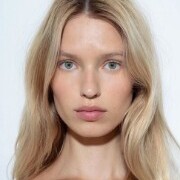
I know her first name is Dasha and last name starts with V but what is her full name?
-
- 1 reply
- 1.2k views
- 1 follower
-
-
-
Hey I found this model on Free people, can anyone help me ID her? Thanks!
-
- 1 reply
- 1.2k views
-
-
-
Does anyone recognize this model from LIDL's Crivit sports bra range, she was modelling the GYM&GO Seamless Sports bra in 2017 and on its packaging? This press photo from 2017 is the only one I have. I've not seen her anywhere else.
-
- 1 reply
- 1.2k views
-
-
Hello Guys, do you know the name of this model from atelier amour?
-
- 2 replies
- 1.2k views
- 1 follower
-
-
-
- 1 reply
- 1.2k views
-
-
-
- 1 reply
- 1.2k views
-
-
-
Anyone know who she is?
-
- 3 replies
- 1.2k views
- 1 follower
-
-
-
- 1 reply
- 1.2k views
-
-
-
-
-
- 4 replies
- 1.2k views
-
-
-
- 2 replies
- 1.2k views
-
-
Please let me know this model Id and details
-
- 1 reply
- 1.2k views
- 1 follower
-
-
-
Hello. Does anyone know her name? Thanks a lot in advance. Best regards
-
- 1 reply
- 1.2k views
-
-
-
Anyone recognize her?
-
- 1 reply
- 1.2k views
- 1 follower
-
-
name is sarah. no other info. anyone know?
-
- 2 replies
- 1.2k views
-
-
Whats her name ? Her instagram id or anything ?
-
- 1 reply
- 1.2k views
-
-
-
- 1 reply
- 1.2k views
- 2 followers
-
-
Anyone recognize her? Sorry, it is the only photo I have of her... TIA my scan
-
- 1 reply
- 1.2k views
-
-
Does anyone know who this stunning AP model is? I haven't seen her ID'd in other AP posts!
-
- 3 replies
- 1.2k views
- 2 followers
-







Recently Browsing 0
- No registered users viewing this page.