All Activity
- Past hour
-
 She’s beautiful! ❤️
 -
 john galliano ss2002
-
-
-
 Molonlave7 changed their profile photo
 -
 Montce Swim: stories







-
 Stephanie Seymour for Ernestina Cerini, ready-to-wear, fall/winter 1992
-

-
A bit clearer

-
COMEBACK !
-
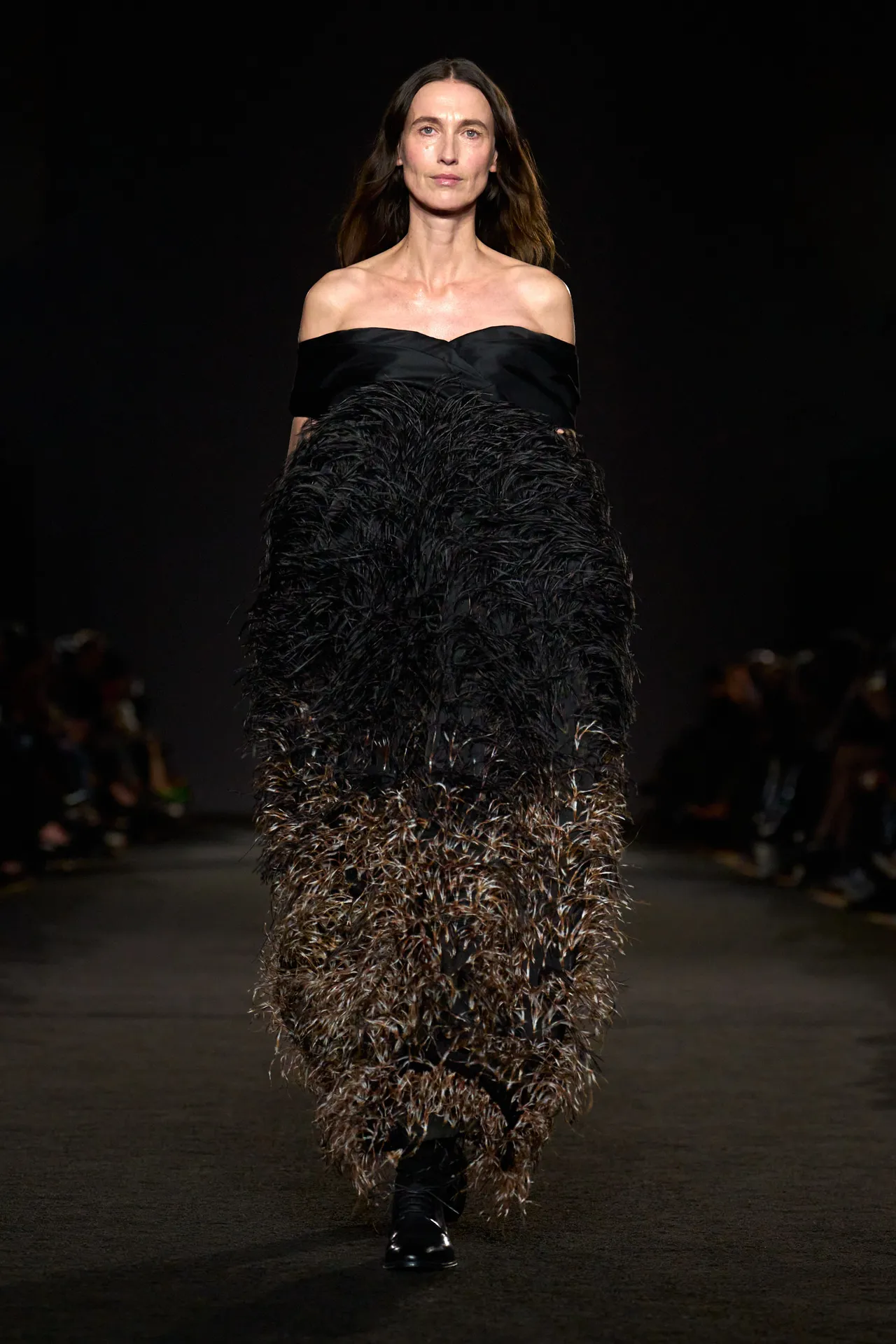
PRABAL GURUNG FW2026

-
shes bacccckkkk !
-
prabal gurung fw2026

-
Stephanie Seymour backstage @ Gianni Versace, haute-couture, spring/summer 1995

-
Power looks better when it’s peaceful. 🖤📸 higoralmeidaphoto



-
This week I had to remind myself that no matter how much I have on my plate or how busy I am- I have to make time for fun with friends. Celebrating our loved ones, hanging with girlfriends, talking about boys & life & makeup & silly things- these are the moments that revive our souls! ♥️🧚🏼🥂🐬🌅

































.jpg.7d06b6307831393442cb20e48b3f893c.jpg)
.jpg.6517f6cd8439787a00becde7a1221313.jpg)















Account
Navigation
Search
Configure browser push notifications
Chrome (Android)
- Tap the lock icon next to the address bar.
- Tap Permissions → Notifications.
- Adjust your preference.
Chrome (Desktop)
- Click the padlock icon in the address bar.
- Select Site settings.
- Find Notifications and adjust your preference.
Safari (iOS 16.4+)
- Ensure the site is installed via Add to Home Screen.
- Open Settings App → Notifications.
- Find your app name and adjust your preference.
Safari (macOS)
- Go to Safari → Preferences.
- Click the Websites tab.
- Select Notifications in the sidebar.
- Find this website and adjust your preference.
Edge (Android)
- Tap the lock icon next to the address bar.
- Tap Permissions.
- Find Notifications and adjust your preference.
Edge (Desktop)
- Click the padlock icon in the address bar.
- Click Permissions for this site.
- Find Notifications and adjust your preference.
Firefox (Android)
- Go to Settings → Site permissions.
- Tap Notifications.
- Find this site in the list and adjust your preference.
Firefox (Desktop)
- Open Firefox Settings.
- Search for Notifications.
- Find this site in the list and adjust your preference.