All Activity
- Past hour
-
 Another Intimissimi commercial, this time for Valentine's Day (in 2023 I think): YurimaS - Intimissimi, Jan'23 (4k).mp4
 -
 Gal Floripa: Created in the magic island 🌛🌝🌜





-
 Cassava harvest 🥔🍠 Goin in the oven tonight!! video [2025.12.04] rachelc00k_DR2CCZMD9SI.mp4
 Gucci: LOOK 58 Generation Gucci Lookbook

- Yesterday

 🕸️ video [2025.12.02] barrefaeli_DRxT9PwCMR6.mp4
 AnacondaMovie - the holiday’s biggest comedy is in theatres this Christmas. Get tickets now.
 Champions League and the Champions Girl return on the 9th and 10th of December 🎁 One last round before the New Year break. Let’s finish 2025 with the noise this competition deserves 🎉 🎄🤶🏼








 NYMag Culturati Cocktail at Manuela on December 03, 2025 in New York via sarahslutsky

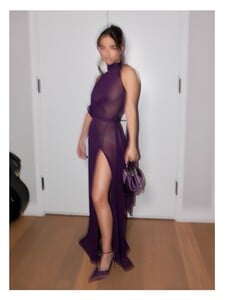


 Drope: Keeping it cute 🌸 video [2025.12.04] dropeclothing_DR2cqg3DvNx.mp4
 dl1961demin: Meet Kristy. Kristy is a high rise cigarette with a 29” inseam designed to taper the leg. It’s slim silhouette will easily become your new wardrobe staple.

 what an interesting backstory!! thank you very much!!😍
 Bekircandemirel joined the community
 Christine Sofie Johansen - Female Fashion Models - Bellazon


 kwnyy joined the community
 Robin Holzken is the beauty queen of Retofete fashions. She is the only model I know by heart.
• Sophia Luders (M) • Eline Lykke (L) • Solveig Mork Hansen (2) • Sevda Ebrahimi (L) • Kristen Shania (3) • Kristina Bagdasaryan (M) • Shir Levy (M) • Caroline Daur (L) • Jessica Goicoechea (M) • Dehandre Van Tonder (L)
Robin Holzken is the beauty queen of Retofete fashions. She is the only model I know by heart.
• Sophia Luders (M) • Eline Lykke (L) • Solveig Mork Hansen (2) • Sevda Ebrahimi (L) • Kristen Shania (3) • Kristina Bagdasaryan (M) • Shir Levy (M) • Caroline Daur (L) • Jessica Goicoechea (M) • Dehandre Van Tonder (L)


































































Account
Search
Configure browser push notifications
Chrome (Android)
- Tap the lock icon next to the address bar.
- Tap Permissions → Notifications.
- Adjust your preference.
Chrome (Desktop)
- Click the padlock icon in the address bar.
- Select Site settings.
- Find Notifications and adjust your preference.
Safari (iOS 16.4+)
- Ensure the site is installed via Add to Home Screen.
- Open Settings App → Notifications.
- Find your app name and adjust your preference.
Safari (macOS)
- Go to Safari → Preferences.
- Click the Websites tab.
- Select Notifications in the sidebar.
- Find this website and adjust your preference.
Edge (Android)
- Tap the lock icon next to the address bar.
- Tap Permissions.
- Find Notifications and adjust your preference.
Edge (Desktop)
- Click the padlock icon in the address bar.
- Click Permissions for this site.
- Find Notifications and adjust your preference.
Firefox (Android)
- Go to Settings → Site permissions.
- Tap Notifications.
- Find this site in the list and adjust your preference.
Firefox (Desktop)
- Open Firefox Settings.
- Search for Notifications.
- Find this site in the list and adjust your preference.