All Activity
- Past hour
-
 Rachel Via Snapchat Videos




















-
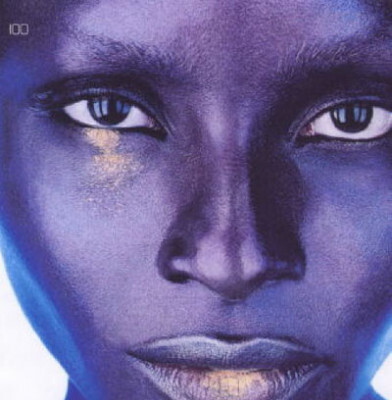
 Tom van Lingen F/W2002?
-
-

- Yesterday
-
tom van lingen s/s 2001

-

-
-
-
Eva Rose Rankin - Female Fashion Models - Bellazon
 Zohran Kwame Mamdani (born October 18, 1991) is an Ugandan-American politician who has served as the 112th mayor of New York City since January 2026. A member of the Democratic Party and the Democratic Socialists of America, Mamdani served from 2021 to 2025 as a member of the New York State Assembly for the 36th district, representing Astoria, Queens. Mamdani was born in Kampala to Indian parents, academic Mahmood Mamdani and filmmaker Mira Nair. When he was seven years old, after having spent three years in Cape Town, he and his family moved to New York City. Mamdani graduated from the Bronx High School of Science before receiving a bachelor's degree with a major in Africana studies from Bowdoin College in 2014. Of indian descent (Tanzanian) Born in Uganda
 Demi Moore today on instagram





 mindtrahealth changed their profile photo
 Luma Grothe Hailey Bieber Yael Shelbia Zhenya Katava Natalie Roser Bella Hadid Lini Kennedy Oliveira Monika Jagaciak
Account
Navigation
Search
Configure browser push notifications
Chrome (Android)
- Tap the lock icon next to the address bar.
- Tap Permissions → Notifications.
- Adjust your preference.
Chrome (Desktop)
- Click the padlock icon in the address bar.
- Select Site settings.
- Find Notifications and adjust your preference.
Safari (iOS 16.4+)
- Ensure the site is installed via Add to Home Screen.
- Open Settings App → Notifications.
- Find your app name and adjust your preference.
Safari (macOS)
- Go to Safari → Preferences.
- Click the Websites tab.
- Select Notifications in the sidebar.
- Find this website and adjust your preference.
Edge (Android)
- Tap the lock icon next to the address bar.
- Tap Permissions.
- Find Notifications and adjust your preference.
Edge (Desktop)
- Click the padlock icon in the address bar.
- Click Permissions for this site.
- Find Notifications and adjust your preference.
Firefox (Android)
- Go to Settings → Site permissions.
- Tap Notifications.
- Find this site in the list and adjust your preference.
Firefox (Desktop)
- Open Firefox Settings.
- Search for Notifications.
- Find this site in the list and adjust your preference.