Skip to content

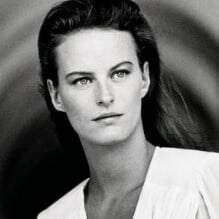
Jill Haley

Featured Replies

  • Author
12 minutes ago, Jill Haley said:

 This is Jill Haley!🙂


Welcome, Jill! It would be nice if you could upload some pics from your career!

 Hello there!

 It's just me, Jill Haley!

 Still alive and kickin'!😉

IMG_p6l4k8.jpg
  • 3 weeks later...

Big welcome to Jill! ❤️ 
Valentino Haute Couture Spring 1990:
713235548_Valentino1990HauteCouture26.thumb.jpg.a7fd04e0224a8860b6afbc4e9a465ad7.jpg 1971417150_Valentino1990HauteCouture27.thumb.jpg.5d999ba6d63b3d8704d3617e534914a8.jpg 1186112463_Valentino1990HauteCouture129.thumb.jpg.437a9353b6ddea858c9c777e9b1a9008.jpg 917319774_Valentino1990HauteCouture130.thumb.jpg.0e101ef23fc5d7fbb7e147c48a6daa8a.jpg

2133699442_Valentino1990HauteCouture147.thumb.jpg.0249bd28ad50d25754ab794526b9c110.jpg 1961261412_Valentino1990HauteCouture46.thumb.jpg.aebce31ca8bb1bb43dea6b222fd9feaa.jpg Image hidden for guestsSign in to view 675626255_Valentino1990HauteCouture48.thumb.jpg.17c7da345749076ede0bf61225380660.jpg

Join the conversation

You can post now and register later. If you have an account, sign in now to post with your account.

Guest
Reply to this topic...

Recently Browsing 0

  • No registered users viewing this page.

Account

Navigation

Search

Search

Configure browser push notifications

Chrome (Android)
  1. Tap the lock icon next to the address bar.
  2. Tap Permissions → Notifications.
  3. Adjust your preference.
Chrome (Desktop)
  1. Click the padlock icon in the address bar.
  2. Select Site settings.
  3. Find Notifications and adjust your preference.