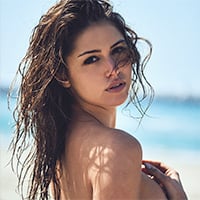
January 8, 20179 yr On 30.11.2016 at 1:39 AM, Pith_Possum said: Ph: Nick Kelly Finally the whole shoot. Gorgeous! Interview: Who Am I... American model Gigi Paris captured in london on November 5th 2016
January 8, 20179 yr Thank you SO MUCH for sharing Pith_Possum! Awesome, beautiful, and words just fail me.
January 9, 20179 yr And thanks to Nick Kelly! When we get to see the precious few shots from these shoots some of these photographers post in some fashion, I wonder if the hold back from extended sets is one of choice or lack of venue. It's almost always a given that more was shot than we see appear anywhere. I'm always left with the impression that there is lots more to see that we don't always end up getting.
January 10, 20179 yr That's because she rules the camera, not the other way around. She's a natural. Great photographers like Neave Bozorgi, for instance, seek to capture that and collaborate with their subjects, not just make them part of a concept or picture. It's not either/or so much as the right model isn't just a mannequin, or a prop, but a person, a presence. Gigi brings that with her, in my opinion, like no one I've seen since Cindy Crawford. That's why the great models have names, and we remember them. Gigi Paris is a name that more people should know. Time will tell.
January 10, 20179 yr Gigi Paris, captured in a moment by her man, Dean Bartlett. Again, from her Instagram.
January 11, 20179 yr Better quality and larger versions of two of her past Instagram's. By Izak Rappaport
January 20, 20179 yr Sorry I couldn't get an image posted. A cool mp4 from her Instagram. JehaneParis3553.mp4
Join the conversation
You can post now and register later. If you have an account, sign in now to post with your account.