gedeon67
Members
-
Joined
-
Last visited
Everything posted by gedeon67
-
-
Elle Italia N.36 – 1 Ottobre 2022 Ballata D'Autunno Photo : Danilo Scarpati Styling: Carola Bianchi Hair: Anaiperez Make-up: Anaiperez
-
Elle Italia N.36 – 1 Ottobre 2022 Un Lungo Week-end Photo : Gilles Bensimon Styling: Laura Seganti Hair: Franco Argento Make-up: Sergio Corvacho
-
Elle Italia N.36 – 1 Ottobre 2022 MOOD BOARD Photo : Xavi Gordo Styling: Laura Seganti Hair: Leon Gorman Make-up: Sergio Corvacho
-
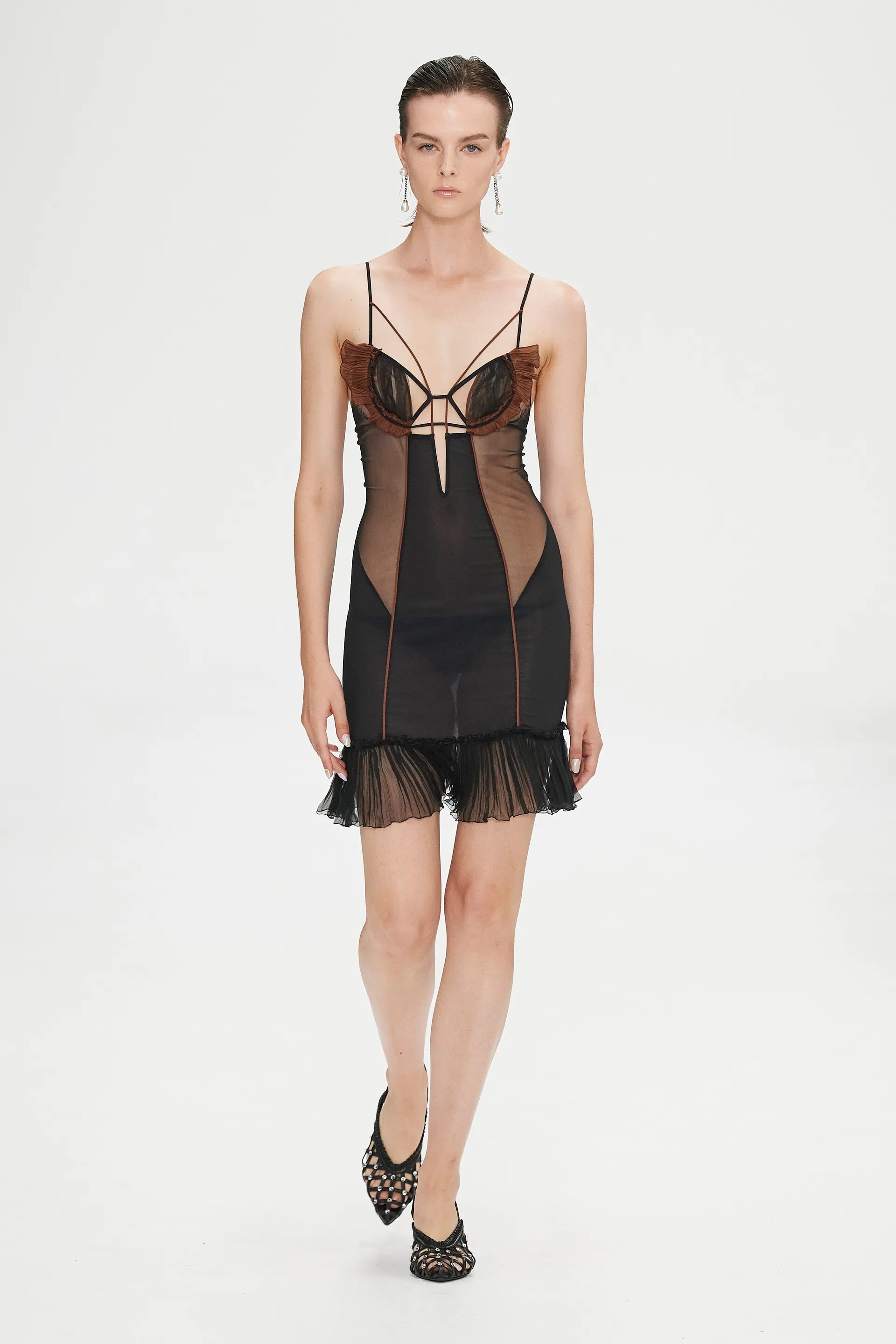
Nensi Dojaka SPRING 2023 READY-TO-WEAR
-
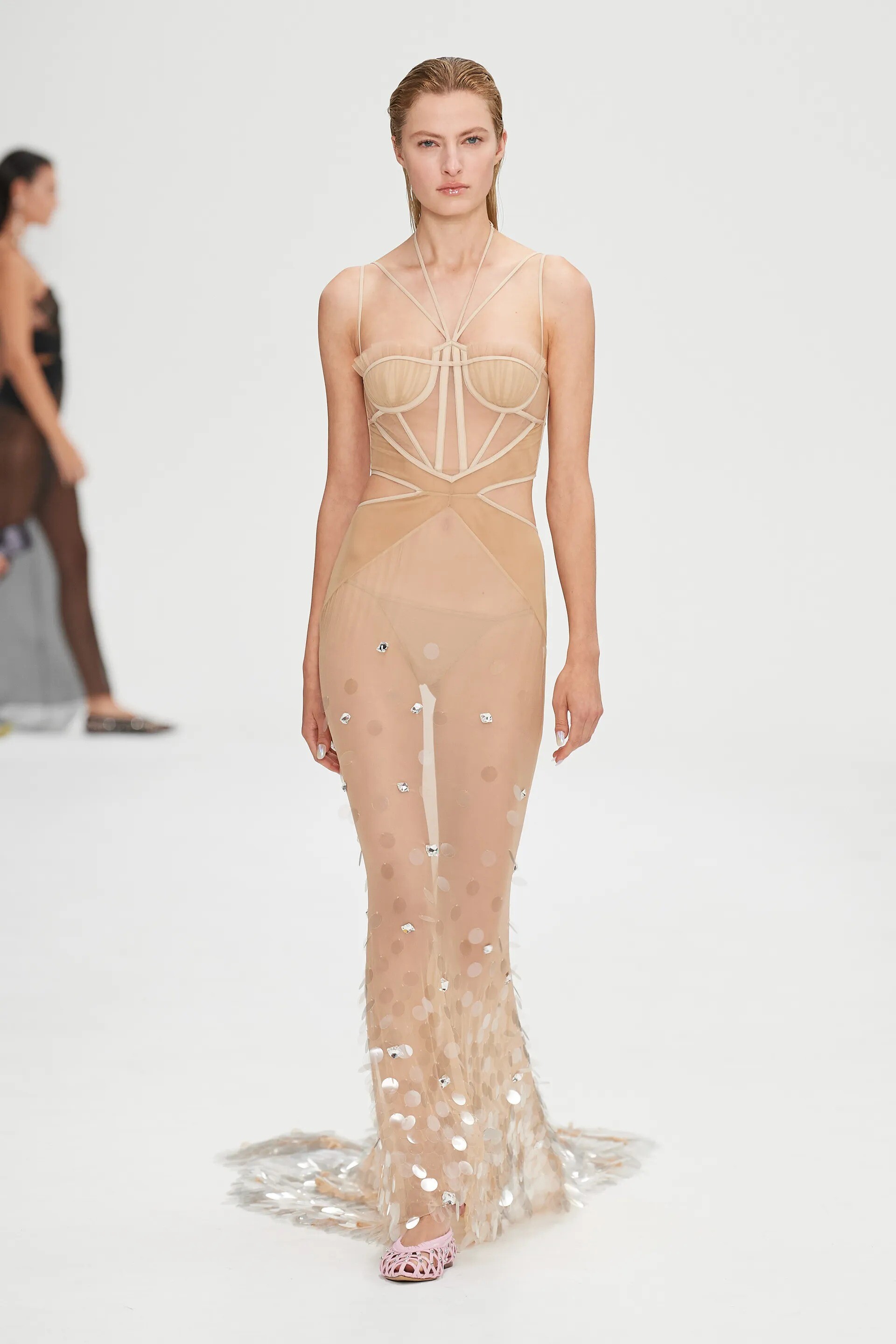
Nensi Dojaka SPRING 2023 READY-TO-WEAR
-
UK Vogue October 2022 PATHS OF RESISTANCE Photography: Matt Healy Styling: Jessica Gerardi Hair: Claire Grech Make-up: Siobhan Furlong
-
UK Vogue October 2022 TRENDS Photo : Rory van Millingen Styling: Eniola Dare Hair: Naoki Komiya Make-up: Laura Dominique
-
Costume Magazine September 2022 Desiree Mattsson - Photographer Pablo Patane - Fashion Editor/Stylist Daniel Dyer - Hair Stylist
-
Vogue U.K. October 2022 Nowstalgia Nadine Ijewere - Photographer Gabriella Karefa-Johnson - Fashion Editor/Stylist Edward Lampley - Hair Stylist Grace Ahn - Makeup Artist Models: Sora Choi, Lucia De La Garza, Mila De La Garza, Imaan Hammam, Bela Salazar & Eloise Wong
-
Vogue U.K. October 2022 Nowstalgia Nadine Ijewere - Photographer Gabriella Karefa-Johnson - Fashion Editor/Stylist Edward Lampley - Hair Stylist Grace Ahn - Makeup Artist Models: Sora Choi, Lucia De La Garza, Mila De La Garza, Imaan Hammam, Bela Salazar & Eloise Wong
-
Account
Navigation
Search
Configure browser push notifications
Chrome (Android)
- Tap the lock icon next to the address bar.
- Tap Permissions → Notifications.
- Adjust your preference.
Chrome (Desktop)
- Click the padlock icon in the address bar.
- Select Site settings.
- Find Notifications and adjust your preference.
Safari (iOS 16.4+)
- Ensure the site is installed via Add to Home Screen.
- Open Settings App → Notifications.
- Find your app name and adjust your preference.
Safari (macOS)
- Go to Safari → Preferences.
- Click the Websites tab.
- Select Notifications in the sidebar.
- Find this website and adjust your preference.
Edge (Android)
- Tap the lock icon next to the address bar.
- Tap Permissions.
- Find Notifications and adjust your preference.
Edge (Desktop)
- Click the padlock icon in the address bar.
- Click Permissions for this site.
- Find Notifications and adjust your preference.
Firefox (Android)
- Go to Settings → Site permissions.
- Tap Notifications.
- Find this site in the list and adjust your preference.
Firefox (Desktop)
- Open Firefox Settings.
- Search for Notifications.
- Find this site in the list and adjust your preference.