Ariesdior
Members
-
Joined
-
Last visited
Everything posted by Ariesdior
-
 thank you so much palmtreechick10
I can't get that first pic to open up
yes he does look like Jamie Dornan and when he had longer hair he sometimes looks like Andrew Cooper. I have that first Burton Black Label picture as my wallpaper. He makes my computer so much more better.
I voted for Magda of course
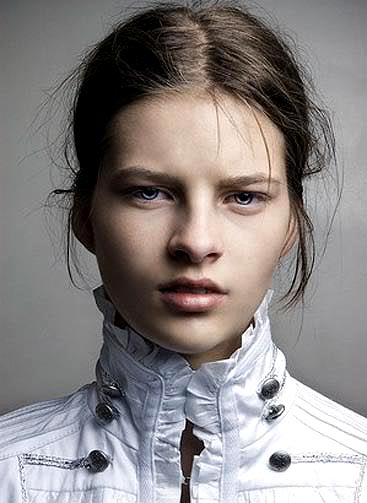
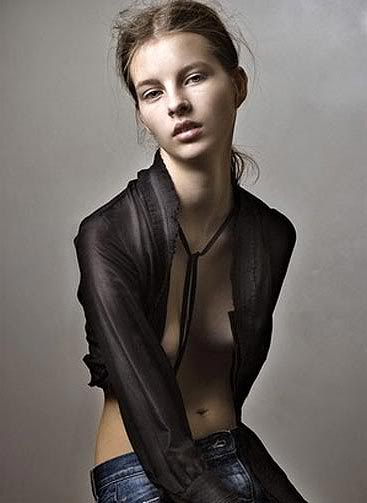
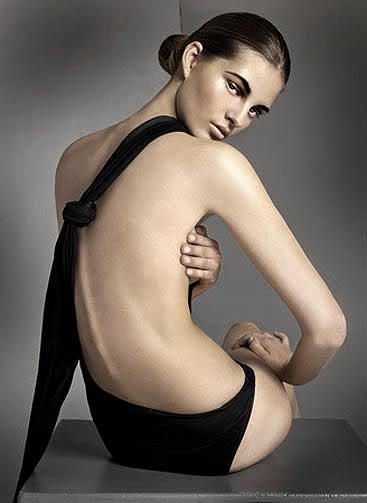
Campaign one: Magdalena Frackowiak Campaign two: Magdalena Frackowiak Campaign three: Magdalena Frackowiak Eyewear: Magdalena Frackowiak Overall: Magdalena
I think shes really cute and has some really good pictures.
John Galliano Resort 2009
Nudity Nudity Nudity
some of those are new to me thanks for the HQs
wow she is gorgeous
no it's fine i was just being nosey
^ english?
^ no shes not
Interview August 2008's preview: Frida Giannini Photographer : Mikael Jansson Fashion Editor : Karl Templer Models : Maryna & Magdalena
thank you so much palmtreechick10
I can't get that first pic to open up
yes he does look like Jamie Dornan and when he had longer hair he sometimes looks like Andrew Cooper. I have that first Burton Black Label picture as my wallpaper. He makes my computer so much more better.
I voted for Magda of course
Campaign one: Magdalena Frackowiak Campaign two: Magdalena Frackowiak Campaign three: Magdalena Frackowiak Eyewear: Magdalena Frackowiak Overall: Magdalena
I think shes really cute and has some really good pictures.
John Galliano Resort 2009
Nudity Nudity Nudity
some of those are new to me thanks for the HQs
wow she is gorgeous
no it's fine i was just being nosey
^ english?
^ no shes not
Interview August 2008's preview: Frida Giannini Photographer : Mikael Jansson Fashion Editor : Karl Templer Models : Maryna & Magdalena Burton Black Label catalogue F/W 08
Account
Navigation
Search
Configure browser push notifications
Chrome (Android)
- Tap the lock icon next to the address bar.
- Tap Permissions → Notifications.
- Adjust your preference.
Chrome (Desktop)
- Click the padlock icon in the address bar.
- Select Site settings.
- Find Notifications and adjust your preference.
Safari (iOS 16.4+)
- Ensure the site is installed via Add to Home Screen.
- Open Settings App → Notifications.
- Find your app name and adjust your preference.
Safari (macOS)
- Go to Safari → Preferences.
- Click the Websites tab.
- Select Notifications in the sidebar.
- Find this website and adjust your preference.
Edge (Android)
- Tap the lock icon next to the address bar.
- Tap Permissions.
- Find Notifications and adjust your preference.
Edge (Desktop)
- Click the padlock icon in the address bar.
- Click Permissions for this site.
- Find Notifications and adjust your preference.
Firefox (Android)
- Go to Settings → Site permissions.
- Tap Notifications.
- Find this site in the list and adjust your preference.
Firefox (Desktop)
- Open Firefox Settings.
- Search for Notifications.
- Find this site in the list and adjust your preference.