
kivenarmstrength
Members
-
Joined
-
Last visited
Everything posted by kivenarmstrength
-
 different backround...
 -
Thierry Mugler f/w 1996

-
sometimes credited as: Ildiko Fulop Nationality: Hungarian Born: October 29th 1973 in Budapest Hungary
-
-
veronique leroy s/s 1998

-
Veronique Leroy s/s 1998

-
Isabel Marant s/s 1997

-
Herve Leger s/s 1998

-
isabel marant f/w 98

-
Isabel Marant f/w 1998

-
No bio
-
it is prisca....
-
Jean Louis Scherrer Ss2000

-
-
-
-
Deborah Milner f/w 1999
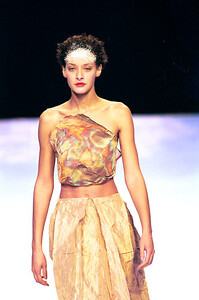
-
Deborah Milner FW99


-
deborah milner f/w 1999
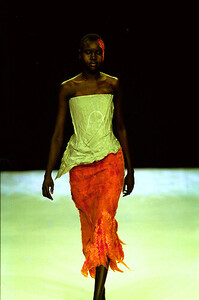

-
deborah milner f/w 1999
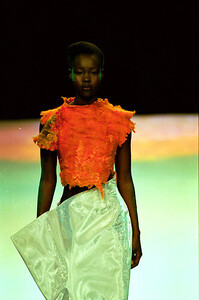
-
-














Account
Navigation
Search
Configure browser push notifications
Chrome (Android)
- Tap the lock icon next to the address bar.
- Tap Permissions → Notifications.
- Adjust your preference.
Chrome (Desktop)
- Click the padlock icon in the address bar.
- Select Site settings.
- Find Notifications and adjust your preference.
Safari (iOS 16.4+)
- Ensure the site is installed via Add to Home Screen.
- Open Settings App → Notifications.
- Find your app name and adjust your preference.
Safari (macOS)
- Go to Safari → Preferences.
- Click the Websites tab.
- Select Notifications in the sidebar.
- Find this website and adjust your preference.
Edge (Android)
- Tap the lock icon next to the address bar.
- Tap Permissions.
- Find Notifications and adjust your preference.
Edge (Desktop)
- Click the padlock icon in the address bar.
- Click Permissions for this site.
- Find Notifications and adjust your preference.
Firefox (Android)
- Go to Settings → Site permissions.
- Tap Notifications.
- Find this site in the list and adjust your preference.
Firefox (Desktop)
- Open Firefox Settings.
- Search for Notifications.
- Find this site in the list and adjust your preference.