
Paula
Members
-
Joined
-
Last visited
Everything posted by Paula
-
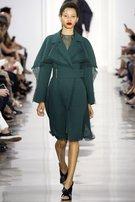
 Details and backstage * style

-
Calvin Klein S/S 10 * catwalking // tfs



-
Show Card Spring Summer 2010 - Milan * models // tfs

-
Backstage at Rodarte: Backstage at Michael Kors: Backstage at Anna Sui (so cute ) : Backstage at Proenza: Backstage at Calvin Klein: * style // gettyimages // tfs






-
Alexander Wang After-party * style // tfs

-
Backstage at Alexander Wang S/S 2010 wireimage // models// tfs



-
And finally.. Calvin Klein!!! * style // tfs




-
Anna Sui S/S 10 New York * style // tfs




-
Rodarte Spring 2010 * coutorture // tfs
-
Proenza Schouler S/S 2010 NY * same source

-
Michael Kors S/S 2010 * catwalking // tfs

-
Philosophy di Alberta Ferretti SS/10 New York (she closed) * nymag.com

-
Marc Jacobs SS 10 * same source

-
Donna Karan S/S 10 NY (Opened!) * same source

-
Alexander Wang - Spring Summer 2010 (she opened) * catwalking // tfs


-
-
-
















































Account
Navigation
Search
Configure browser push notifications
Chrome (Android)
- Tap the lock icon next to the address bar.
- Tap Permissions → Notifications.
- Adjust your preference.
Chrome (Desktop)
- Click the padlock icon in the address bar.
- Select Site settings.
- Find Notifications and adjust your preference.
Safari (iOS 16.4+)
- Ensure the site is installed via Add to Home Screen.
- Open Settings App → Notifications.
- Find your app name and adjust your preference.
Safari (macOS)
- Go to Safari → Preferences.
- Click the Websites tab.
- Select Notifications in the sidebar.
- Find this website and adjust your preference.
Edge (Android)
- Tap the lock icon next to the address bar.
- Tap Permissions.
- Find Notifications and adjust your preference.
Edge (Desktop)
- Click the padlock icon in the address bar.
- Click Permissions for this site.
- Find Notifications and adjust your preference.
Firefox (Android)
- Go to Settings → Site permissions.
- Tap Notifications.
- Find this site in the list and adjust your preference.
Firefox (Desktop)
- Open Firefox Settings.
- Search for Notifications.
- Find this site in the list and adjust your preference.