
Reeyo
Members
-
Joined
-
Last visited
Everything posted by Reeyo
-
Happy because today I had my last maths lesson ever^^
-
-
wohooo *screaming and jumping up and down* :hell yea!: :hell yea!:
-
It's a Turkish website and the music sounds just like James Blunt to me. I don't know the song though. Oh, and I don't know who that group is on the pic you posted. Sry
-
-
There was no thread about her??











 In some pics I like her, in some I don't
I just saw him on The Amityville Horror and all I can say is:
ASHLEY YAO HEIGHT 174cm/5'8.5" WAIST 59cm/23" HIPS 86 cm/34" Shoes 39 EU/8 US/6 UK Hair Brown Eyes Brown
In some pics I like her, in some I don't
I just saw him on The Amityville Horror and all I can say is:
ASHLEY YAO HEIGHT 174cm/5'8.5" WAIST 59cm/23" HIPS 86 cm/34" Shoes 39 EU/8 US/6 UK Hair Brown Eyes Brown Monica


 Great posts, drea
I loooove this one
Great posts, drea
I loooove this one








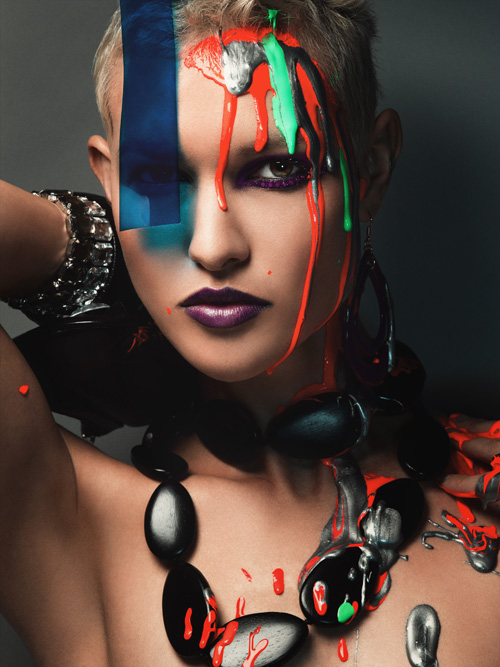
 This shooting is weird...






 Different styles of music







 .
.










 Hi to all vegetarians









 Some of the ANTM pics are just so retouched that they don't look beautiful anymore - just so artificial. Like this shoot -.-












 I don't know how many, but I have collections of Barbara Meier Alek Wek Cameron Diaz Cate Blanchet Cintia Dicker Devon Aoki Drew Barrymore Heidi Klum Jennifer Garner Julia Stegner Lucy Liu Yasmin Warsame Sophie Ellis Bextor and some more pictures of models and actresses that I wouldn't call collection though

















































































Account
Navigation
Search
Configure browser push notifications
Chrome (Android)
- Tap the lock icon next to the address bar.
- Tap Permissions → Notifications.
- Adjust your preference.
Chrome (Desktop)
- Click the padlock icon in the address bar.
- Select Site settings.
- Find Notifications and adjust your preference.
Safari (iOS 16.4+)
- Ensure the site is installed via Add to Home Screen.
- Open Settings App → Notifications.
- Find your app name and adjust your preference.
Safari (macOS)
- Go to Safari → Preferences.
- Click the Websites tab.
- Select Notifications in the sidebar.
- Find this website and adjust your preference.
Edge (Android)
- Tap the lock icon next to the address bar.
- Tap Permissions.
- Find Notifications and adjust your preference.
Edge (Desktop)
- Click the padlock icon in the address bar.
- Click Permissions for this site.
- Find Notifications and adjust your preference.
Firefox (Android)
- Go to Settings → Site permissions.
- Tap Notifications.
- Find this site in the list and adjust your preference.
Firefox (Desktop)
- Open Firefox Settings.
- Search for Notifications.
- Find this site in the list and adjust your preference.